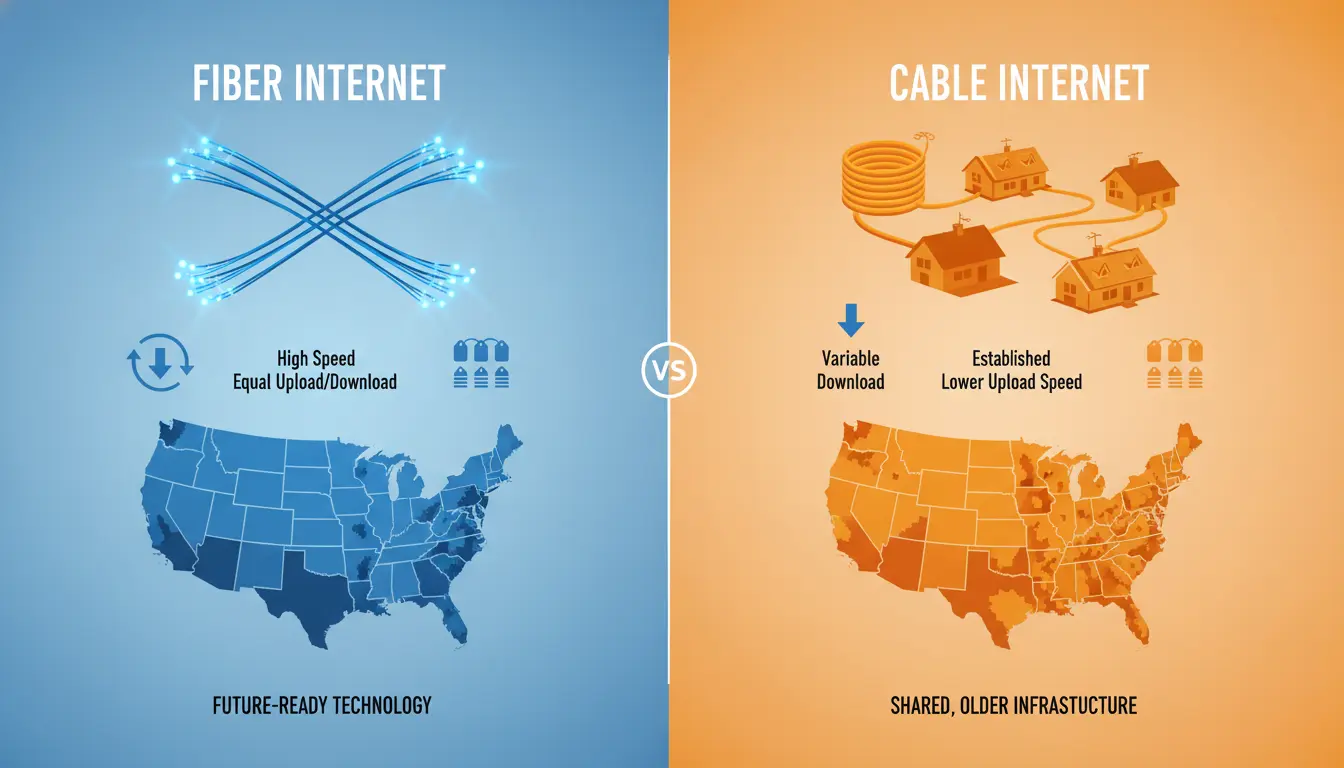

Choosing the right internet provider in the United States often comes down to a simple but crucial question: fiber or cable? Both technologies can deliver fast, reliable home internet, but they differ in speed consistency, latency, availability, pricing, and long-term scalability. In this in-depth guide, we compare fiber and cable across the factors that matter most—so you can make a confident, SEO-informed decision that suits your household’s needs.
What Is Fiber Internet?
Fiber internet uses fiber-optic cables that transmit data as pulses of light. This design allows extremely high bandwidth, exceptionally low latency, and symmetrical speeds (the same upload and download). Fiber is widely regarded as the gold standard for modern connectivity—ideal for 4K/8K streaming, cloud backups, online gaming, remote work, and smart homes with many connected devices.
Key benefits of fiber:


- Symmetrical speeds for uploads and downloads
- Lower latency and jitter for gaming and video calls
- Better performance during peak hours
- Future-proof scalability as data demands grow
Potential downsides:
- Limited availability in some regions
- Installation may require new infrastructure
- Pricing can be higher in areas with limited competition
What Is Cable Internet?
Cable internet runs over coaxial cables originally designed for TV. It is widespread, relatively affordable, and can offer very fast download speeds, often competitive with fiber in headline numbers. However, cable typically provides lower upload speeds and can be more susceptible to network congestion during peak times.
Key benefits of cable:
- Broad availability nationwide
- Competitive pricing and bundle options
- High download speeds suitable for most households
Potential downsides:
- Asymmetrical speeds (slower uploads)
- Performance can dip at peak usage times
- Higher latency compared to fiber
Speed and Performance: Fiber Leads, Cable Competes
If pure performance is your top priority, fiber is the clear winner. Gigabit (1,000 Mbps) and multi-gig (2–5 Gbps) fiber tiers are increasingly common, with upload speeds that match downloads—crucial for creators, remote workers, and households that upload large files or rely on cloud services. Cable can hit gigabit download speeds, but upload is often capped much lower (e.g., 20–50 Mbps), which can bottleneck tasks like live streaming, video conferencing, or sending big files.
- Streaming and gaming: Both fiber and cable handle 4K streaming; competitive gamers and streamers will appreciate fiber’s lower latency and stable uploads.
- Video calls and remote work: Fiber’s symmetrical speeds keep Zoom, Teams, and cloud collaboration smooth, even with multiple users on simultaneous calls.
- Smart homes: As IoT devices multiply, fiber’s headroom helps prevent slowdowns.
Reliability and Congestion: Consistency Matters
Reliability varies by provider and local infrastructure, but fiber’s dedicated optical pathways tend to maintain performance during high-traffic periods. Cable networks share bandwidth among neighboring homes, which can cause noticeable evening slowdowns. If you often work late or share your connection with heavy users, fiber’s consistency can be a game-changer.
- Latency: Fiber typically delivers lower and more stable latency, minimizing lag spikes.
- Peak-hour performance: Fiber often remains closer to advertised speeds; cable speeds can fluctuate more.
Availability: Cable Still Has the Edge, but Fiber Is Growing Fast
Cable internet is available in a vast portion of the U.S., including suburban and many rural areas. Fiber coverage is expanding quickly, especially in metro areas and competitive suburbs, but it may not be accessible everywhere yet. Before deciding based solely on technology, check which providers serve your address and what tiers they offer.
Tips:
- Use provider availability tools on ISP websites.
- Compare actual plan options at your address; offerings vary by neighborhood.
- Don’t overlook regional fiber providers or municipal networks where available.
Installation and Equipment
- Fiber: Installation may involve running a new fiber line to your home and placing an Optical Network Terminal (ONT). You may need a fiber-compatible router for best performance.
- Cable: Typically uses existing coax lines. Self-install kits are common, and any DOCSIS 3.1 modem and Wi-Fi 6 router can deliver strong performance.
Pro tip: Regardless of technology, invest in a modern Wi‑Fi router with Wi‑Fi 6 or Wi‑Fi 6E for better coverage, multi-device efficiency, and faster local speeds.
Pricing and Value
Pricing depends heavily on provider, plan speed, promotional periods, and local competition. Generally, cable plans start cheaper for moderate speeds, while fiber offers superior value at higher tiers thanks to symmetrical bandwidth. Over the long term, fiber often becomes the better investment for households that care about uploads, stability, and future-proofing.
Watch for:
- Promotional pricing vs. regular rates after 12–24 months
- Data caps (some cable plans still impose them; fiber often does not)
- Equipment rental fees (modem/router), installation charges, and activation fees
- Contract terms and early termination fees
Security and Future-Proofing
Fiber’s architecture is inherently resilient and less prone to electromagnetic interference, while also supporting higher capacity upgrades over time. As work, education, telehealth, and entertainment continue to shift online, fiber’s scalability positions it as the more future-proof choice. That said, cable providers are rapidly rolling out DOCSIS 4.0 to improve upload speeds and latency, narrowing the gap in some markets.
Who Should Choose Fiber?
- Remote workers with frequent video calls or large file transfers
- Content creators, streamers, and small businesses at home
- Households with many devices and concurrent heavy usage
- Gamers who value low and consistent latency
- Anyone planning for multi-gig speeds or long-term scalability
Who Should Choose Cable?
- Households where fiber isn’t available yet
- Budget-minded users who want fast downloads and broad availability
- Light-to-moderate uploaders who primarily browse, stream, and game casually
- Renters seeking easy self-install options and flexible contracts
How to Pick the Best Provider at Your Address
- Verify availability: Enter your address on multiple ISP sites to see real options.
- Compare total cost: Include equipment, installation, and post-promo rates.
- Check speed symmetry: If uploads matter, prioritize fiber or cable plans with higher upstream speeds.
- Read local reviews: Performance can vary by neighborhood—even within the same city.
- Confirm policies: Look for no data caps, no contracts, and included equipment when possible.
- Choose the right router: For multi-gig fiber, ensure your router and Ethernet ports support 2.5 Gbps or higher.
Bottom Line
Fiber is generally the best choice for top-tier performance, symmetrical speeds, and long-term reliability. Cable remains a strong, widely available alternative that offers excellent download speeds at competitive prices. Your decision should balance availability, budget, upload needs, and how many people and devices will share the connection. If you have access to fiber at a reasonable price, it’s hard to beat. If not, a well-priced cable plan with a modern modem and router can deliver a fast, dependable experience for most homes.