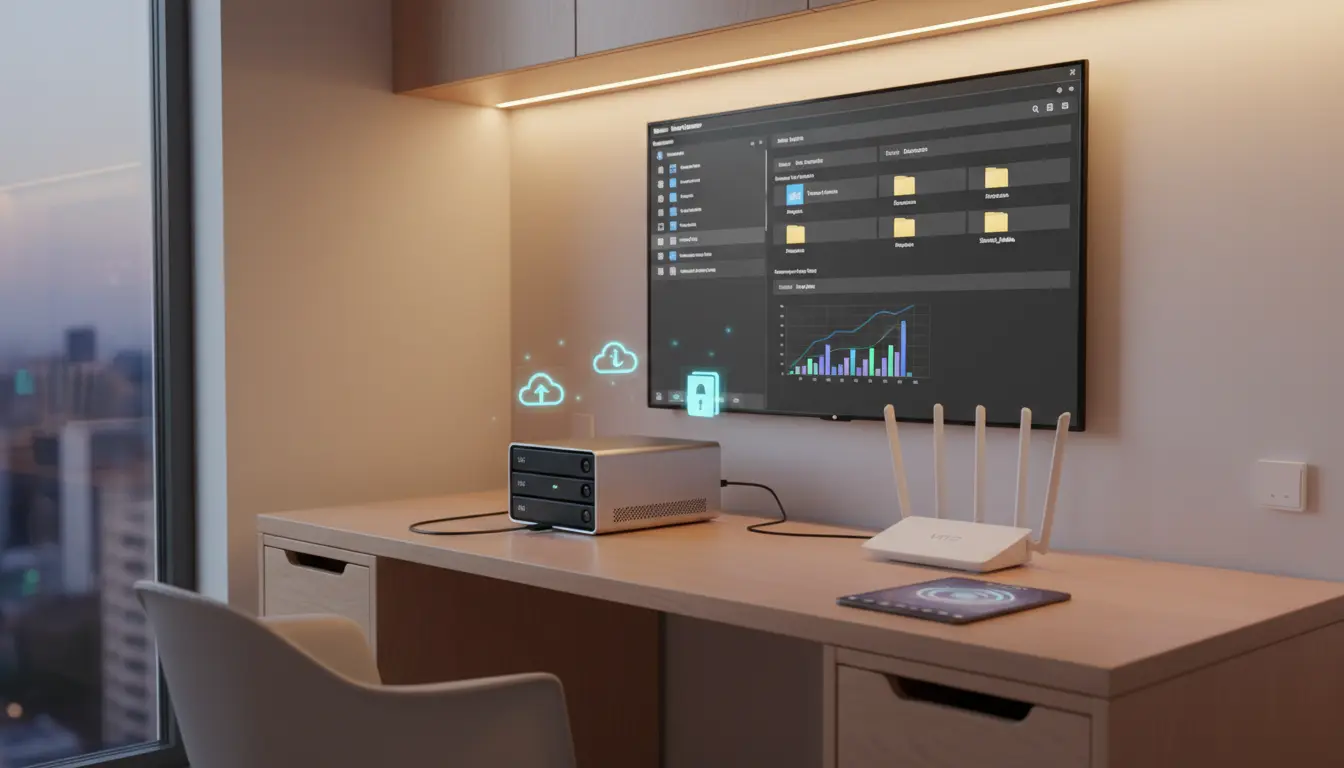

Mobile File Management: Maximizing Efficiency with NAS and SMB in Your Home Network
In an era where our smartphones and tablets serve as primary workstations, the challenge of storage limitations and data fragmentation has never been more pressing. We capture high-resolution 4K videos, download massive datasets, and manage complex projects on the go, yet the physical storage on mobile devices remains a bottleneck. This is where the synergy of Network Attached Storage (NAS) and Server Message Block (SMB) protocols transforms a simple home network into a high-performance data hub. By integrating these technologies, you can achieve seamless mobile file management that rivals professional enterprise environments.
The Evolution of Mobile Productivity
Mobile productivity has shifted from simple email checking to intensive content creation and data management. However, relying solely on public cloud services often introduces latency, recurring subscription costs, and privacy concerns. A local NAS provides a private cloud experience, offering terabytes of space without the monthly fees. When you combine this hardware with the SMB protocol—a network file sharing protocol—your mobile device gains the ability to “mount” remote folders as if they were internal storage. This setup eliminates the need for constant cable connections or slow Bluetooth transfers, allowing for real-time file editing and instant backups.
Understanding the Power of NAS and SMB
A NAS is essentially a dedicated server for your data, connected to your home router. Unlike a standard external hard drive, it is accessible by every device on your network simultaneously. The SMB protocol acts as the language that allows your iPhone, iPad, or Android device to communicate with the NAS. Modern mobile operating systems, such as iOS with its Files app and various Android file managers, have built-in support for SMB. This means you can stream media, move documents, and organize folders directly from your mobile interface with minimal overhead.


Setting Up Your High-Efficiency Home Network
To maximize efficiency, your home network infrastructure must be robust. A Gigabit Ethernet connection for the NAS and a Wi-Fi 6 (802.11ax) router for your mobile devices ensure that data transfer speeds are high enough for demanding tasks. Once the NAS is configured, enabling the SMB service in the control panel is the first step. On the mobile side, connecting is as simple as entering the local IP address of the NAS and your credentials. This creates a persistent link, allowing you to treat your NAS as an extension of your phone’s memory.
Streamlining Workflows with Direct File Access
One of the greatest advantages of SMB-based mobile file management is the ability to perform “in-place” editing. Instead of downloading a file, editing it, and re-uploading it, many mobile apps can now open files directly from the SMB share. For instance, a mobile video editor can pull raw footage straight from the NAS, saving precious internal storage space. This workflow is particularly beneficial for photographers and videographers who deal with large file sizes that would otherwise overwhelm a mobile device’s capacity.
Automated Backups and Data Integrity
Efficiency isn’t just about speed; it’s about security and peace of mind. Mobile devices are prone to loss, theft, or damage. By utilizing NAS-specific mobile apps, you can automate the backup of your camera roll and important documents the moment you walk through your front door and connect to your Wi-Fi. Furthermore, most NAS systems utilize RAID (Redundant Array of Independent Disks) configurations, ensuring that even if a hard drive fails, your data remains intact. This multi-layered approach to data integrity is far superior to manual backups or fragmented storage habits.
Remote Access: Your Home Data, Anywhere
While SMB is primarily designed for local network use, modern NAS solutions offer secure “QuickConnect” or VPN features that allow you to access your SMB shares from anywhere in the world. This means that even when you are miles away from home, you can retrieve a forgotten document or upload a photo directly to your home server using your mobile data. This global accessibility ensures that your productivity is never tethered to a specific physical location, providing a truly mobile-first experience.
Optimizing Performance for Mobile Users
To ensure a smooth experience, it is vital to optimize your NAS settings for mobile interaction. Enabling “Opportunistic Locking” in SMB settings can improve performance when multiple devices access the same files. Additionally, keeping your NAS firmware and mobile apps updated ensures compatibility with the latest security patches and feature enhancements. For those handling thousands of small files, such as code repositories or photo libraries, enabling metadata indexing on the NAS will significantly speed up search queries from your mobile device.
The Future of Home Data Ecosystems
As we move toward more integrated smart homes, the role of the NAS will only grow. We are seeing the rise of AI-powered photo recognition and automated media organization directly on the NAS hardware. Mobile devices will act as the primary interface for these powerful backend processes. By mastering SMB and NAS integration today, you are future-proofing your digital life and ensuring that your mobile devices remain powerful tools rather than storage-constrained liabilities.
Conclusion: A New Standard for Efficiency
Transitioning to a NAS-centric mobile file management system is a game-changer for anyone serious about digital efficiency. It bridges the gap between the portability of mobile devices and the massive storage capacity of desktop environments. By leveraging the SMB protocol, you create a fluid, high-speed, and secure data ecosystem that enhances every aspect of your digital workflow. Stop fighting storage warnings and start experiencing the freedom of a truly connected home network.
Recommended Product on Amazon.com
For those looking to start their journey into high-efficiency mobile file management, the Synology 2-Bay DiskStation DS224+ is an exceptional choice. It offers a user-friendly interface, powerful SMB performance, and a suite of mobile apps that make syncing and accessing your data effortless.









