
Best Large Screen Smartphones for Seniors Living in Atlanta
For older adults in Atlanta, a smartphone should make daily life easier—not more complicated. The best large screen smartphones for seniors combine readable displays, loud and clear audio, straightforward navigation, dependable battery life, and useful safety options. Whether someone wants to make video calls with family, follow maps around Atlanta, manage appointments, or simply stay connected, the right phone can support independence and confidence.
A senior-friendly smartphone does not need to sacrifice modern features. Instead, it should present them in a clear, manageable way. Large icons, adjustable text, voice commands, and an easy-to-use interface often matter more than high-end gaming performance or professional camera specifications.
Why a Large Display Matters for Older Adults
A large display gives seniors more room to read text messages, view photos, use maps, and tap on-screen controls accurately. Many older users experience reduced vision, hand tremors, or less precise finger movement. A large screen phone for elderly users helps reduce eye strain and limits accidental taps.
Look for a screen between 6.5 and 6.9 inches. This range offers enough space for comfortable reading while remaining practical for a pocket, handbag, or car mount. A bright display also helps when using the phone outdoors during Atlanta’s sunny days.
However, screen size alone does not make a device easy to use. The phone should also provide large fonts, strong contrast, responsive touch controls, and simple menu options. Seniors benefit most when the phone feels intuitive from the first day.
Essential Features in an Easy-to-Use Smartphone
When comparing the best smartphones for seniors, focus on the features that improve everyday communication and safety.
Clear Screen and Adjustable Text
A smartphone with large fonts makes calls, texts, email, and social media more comfortable. Android and iPhone devices both allow users to enlarge text, increase display zoom, and adjust contrast. These settings can transform a standard handset into a much more accessible device.
High screen brightness also matters. Seniors should be able to read appointment reminders, transit information, and navigation directions without squinting. A crisp display makes video chats and family photos more enjoyable as well.
Loud, High-Quality Audio
A phone with loud speaker capability can make a meaningful difference for users with mild hearing loss. Choose a model with clear call audio, strong speakerphone performance, Bluetooth compatibility, and accessible volume controls.
For users who wear hearing aids, it is wise to confirm that the phone supports reliable Bluetooth pairing. This feature allows seniors to hear calls directly through compatible hearing devices or wireless earbuds.
Simple Navigation and Voice Control
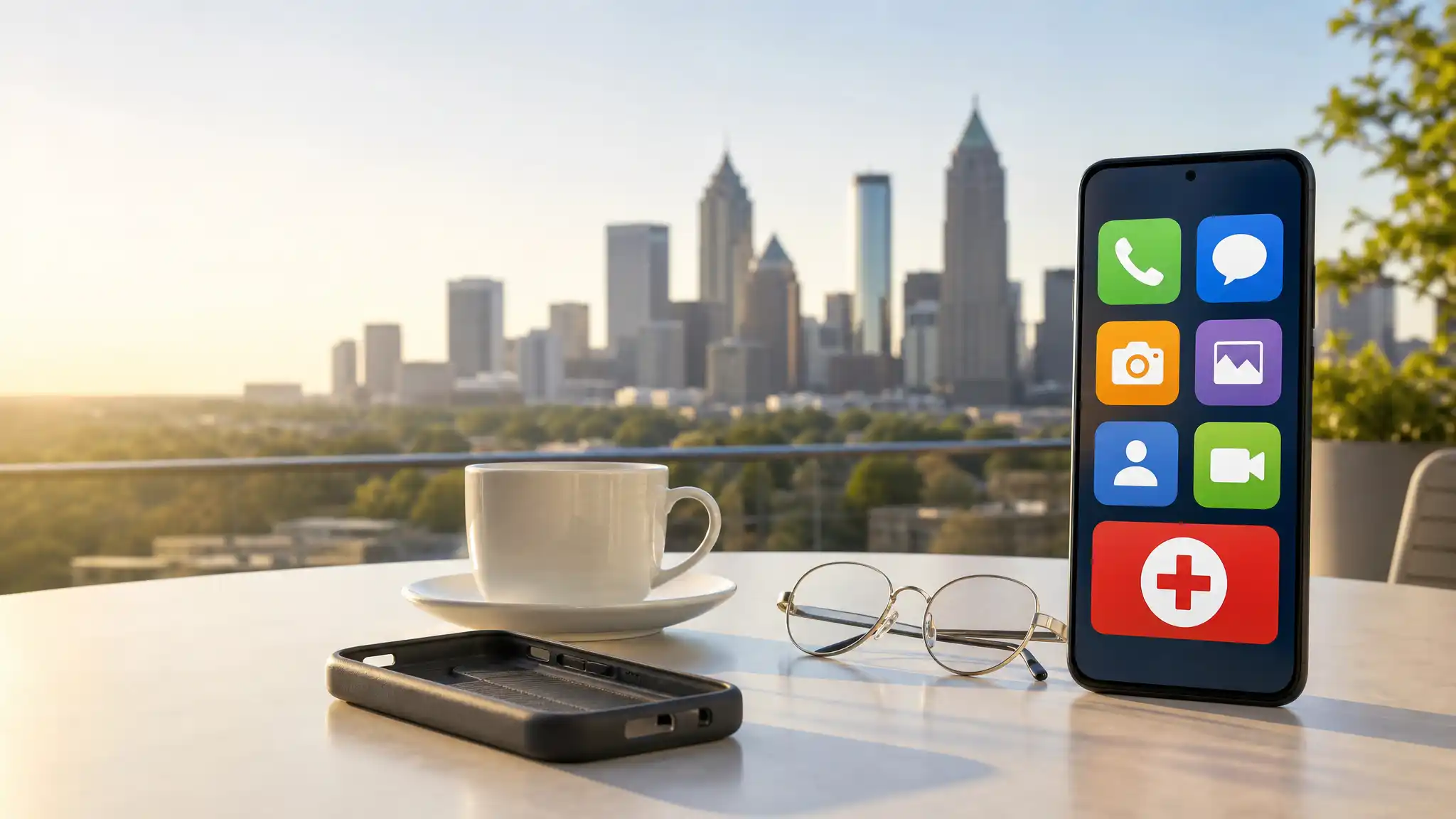
The best easy-to-use cell phone for seniors should avoid clutter. A clean home screen with essential apps—Phone, Messages, Camera, Maps, Contacts, and Emergency—keeps the experience simple.
Voice assistants offer another practical advantage. Seniors can ask a phone to call a family member, send a message, set a medication reminder, check the weather, or get directions without typing. This makes a voice activated smartphone especially helpful for users with arthritis or limited dexterity.
Emergency and Safety Features
Safety should remain a key priority. A smartphone with emergency button options can help users contact family members or emergency services quickly. Most modern smartphones include Emergency SOS tools that can call for help, share a location, or alert selected contacts.
Families should set up emergency contacts before the phone is needed. They should also test the feature together. This small step makes the device more useful during a real emergency.
Location-sharing tools can also support peace of mind. Seniors who drive, walk regularly, or travel around metro Atlanta can share their location with trusted family members when appropriate.
Best Phone Types for Atlanta Seniors
Different seniors have different comfort levels with technology. The best choice depends on how the phone will be used.
Full-Featured Large Screen Smartphones
A full smartphone works best for active seniors who enjoy video calling, online banking, photo sharing, streaming, and navigation. These devices offer large displays, strong cameras, health apps, and access to a wide range of services.
A 6.7 inch smartphone can be a great option for someone who wants a generous screen for reading and viewing photos. Before buying, make sure the phone is not too heavy or difficult to hold. A slim protective case with a grip or stand can improve comfort and reduce the risk of drops.
Simplified Senior Smartphones
A simplified smartphone for seniors provides modern touchscreen features with fewer distractions. These phones often place important actions at the front of the experience, including calling, texting, emergency contacts, and camera access.
This category suits older adults who want internet access and video calling but do not want to learn a complex interface. It also works well when an adult child or caregiver will help with initial setup.
Consider Carrier Compatibility Before Buying
Atlanta residents should check carrier compatibility before choosing an unlocked phone. A device may support certain mobile networks but not others. Confirm that the phone works with the user’s current service provider and that it supports the network bands required for reliable local service.
If the buyer selects a phone designed for a specific service plan, read the activation requirements carefully. Some senior-oriented devices require their own compatible plan and cannot be transferred to another carrier. This is an important detail for anyone searching for an unlocked smartphone for seniors.
Tips for Setting Up a Senior-Friendly Phone
A thoughtful setup can make almost any large screen smartphone easier to use. Start by increasing text size and icon size. Place frequently used contacts on the home screen and label them clearly. Remove unnecessary apps from the first page.
Next, activate emergency contacts, location settings, and voice commands. Add calendar reminders for medications, doctor visits, birthdays, and bill payments. Finally, teach the user only the most important actions first: answering calls, making calls, sending texts, charging the device, and using emergency features.
A patient setup session helps seniors feel capable instead of overwhelmed. It also helps family members create a reliable way to stay connected.
Amazon Product Recommendation
For a senior who wants a large touchscreen and a simplified experience, consider the LIVELY Jitterbug Smart4, which Amazon lists with a 6.75-inch display and 32 GB of storage. Confirm its plan and carrier requirements before purchase: