
Best Phone Tripods for New York Content Creators
New York rewards creators who can move quickly, frame confidently, and publish without turning a simple shoot into a production. One block can offer reflected light, rushing crowds, construction noise, and an unforgettable backdrop. The right phone tripod helps you turn that unpredictability into useful footage. It keeps your camera steady for a café review, a street interview, a skyline time lapse, or a polished talking-head clip.
Why New York Creators Need a Purpose-Built Tripod
A phone tripod in New York must do more than stand upright. It needs to travel easily on the subway, set up quickly on a sidewalk, and hold its position on uneven pavement. Look for a model that folds neatly, opens without complicated locks, and feels solid when a passing train creates vibration.
A portable phone tripod earns its place because it fits beside daily essentials, supports quick location changes, and prevents gear from becoming an excuse to miss a creative opportunity. That mobility matters when weather, crowds, and street activity force you to adapt without losing your intended visual story.
New York City vlogging gear also needs to support fast changes. You may begin with a vertical Reel outside a gallery, then switch to a landscape YouTube segment in a park. A dependable mount lets you rotate your phone without removing it.
Prioritize Stability Before Height
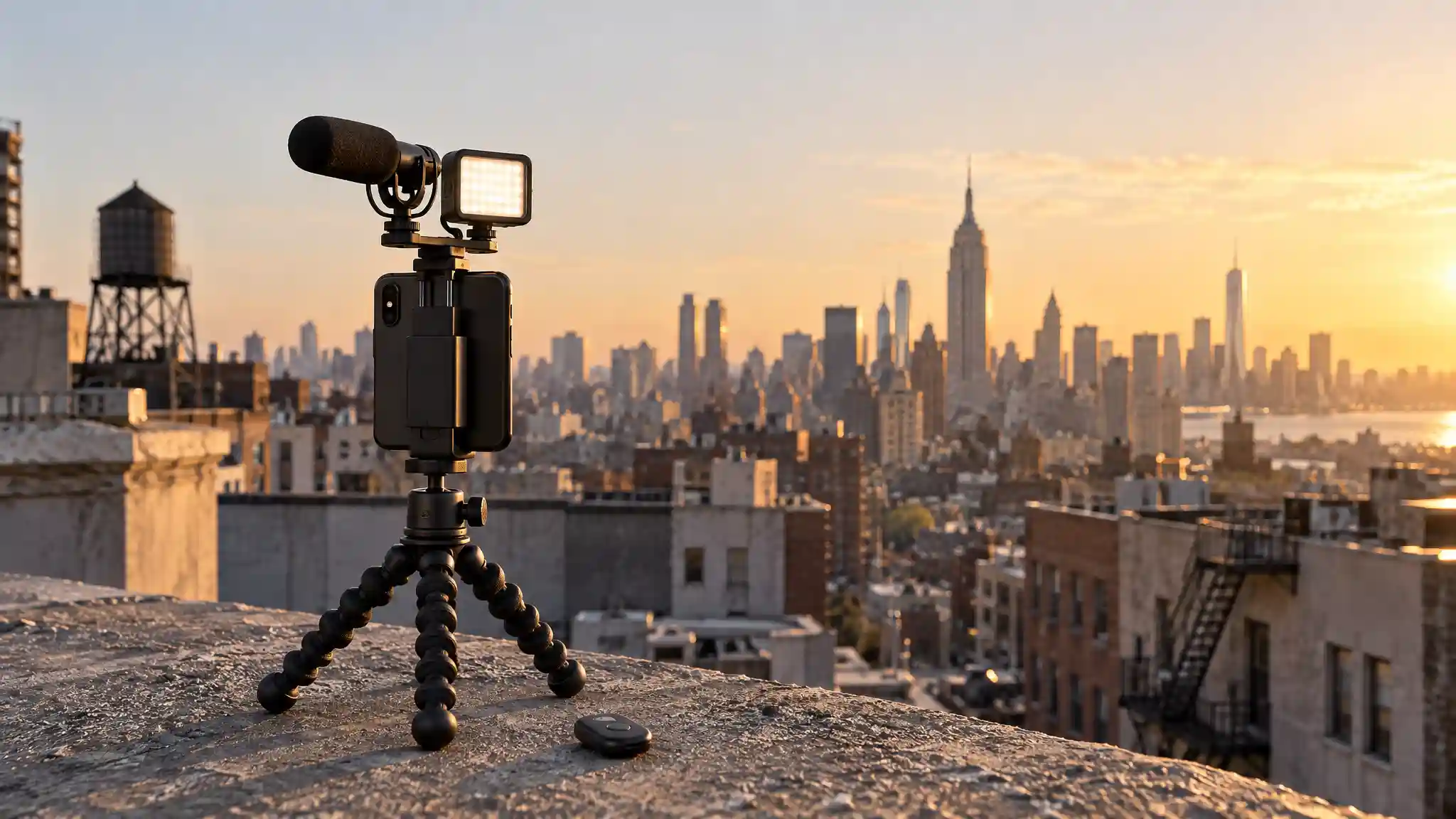
Height attracts attention, but stability decides whether viewers stay engaged. Tall, lightweight legs can wobble in wind or on grates, particularly when you extend every section. Choose a tripod with a wide base, non-slip feet, and secure leg locks. If you use a larger phone, add a case, a microphone, or a small LED light, check that the stated load capacity suits the full setup instead of the phone alone.
For everyday city shooting, a medium-height iPhone tripod stand can create an eye-level talking-head angle while remaining easy to carry. Position it close to a wall, bench, or railing when appropriate, but never attach gear where it could obstruct people or create a hazard. A stable shot should not come at the expense of a crowded sidewalk.
Choose a Mount That Works With Your Phone
The phone clamp is the part that earns trust. A good clamp holds your device firmly without pressing buttons or covering the camera lenses. It should open wide enough for a protective case and rotate smoothly between portrait and landscape positions. This matters equally for an Android phone tripod: compatibility should depend on clamp range and secure support, not on a vague claim printed on the box.
Magnetic mounts offer speed for compatible devices, but a clamp remains useful as a backup for phones, cases, or power banks that do not support magnetic attachment. If you film outdoors frequently, test the mount at home with your heaviest everyday configuration. Confirm that the phone stays balanced when you tilt it downward for food videos, product shots, or overhead demonstrations.
Match the Tripod to Your Content Style
A creator who films walking tours needs something different from a beauty creator recording tutorials at home. A smartphone tripod for travel should prioritize low weight, a compact folded shape, and a quick-release action. It works well for neighborhood guides, museum-area exteriors, food stops, and spontaneous B-roll. However, travel models may sacrifice the rigidity required for long exposures or windier rooftop scenes.
Flexible tripod legs suit creators who need unconventional angles. You can place them on low walls, wrap them around suitable stationary structures, or use them for tabletop scenes. Their versatility makes them helpful for close-up product shots and neighborhood storytelling. Still, flexible legs lose their advantage when you overload them, so keep your rig simple and inspect the joints regularly.
Creators who record sit-down videos, livestreams, or demonstrations often benefit from a traditional three-leg model with a ball head. The ball head lets you make small framing corrections quickly. For short solo clips, a tripod with Bluetooth remote gives you more freedom to step into frame, start recording, and avoid awkward reaches toward the screen.
Build a Lightweight, Professional Workflow
The best tripod is only one part of a compact content creator setup. Pair it with a simple microphone, a small light, and a cleaning cloth for your phone lens. Pack these items in the same place every time. Before filming, wipe the lens, activate stabilization if your phone offers it, and choose the camera setting that matches the platform.
A vertical video tripod is especially useful for TikTok, Reels, and Shorts because it keeps the phone centered in the format viewers expect. Leave enough space above your head for captions, and avoid placing key information near the lower edge, where platform controls may cover it. For horizontal videos, use leading lines from streets, bridges, and architecture to guide the viewer toward your subject. The tripod lets you compose deliberately instead of relying on handheld luck.
Plan for the City, Not Just the Shot
New York locations change by the minute. Scout your angle, but carry a second idea in case a crowd, delivery truck, or harsh shadow changes the plan. Film a few seconds longer than you think you need, then capture cutaway footage: hands, signs, food, footsteps, skyline details, and ambient movement.
Respect public space while you work. Keep your footprint small, avoid blocking entrances, and secure your gear against bumps. On busy streets, stay close enough to your equipment to prevent falls or theft. If a location has rules about filming or tripod placement, follow them and move on when necessary.
How to Make the Final Choice
Start with the content you publish most often. Buy a compact, extendable model if you create frequent on-the-go videos. Choose flexible tripod legs if unusual placement matters most. Select a sturdier full-size option if you regularly use lights, microphones, or longer recordings. In every case, prioritize a dependable clamp, stable base, comfortable carrying size, and quick orientation changes over flashy extras.
For many New York creators, one versatile tripod beats several cheap replacements. It supports consistent framing, faster production, and a calmer shooting process. When you can set up confidently, you spend less energy fighting equipment and more energy finding the city stories only you can tell.
Amazon Product Recommendation
Consider the EUCOS 62-inch Phone Tripod with Remote as a practical all-around option. Its Amazon listing describes an extendable phone stand and selfie-stick design for iPhone and Android devices, making it relevant for creators who want one portable tool for standing clips, travel footage, and solo recording. Review current compatibility, delivery details, and customer feedback before purchasing through Amazon.com.