
Best Product Review & Desktop Shooting Cameras: A Complete Guide
Creating compelling product review videos or tabletop demonstrations begins with the right camera—and the right approach. Whether you make detailed unboxings, macro close-ups of gadgets, or live desktop demos, choosing a camera that balances image quality, autofocus, ergonomics, and connectivity will make your videos look professional and help convert viewers into buyers. This guide walks through the features to prioritize, top camera recommendations across budgets, setup tips for desktop shooting, and editing and SEO pointers to get your reviews noticed.
Why camera choice matters for product reviews and desktop shoots
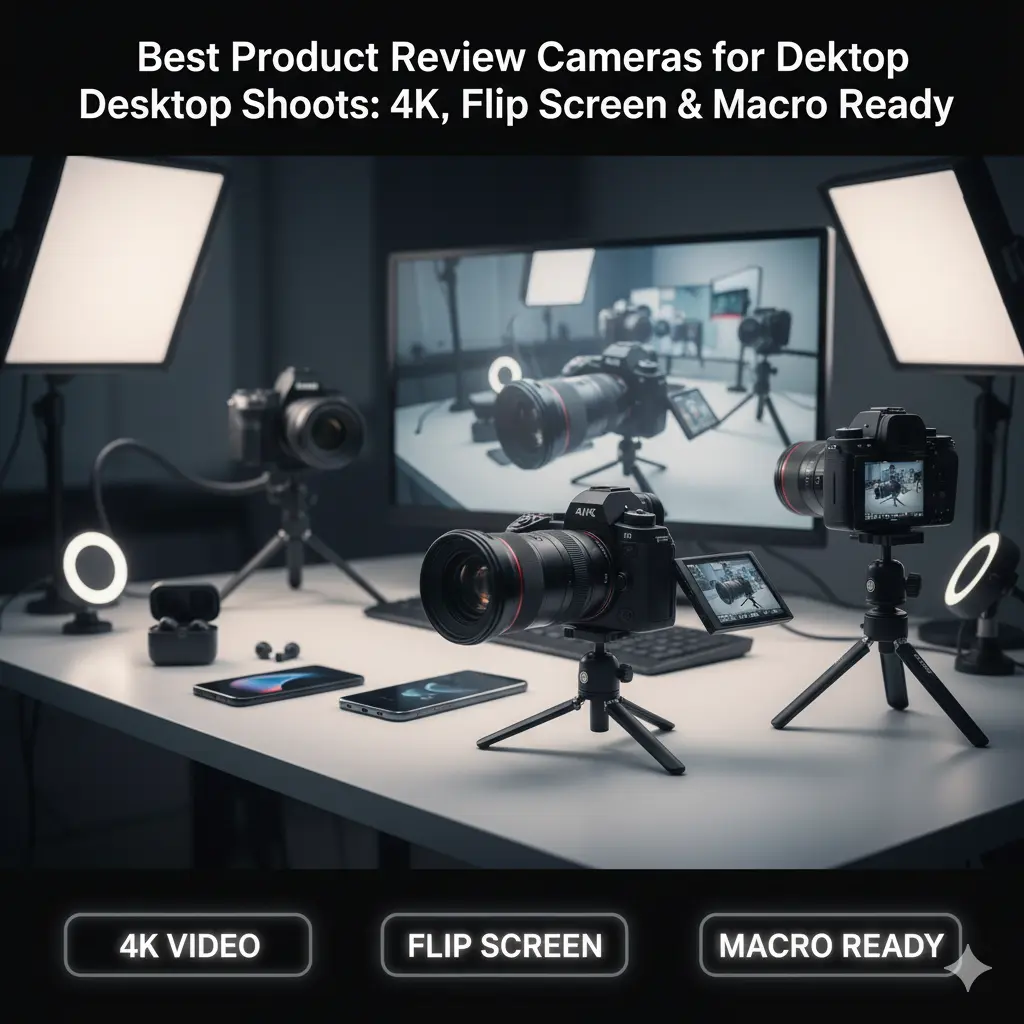
Product videos depend on detail: sharp textures, true colors, steady framing, and accurate focus. A camera that struggles with autofocus, low-light noise, or color reproduction will hide small product details and reduce perceived trustworthiness. Equally important are practical features: flip or articulating screens, clean HDMI/USB output, external mic inputs, and compact bodies that mount easily to articulating arms or tripods for tight tabletop setups.
Key features to prioritize
- Sensor size and resolution: APS-C or 1-inch sensors offer a strong balance between detail and low-light performance. 4K resolution helps when cropping or showing close-in product details.
- Autofocus: Fast, reliable eye/subject detection and continuous AF avoid hunting during rotations or when switching between close-ups and wider views.
- Flip/vari-angle LCD: Essential for monitoring framing when working at a low desktop angle.
- Lens ecosystem: Interchangeable-lens cameras let you choose macro or short-telephoto lenses for crisp close-ups.
- Microphone input and headphone jack: Clear audio is critical—external mics significantly outperform internal mics.
- Clean HDMI / UVC (USB video class) output: Lets you use the camera as a high-quality webcam for live demos and streaming.
- Stabilization & ergonomics: In-body stabilization or steady lenses plus articulating mounts help maintain consistent framing during pans or product turns.
Top camera picks for desktop/product review creators
Below are reliable options spanning webcam-style to mirrorless systems, each suited to tabletop and product-review workflows.
- Sony ZV-E10 / ZV-1
- Why: Designed for creators; excellent autofocus, flip screen, and great color science. ZV-1 is a compact 1-inch option for travel; ZV-E10 is an interchangeable-lens APS-C body for more flexibility.
- Best when: You need a creator-first camera with easy setup and excellent face/subject tracking.
- Canon EOS M50 Mark II / EOS R100
- Why: User-friendly menus, reliable autofocus, and great color straight out of camera. Vari-angle screens make desktop framing easy.
- Best when: You want Canon color and a simple learning curve.
- Sony A6400 / A6600
- Why: Robust autofocus, great 4K output, and strong lens selection for APS-C. The A6600 adds better battery life and in-body stabilization with certain lenses.
- Best when: You need high performance for tight product detail and occasional handheld b-roll.
- Panasonic Lumix G100 / GH5
- Why: GH5 is video-centric with advanced codecs and heat management; G100 is compact with good audio features.
- Best when: You prioritize video codecs and long recording sessions.
- Fujifilm X-S10 / X-T30 II
- Why: Excellent color science, tactile controls, and in-body stabilization on some bodies—great for product texture and styling.
- Best when: Color grading-friendly footage and pleasing JPEG colors are important.
Lenses and accessories that matter
- Macro or short telephoto (50–90mm equiv.) for tight close-ups.
- Fast primes (f/1.8–f/2.8) for subject separation and low-light shots.
- Ring lights, softboxes, or LED panels to create soft, even illumination—avoid harsh reflections on glossy products.
- Small booms, articulating arms, and ball-heads to position the camera low and close to the desktop.
- External shotgun or lavalier mics for crisp voice and product narration. Use a small shotgun above the product or a lavalier on the presenter.
- Turntables for smooth 360° product rotations—paired with consistent lighting and focus distance.
Desktop shooting techniques
- Stable low angle: Position your camera 30–60 cm above the desk depending on lens; aim for a slight downward angle to show tops and sides.
- Focus stacking and close-ups: For extremely shallow depth-of-field, consider focus stacking in stills. For video, stop down slightly (f/4–f/5.6) to keep more of the product in focus.
- Reflections & backgrounds: Use neutral, non-reflective backgrounds or small diffusers for glass/metal objects. Black foam or white acrylic sheets can create clean reflections.
- White balance & color accuracy: Use a grey card for manual white balance and shoot in a flat profile if you plan to color grade.
- Consistent exposure: Lock exposure or use manual mode to prevent in-shot flicker when moving the product under lights.
Workflow: shooting to publish
- Record in the highest reasonable quality (4K if you plan to crop). Use 24/25/30 fps for cinematic feel or 50/60 fps for smooth motion when showing rotations.
- Keep source audio separate if using lavalier or handheld mics—sync in the editor for best clarity.
- Edit with an emphasis on pacing: show key product features early, use macro cuts for details, and overlay B-roll while discussing specs.
- Add overlays: close-up callouts, zoomed-in crops, and comparison graphics to highlight scale and nuance.
- Export optimized for web: H.264/HEVC with a bitrate suited to your resolution and platform (YouTube, Amazon, or your own site).
SEO & content distribution tips for product review videos
- Title: Include primary keyword early (e.g., “Best Product Review Cameras 2025 — Top Picks for Desktop Shoots”).
- Description: Provide timestamped sections for key features and direct affiliate/product links—search engines and platforms favor thorough descriptions.
- Thumbnails: Use high-contrast close-up shots of the product plus readable text.
- Transcripts and captions: Upload accurate transcripts to improve search discoverability and accessibility.
- Repurpose clips: Short vertical or square clips for social platforms increase reach and drive traffic back to the full review.
Final buying guidance
Choose the camera that aligns with your workflow: if you need plug-and-play streaming, a high-quality webcam or mirrorless with clean USB output is ideal. If macro detail and lens flexibility matter most, choose an APS-C or mirrorless body with a short-tele or macro lens. For creators scaling production, invest in lighting, a good mic, and a reliable mount—often these improve perceived video quality more than an incremental camera upgrade.
Conclusion
For desktop product reviews, the best camera is one that balances reliable autofocus, a usable flip screen, high-resolution output, and easy connectivity to your editing or streaming workflow. Supplement the camera with appropriate lenses, diffused lighting, and clean audio to create trustworthy, conversion-friendly review videos that rank well and persuade viewers.