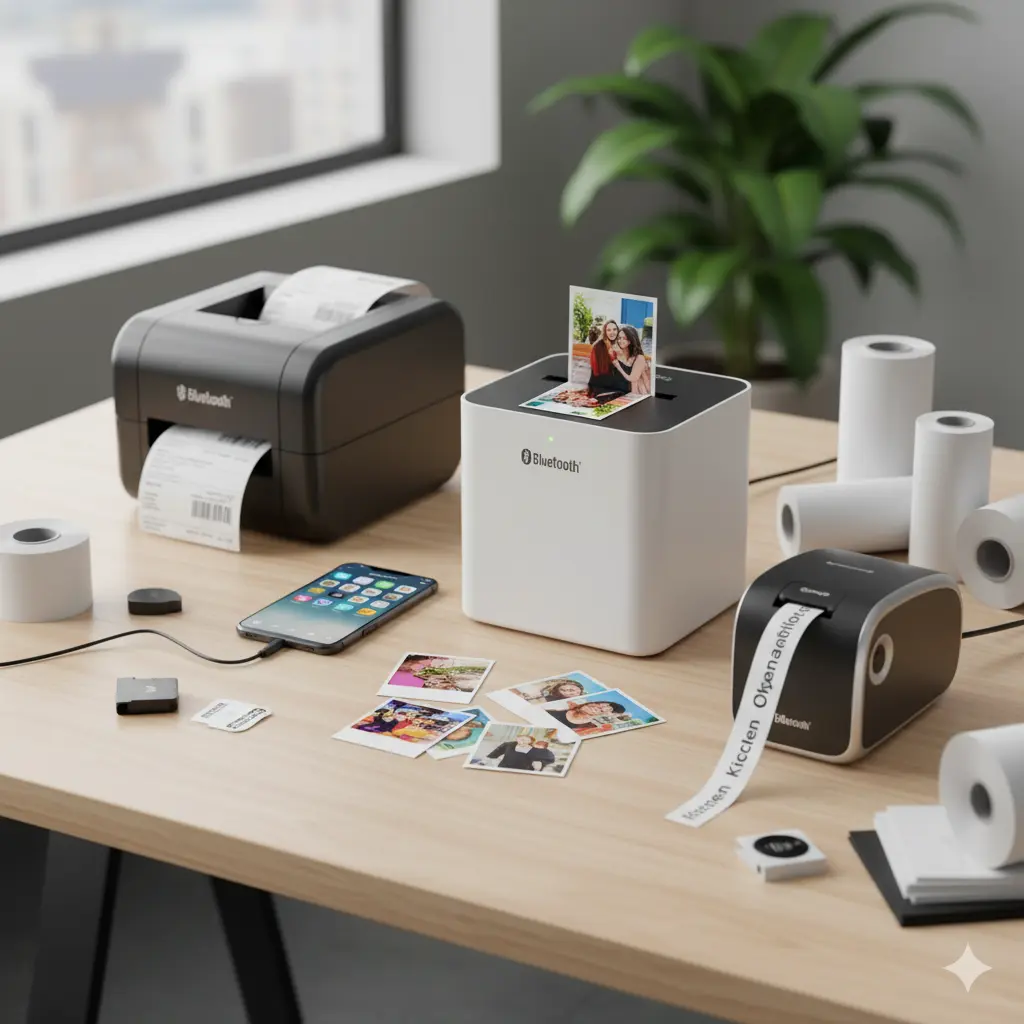

Best Thermal Printers for Labels and Photos — A Practical Guide
Thermal printers have become indispensable tools for businesses, crafters, and hobbyists who need fast, durable, and low-maintenance printing. Whether you need crisp product labels, shipping tags, receipts, or instant 2×3 photo prints from your smartphone, a thermal solution often offers the best mix of speed, portability, and running cost. This article explains the differences between label and photo thermal printers, the key features to evaluate, use-case recommendations, and buying tips so you can confidently choose the right model.
What is a thermal printer?
Thermal printers create images by applying heat to specially coated paper or ribbons. There are two main thermal technologies:
- Direct thermal: Heat activates a coating on the paper to form an image — no ink or ribbon required. Ideal for labels, receipts, and short-term tags.
- Thermal transfer: Heat melts ink from a ribbon onto the label, producing more durable prints that resist heat, moisture, and abrasion. Preferred for long-lasting barcode and product labels.
Note: Some instant photo printers use a specialized thermal technology called ZINK (Zero Ink) or dye-sublimation; ZINK is essentially a heat-activated color-formulation embedded in the paper, while dye-sublimation uses thermal transfer of color dyes. When shopping for “photo thermal” options, check the underlying tech to ensure the finish and durability meet your expectations.
Label vs. Photo Thermal Printers — Key differences
- Media type: Label printers accept rolls or fanfold label stock; portable photo printers use ZINK or small photo paper cartridges.
- Durability: Thermal transfer label printers create the most durable labels. Photo thermal/ZINK prints are designed for quick sharing and are typically less archival.
- Resolution & color: Label printers focus on high-contrast monochrome or simple graphics for barcodes. Photo printers prioritize color reproduction and glossy finishes.
- Connectivity & workflow: Label printers are often integrated with desktop software, shipping platforms, or POS systems. Photo printers emphasize mobile Bluetooth apps and social sharing.
Top features to evaluate
When comparing models, focus on these practical attributes:
- Print resolution: Higher DPI yields sharper barcodes and finer label text. For barcode reliability, 203–300 DPI is common; 300+ DPI is better for small text or detailed logos.
- Print speed: Measured in mm/s or labels per minute. Faster speeds matter in shipping and retail environments.
- Media compatibility: Check supported widths, roll core sizes, and whether continuous, die-cut, or perforated labels are supported.
- Durability and consumables: For long-lasting labels, choose thermal transfer models and compatible ribbons. For photos, evaluate the longevity claims of ZINK or dye-sublimation media.
- Connectivity: USB is standard; Ethernet/Wi‑Fi enable networked printing, while Bluetooth and mobile apps are essential for on-the-go photo printing.
- Software and drivers: Look for easy label design tools, integrations with e-commerce/shipping platforms, and cross-platform driver support.
- Portability and power options: Mobile label/photo printers may include rechargeable batteries and compact designs.
- Cost-per-print: Factor in label rolls, ribbons, or photo paper costs. Low-cost printers with expensive consumables can be expensive over time.
- Build quality & warranty: Rugged casings and a reliable print head reduce downtime in busy environments.
Use cases and recommended types
- Small e-commerce shop: A medium-speed direct thermal or thermal transfer label printer with Wi‑Fi/Ethernet integrates well with shipping software. Prioritize 4″ wide printers for larger shipping labels.
- Retail/point-of-sale: Compact direct thermal receipt and price-tag printers with high reliability and easy paper replacement.
- Warehousing/logistics: Rugged thermal transfer printers for durable barcode labels and asset tags.
- Home office / craft labeling: Small, affordable direct thermal labelers with a variety of label formats and easy desktop apps.
- Instant photo sharing: Pocket ZINK printers and small dye-sublimation photo printers that pair with mobile apps for social sharing and events.
Rather than naming a single “best” unit, match the printer type to the workload: high-volume shipping requires different hardware than mobile event photography.
Practical buying tips
- Match print width to your label size needs (2″, 3″, 4″ common widths).
- Choose thermal transfer for labels that face sunlight, chemicals, or abrasion.
- Test barcode readability (or verify sample prints) if you rely on scanning systems.
- Consider the total cost of ownership: initial unit price + consumables + maintenance.
- For photos, inspect sample prints for color accuracy, black levels, and surface finish (gloss, matte).
- Look for easy-to-replace print heads and clear guides on media loading — saves time and reduces errors.
- Check community and professional reviews for real-world reliability, not only lab specs.
1) DYMO LabelWriter 4XL — Best for small-business 4×6 shipping labels
- Overview: Desktop direct-thermal label printer designed for 4″ x 6″ shipping labels and larger address/packaging labels. Common choice for Shopify, Etsy, and small e-commerce sellers.
- Key specs (typical): direct thermal print technology, 4″ print width (4×6 labels), compact desktop form factor, driver and label software for Windows/Mac.
- Best for: Small e-commerce shops, home-office shipping, POS labeling where integration with common platforms (e.g., USPS, Shopify) matters.
- Pros:
- Widely compatible with shipping platforms and label formats
- Easy to set up and load labels
- Strong ecosystem of replacement labels
- Cons:
- Historically limited native wireless options (many users rely on USB or network adapters)
- Not thermal-transfer (so prints are less durable than ribbon-based labels for harsh conditions)
2) Rollo Direct Thermal Printer — Best for high-throughput, flexible-label sourcing
- Overview: Commercial-style direct-thermal label printer that emphasizes speed and ability to use third-party 4×6 thermal labels (no brand-locked media).
- Key specs (typical): direct thermal, commonly 203 DPI, supports a wide range of 4×6 labels, USB (many models offer Ethernet/networking options).
- Best for: Higher-volume shipping operations that want flexibility to buy cheaper third-party labels and need reliable, fast printing.
- Pros:
- Works with almost any 4×6 direct-thermal labels (cost-saving)
- Generally fast and reliable for batch shipping
- Good value for throughput vs. price
- Cons:
- Some users report driver/setup quirks depending on OS or software integrations
- Not thermal-transfer — not ideal if labels need long-term outdoor durability without lamination









