
What Is GoPro Labs? Advanced Features and Hidden Settings Guide
GoPro Labs is an experimental platform created by GoPro to unlock advanced, beta‑level features on compatible GoPro cameras. Instead of waiting for official firmware releases, GoPro Labs allows power users, filmmakers, and tech enthusiasts to test cutting‑edge tools that dramatically expand what the camera can do.
Unlike normal firmware updates, GoPro Labs features are opt‑in and often experimental. You enable them by loading a special Labs firmware on your camera and then controlling hidden options using QR code commands. This approach keeps the regular interface clean while still giving advanced users deep control over their camera.
In this guide, you’ll learn what GoPro Labs is, how it works, which advanced features it offers, and how to safely use its hidden settings to get more professional and creative results from your GoPro.
How GoPro Labs Works
GoPro Labs runs on top of special firmware versions released by GoPro on their official Labs page. After downloading and installing this firmware on a supported camera, you can:
- Configure advanced options using printable or on‑screen QR codes
- Store complex settings profiles that normally do not exist in the standard menu
- Automate camera behavior for professional workflows, experiments, or long‑term projects
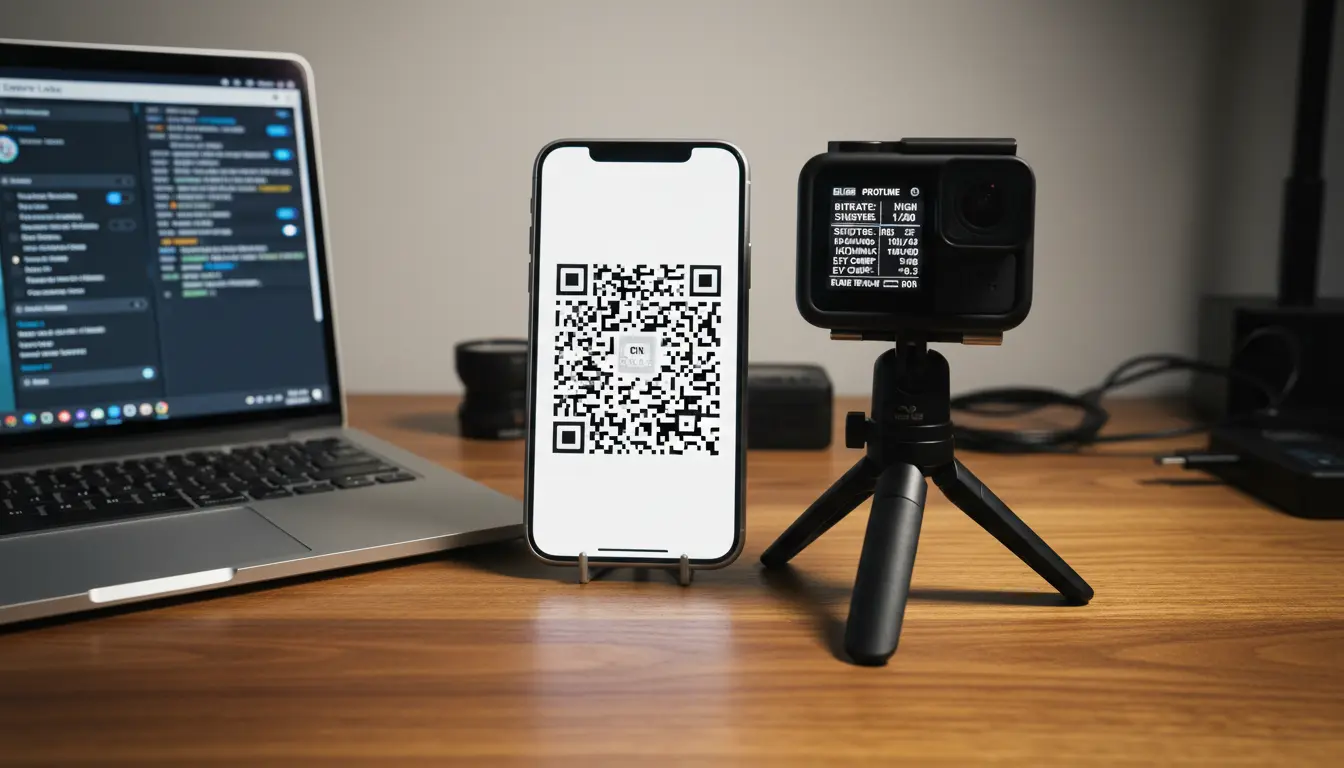
The key idea: instead of digging through menus, you point the GoPro at a QR code, the camera reads it, and instantly applies the encoded settings. This makes it easy to:
- Reuse a setup across different shoots
- Share exact settings with other creators
- Trigger hidden features not visible in the default UI
Why Use GoPro Labs? Main Benefits
GoPro Labs is especially powerful if you:
- Film time‑lapses, long recordings, or scientific experiments
- Need precise control over exposure, shutter speed, or bitrate
- Want automated recording schedules or motion‑based triggering
- Create professional or cinematic footage using compact action cameras
Key benefits include:
- More Creative Control
You can lock exposure, choose custom shutter speeds, and fine‑tune image behavior beyond what the normal menus allow. - Automation & Smart Triggers
The camera can start or stop recording based on time, motion, or external cues like power input. - Optimized Battery & Storage Usage
Scheduling, auto‑shutdown, and controlled bitrates help stretch your battery and memory card for long sessions. - Advanced Testing & Pro Workflows
Labs features are ideal for engineers, researchers, and content creators who need a highly predictable and configurable camera.
Advanced GoPro Labs Features You Should Know
1. QR‑Code Based Configuration
GoPro Labs’ most important innovation is QR‑code control. You generate a code on your computer or phone (using GoPro’s official tools), then point your camera at it.
You can program QR codes to:
- Set resolution, frame rate, and FOV
- Lock ISO, shutter speed, and white balance
- Enable time‑lapse, scheduled capture, or looping
- Apply multiple advanced parameters at once
This effectively gives you preset profiles that you can print and bring on location. One scan, and the camera is perfectly configured for that scenario.
2. Scheduled Capture and Timed Recordings
With GoPro Labs, you can schedule when the camera:
- Powers on
- Starts recording
- Stops recording
- Powers off
This is ideal for:
- Capturing sunrise or sunset without waking up early
- Recording daily construction progress automatically
- Doing long‑term environmental or scientific monitoring
You can even set recurring schedules, so the camera captures at specific times every day with zero manual input.
3. Motion and Sensor‑Based Triggers
Some GoPro Labs builds allow you to use motion or specific events to start and stop capture. Depending on your camera and Labs feature set, you may be able to:
- Trigger recording based on movement or acceleration
- Use power‑on events (like plugging in USB power) to start capture
- Stop recording after a specific duration or condition
This turns your GoPro into a smart, event‑driven recorder.
4. Advanced Exposure and Image Control
GoPro Labs gives you deeper exposure and image controls than standard firmware. Using QR commands, you can often:
- Lock shutter speed for more cinematic motion blur
- Define narrow ISO ranges for cleaner low‑noise footage
- Fine‑tune white balance for consistent color in mixed lighting
- Apply minimal sharpening or noise reduction for post‑production flexibility
These settings are especially valuable if you color‑grade or edit your footage in professional software.
5. Optimized Bitrate and File Handling
For creators who care about image quality and workflow, GoPro Labs can expose options to:
- Adjust bitrate for better detail retention
- Control file segment duration and behavior
- Handle auto‑file splitting more predictably on long recordings
By pushing bitrate higher (when available and safe), you can reduce compression artifacts and preserve more detail for editing.
6. Long‑Duration and Time‑Lapse Projects
If you run multi‑hour or multi‑day shoots, GoPro Labs can make your life much easier. You can:
- Combine scheduled capture with low‑power modes
- Record short bursts at intervals instead of one huge file
- Automatically shut down between captures to save battery
This is perfect for:
- Construction time‑lapses
- Nature observation
- Traffic and crowd studies
- Art and creative time‑based projects
Hidden Settings and “Secret” Tricks with GoPro Labs
Once you become comfortable with GoPro Labs, you can use several “hidden” strategies to streamline your workflow.
Create and Print Preset Cards
You can create multiple QR codes for different scenarios:
- One for “Indoor 4K 30fps, low‑ISO, warm white balance”
- One for “Outdoor 4K 60fps, high‑bitrate action mode”
- One for “Night time‑lapse, long exposure, low ISO”
Print them on a small card or sticker sheet. On set, just hold the right QR code in front of the lens, and the GoPro instantly loads that full configuration.
Store Profiles on Your Phone
If you don’t like printing, keep a folder of QR images on your phone. Open the one you need, point the GoPro at your screen, and load the settings in seconds.
Combine Multiple Parameters into One Code
QR commands can stack multiple parameters, so you avoid remembering long manual setups. For example, a single code can:
- Set 4K 30fps, wide FOV
- Lock shutter speed
- Fix ISO range
- Enable scheduled capture at 6:00 AM
This level of automation is one of the most powerful aspects of GoPro Labs.
Safety Tips and Best Practices
Because GoPro Labs features are experimental, you should use them carefully:
- Use official Labs firmware from GoPro only
- Read the documentation for your specific camera model
- Test new settings before a critical shoot
- Monitor camera temperature when using high resolutions and bitrates
- Keep a standard firmware backup in case you want to revert
GoPro Labs is designed not to “brick” your device when used properly, but it still requires more technical awareness than normal users may be used to.
Who Should Use GoPro Labs?
GoPro Labs is ideal for:
- Professional creators and filmmakers who need repeatable, advanced setups
- YouTubers and vloggers who want more control and automation
- Engineers and researchers doing data capture, tests, or experiments
- Time‑lapse and landscape photographers working with long‑term projects
- Tech enthusiasts who enjoy pushing hardware to its limits
If you only use your GoPro casually and don’t want to think about custom settings, the regular firmware may be enough. But if you want to unlock your camera’s full potential, GoPro Labs is one of the most powerful tools available.
Example Use Cases for GoPro Labs
To show how flexible GoPro Labs can be, here are a few practical scenarios:
- Commuter Time‑Lapse
- Every weekday at 7:45 AM, the GoPro turns on, records 20 minutes of your commute in time‑lapse mode, then powers off automatically.
- Construction Site Monitoring
- The camera records 10 seconds of video every hour from 8 AM to 6 PM, creating a smooth progress video over weeks.
- Scientific Experiment Capture
- A lab mounts a GoPro in a test environment and uses scheduled capture plus fixed exposure and white balance to ensure consistent footage over many trials.
- Night Sky Time‑Lapse
- The camera uses a QR preset to set long shutter speeds, low ISO, and specific intervals to capture star movement with minimal noise.
In each of these examples, the GoPro behaves less like a simple action cam and more like a programmable imaging device.