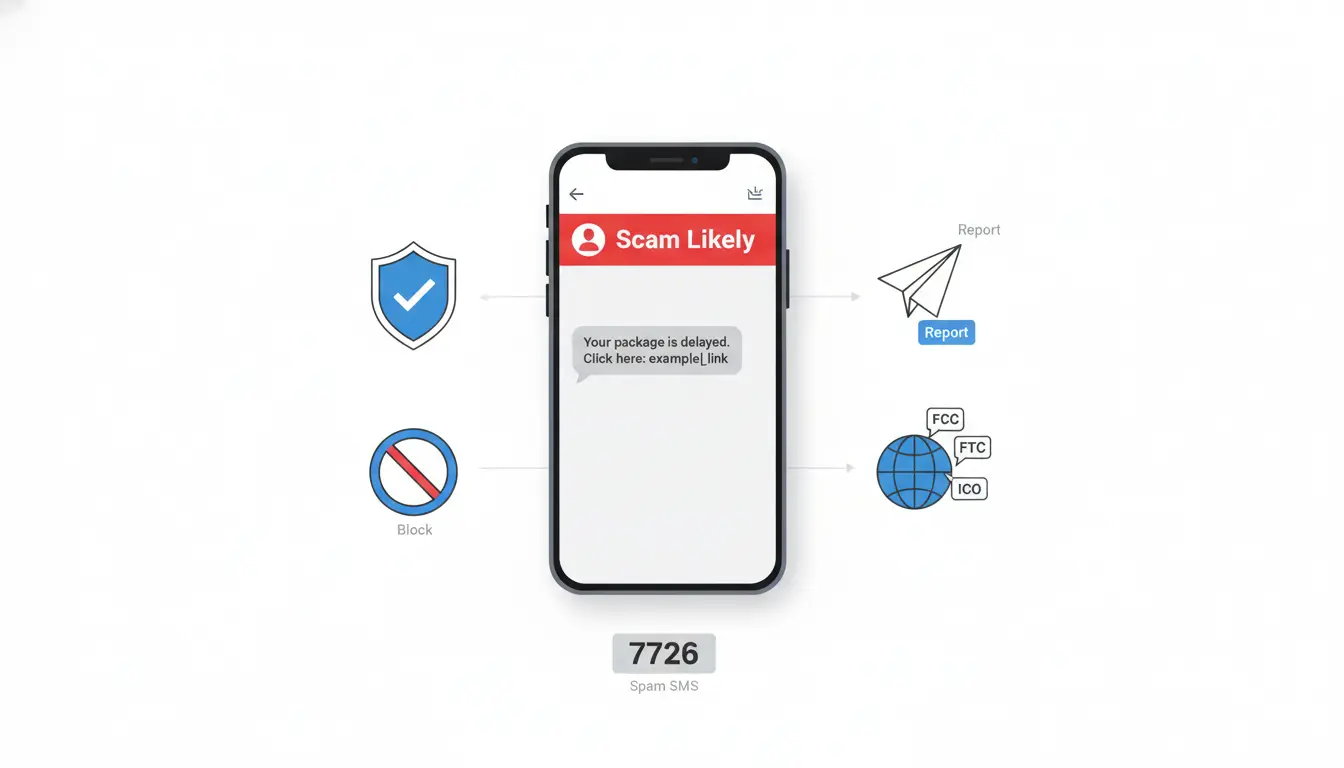

Spam calls and messages are more than just annoying—they can be dangerous, leading to financial loss, identity theft, and privacy breaches. Whether you’re receiving robocalls about nonexistent prizes or phishing texts that mimic your bank, reporting these communications is essential for protecting yourself and helping authorities combat fraud at scale. In this comprehensive guide, you’ll learn how to identify spam, the best ways to report it across carriers and platforms, and proactive steps to reduce unwanted contact. We’ll also cover region-specific options for the US, UK, EU, and more, so you can take action wherever you are.
What Counts as Spam or Fraud?
Not every unsolicited message is illegal, but many are deceptive or violate regulations. Common types include:
- Robocalls pretending to be government agencies, delivery services, or banks
- Smishing (SMS phishing) that asks you to click malicious links or provide codes
- Fake “package delivery” messages with tracking links
- Impersonation scams (e.g., “Your account is locked—verify now”)
- High-pressure sales calls without prior consent
Warning signs:
- Urgent language demanding immediate action
- Requests for personal data (PINs, passwords, OTPs)
- Suspicious links or shortened URLs
- Caller ID spoofing and unrecognized international numbers
If you’re unsure, treat it as spam and do not engage.
Why Reporting Spam Matters
Reporting does two critical things:
- Feeds anti-spam databases used by carriers, app developers, and regulators.
- Helps trace patterns, enabling enforcement actions, number blocking at scale, and improved filtering for everyone.
The more reports received, the faster malicious numbers and campaigns are shut down.
How to Report Spam Text Messages
- Forward to your carrier’s spam number (often free):
- US/Canada: Forward the message to 7726 (which spells “SPAM”). You’ll likely be asked for the sender’s number.
- UK and many other regions: 7726 is widely supported by major carriers.
- Use your phone’s built-in tools:
- iPhone: Messages > open the thread > tap the sender > “Info” > “Block this Caller.” If you see “Report Junk,” tap it to send details to Apple.
- Android (varies by device): Messages app > open the thread > three dots > “Report spam” and/or “Block.”
- Report to regulators:
- US: File at the FTC’s ReportFraud site and the FCC’s complaint portal (for unwanted calls/texts).
- UK: Report to the Information Commissioner’s Office (ICO) for nuisance marketing texts.
- EU: Check your national telecom regulator or data protection authority for spam reporting procedures.
When forwarding or filing a complaint, include:
- The sender’s number or shortcode
- Message content (avoid clicking links)
- Date/time received
- Your carrier and country
How to Report Spam Calls
- Use your phone’s native reporting:
- iPhone: Phone > Recents > tap the “i” next to the number > “Block this Caller.” If enabled through your carrier, you may see labeling like “Scam Likely.”
- Android: Phone app > Recents > long-press number > “Block/report spam.”
- Carrier-level reporting:
- Many carriers provide a spam report flow within their apps (e.g., AT&T ActiveArmor, Verizon Call Filter, T-Mobile Scam Shield). Mark numbers as spam and enable automatic blocking.
- Report to authorities:
- US: File an unwanted-call complaint with the FCC. For fraud or monetary loss, report to the FTC and, if applicable, your state attorney general.
- UK: Report nuisance calls to the ICO; scam calls can also be reported to Action Fraud.
- EU/Other regions: Use national telecommunications regulators or consumer protection bodies.
Tip: Don’t return calls to unknown numbers—especially if flagged as “Wangiri” (one-ring scam). Callbacks may trigger premium-rate charges.
Platform and App-Level Reporting
- Messaging platforms (WhatsApp, Telegram, iMessage): Open the chat > profile > “Report”/“Block.” This helps platforms suspend abusive accounts.
- Email-to-SMS or OTT spam: Report within the app, block the sender, and adjust privacy settings (e.g., only contacts can message/call).
- Third-party call blockers: Apps like Hiya, Truecaller, and built-in carrier tools crowdsource spam reports. Enable caller ID and spam protection for real-time detection.
Best Practices to Reduce Spam
- Enable call and SMS filtering:
- iPhone: Settings > Phone > Silence Unknown Callers; Settings > Messages > Filter Unknown Senders.
- Android: Phone app > Settings > Caller ID & spam > turn on filtering; Messages > Spam protection on.
- Don’t share your number publicly; be cautious with contests, forms, or “free” trials.
- Avoid responding “STOP” unless you trust the sender as a legitimate marketing list. Responding to malicious actors confirms your number is active.
- Use separate numbers (Dual SIM, virtual numbers) for sign-ups.
- Keep software updated; security patches help block malicious links and apps.
- Use multi-factor authentication with app-based authenticators instead of SMS when possible to reduce SIM swap risks.
Evidence Preservation for Serious Scams
If you suffered loss or identity theft:
- Take screenshots of messages and call logs
- Save voicemails and message metadata
- Contact your bank immediately, place fraud alerts/credit freezes (US: Equifax, Experian, TransUnion)
- File a police report if required by your bank/insurer
- Report to national fraud centers (e.g., US: IdentityTheft.gov)
Regional Highlights
- United States:
- Texts: Forward to 7726, report to FCC and FTC ReportFraud
- Calls: Enable carrier tools (AT&T ActiveArmor, Verizon Call Filter, T-Mobile Scam Shield)
- Do Not Call Registry: Register at donotcall.gov (limits telemarketing, not scams)
- United Kingdom:
- Texts: Forward to 7726, report to ICO
- Calls: Report nuisance/scam calls to ICO; fraud to Action Fraud
- European Union:
- Check national telecom regulator and data protection authority sites for spam reporting portals; use carrier spam tools and 7726 if supported.
- Other regions:
- Consult your carrier’s spam reporting page and national consumer protection agencies for local hotlines and portals.
What Happens After You Report?
- Carriers analyze patterns and may block numbers at the network level.
- Platforms suspend abusive accounts tied to reports.
- Regulators aggregate complaints to prioritize investigations and enforcement actions.
- App-based blocklists update to protect other users in near real time.
While spammers rotate numbers, consistent reporting improves ecosystem defenses and reduces campaign effectiveness over time.
Quick Step-by-Step: Report and Protect
- Don’t engage; don’t click links.
- Forward spam texts to 7726 (if supported).
- Block and report the number in your phone and carrier/app tools.
- File a complaint with your national regulator (FCC/FTC, ICO, etc.).
- Enable call/SMS filtering and carrier spam protection.
- If money or data is at risk, contact your bank and preserve evidence.
By staying vigilant, using built-in tools, and reporting consistently, you help make communications safer for everyone—and reduce the likelihood of future spam reaching you.