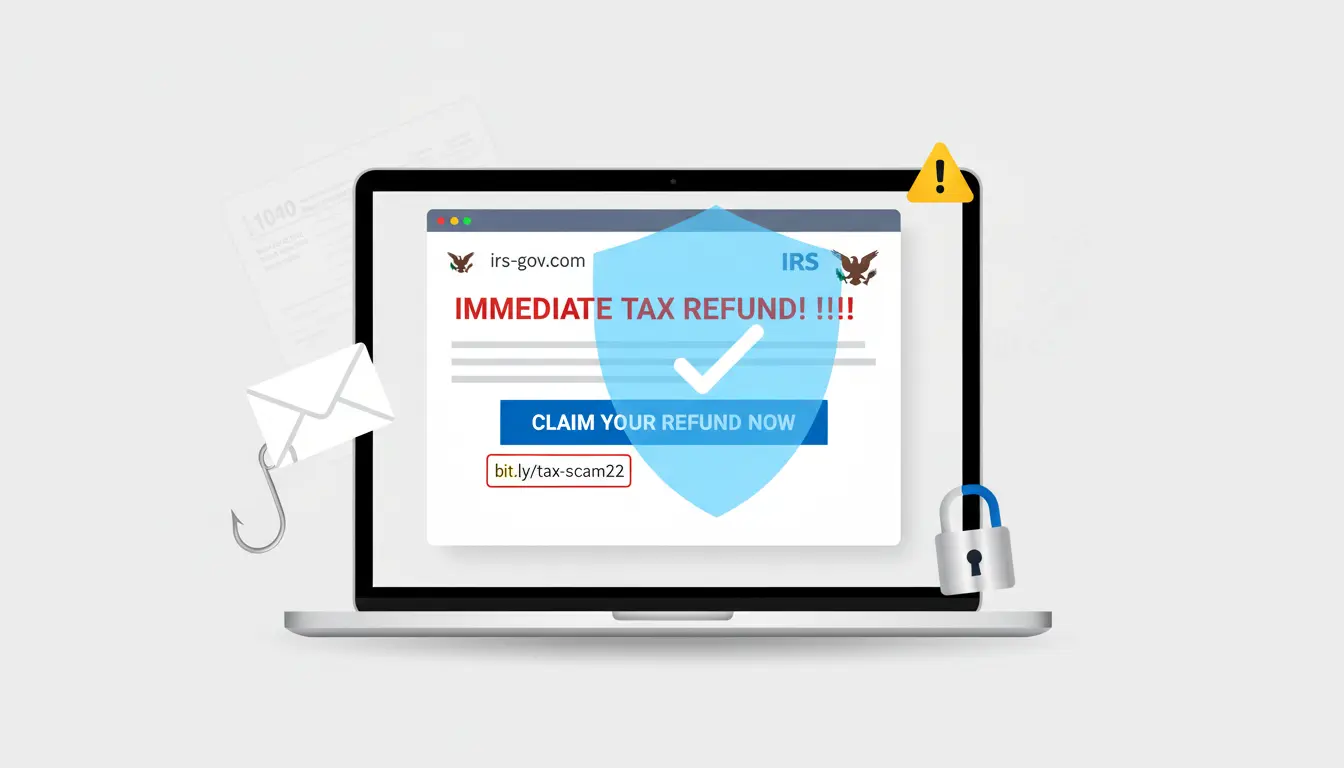

The Internal Revenue Service (IRS) is one of the most impersonated agencies in the United States. Every tax season—and increasingly year‑round—criminals launch scams that exploit taxpayers’ fear and urgency. From polished phishing emails and spoofed caller IDs to fake tax refund links and identity theft schemes, these attacks evolve quickly. Understanding how these scams work, the red flags to watch for, and the best practices for prevention can protect your finances, credit, and peace of mind. This comprehensive guide explains IRS fraud alerts, common e‑mail traps, real‑world red flags, actionable defenses, and the correct way to report incidents—so you can stay one step ahead.
Why IRS-related scams are so common
Scammers target the IRS brand because taxes are universal and time-sensitive. Many people feel anxious about filings, refunds, or penalties, which makes them more likely to click a link or share data when a message claims to be “urgent.” Attackers also rely on tax jargon—Form W‑2, CP2000 notice, refund offset—to appear credible. During peak tax periods (January–April) and ahead of major deadlines (like quarterly estimated tax payments), attack volume spikes. Off‑season scams increasingly focus on “amended refunds,” “account updates,” and “security verification.”
The most common IRS e‑mail and messaging traps
- Phishing emails: These mimic IRS correspondence and push you to click a link to “verify identity,” “view refund,” or “resolve an audit.” Links lead to look‑alike sites that steal credentials, SSNs, or bank details.
- Smishing (SMS phishing): Text messages with shortened URLs claiming you’re owed a refund or owe a penalty. The IRS does not initiate contact by text for bills, refunds, or account issues.
- Vishing (voice phishing): Phone calls with spoofed caller ID “IRS” or “Treasury Dept.” Threats include immediate arrest, license revocation, or lawsuit unless you pay by gift card, wire, or crypto—methods the IRS never uses to collect taxes.
- Tax preparer impersonation: Emails that appear to come from your CPA or payroll department requesting W‑2s or signed forms. Attackers compromise email accounts or spoof addresses to harvest sensitive data.
- “IRS account portal” bait: Messages urging you to log in to a new “IRS account” to see transcripts or refund status. The only official login is through your IRS Online Account on IRS.gov.
- Refund bait and identity theft: Scammers file fraudulent returns early using stolen data. Victims discover the fraud when their legitimate e‑file is rejected as “duplicate.”
Red flags that signal a scam
- Unsolicited contact asking for sensitive data (SSN, driver’s license, bank credentials).
- Pressure tactics: threats of arrest, asset seizure, or immigration consequences.
- Payment demands via gift cards, prepaid debit cards, wire transfer, or cryptocurrency.
- Poor grammar, odd phrasing, or slightly misspelled domains (e.g., irs-gov[.]com).
- Links that don’t point to IRS.gov when hovered.
- Attachments with .html, .htm, .exe, or macro‑enabled Office files.
- Requests to reply with photos of IDs, W‑2s, or pay stubs.
- Messages sent outside business hours or from free email domains.
How the IRS actually contacts taxpayers
- The IRS typically uses U.S. mail first. Official letters include a notice or letter number (e.g., CP14, LT11).
- The IRS does not demand immediate payment over the phone, email, text, or social media.
- The IRS does not accept gift cards or crypto for tax payments.
- Some legitimate IRS agents may call or visit after mailing notices, but they provide credentials you can verify and will direct you to pay only to the “U.S. Treasury” via official channels.
Best-practice defenses against IRS phishing
- Go direct to the source: Instead of clicking links, type IRS.gov into your browser or use bookmarked pages to check refund status, make payments, or access your Online Account.
- Verify notices: Match letter numbers to the official list on IRS.gov. If unsure, call the IRS using the phone numbers listed on the official website, not in the email.
- Enable multifactor authentication: Use MFA on your IRS Online Account and on your email. MFA reduces damage from stolen passwords.
- Freeze your credit: A free credit freeze at Equifax, Experian, and TransUnion prevents new accounts opened in your name. Lift temporarily when needed.
- Use an Identity Protection PIN (IP PIN): An IRS IP PIN is a six‑digit code that blocks others from filing a tax return in your name. Opt in via IRS.gov if eligible.
- Protect your inbox: Turn on spam filters, disable automatic image loading, and caution on forwarding. Consider a password manager to identify fake sites by mismatched domains.
- Inspect links before clicking: On desktop, hover to see the real URL. On mobile, long‑press (without releasing) to preview. If the domain isn’t IRS.gov, don’t proceed.
- Keep devices patched: Update your OS, browser, and antivirus. Many phishing sites attempt browser exploits or use credential-stealing scripts.
- Train your household and team: Small businesses and families are prime targets for W‑2 and payroll scams. Share awareness and require verification before sharing tax data.
What to do if you clicked a link or shared information
- Disconnect and scan: Turn off Wi‑Fi, run a full antivirus/anti‑malware scan, and remove suspicious browser extensions.
- Change passwords immediately: Update your email, IRS Online Account, and any financial accounts using unique, strong passwords. Turn on MFA everywhere.
- Enable or request an IRS IP PIN: If you suspect identity theft, an IP PIN helps prevent fraudulent filing in your name.
- Monitor and freeze credit: Initiate a credit freeze and enroll in monitoring. Review your credit reports for new accounts or inquiries.
- Contact your tax professional: If you have a CPA or enrolled agent, inform them so they can add safeguards and document the incident.
- File IRS Identity Theft Affidavit if needed: If a return has already been fraudulently filed, you may need Form 14039.
- Preserve evidence: Save emails, headers, text screenshots, and transaction records. They’re helpful for reports and recovery steps.
How and where to report IRS scam attempts
- Forward phishing emails to the IRS: phishing@irs.gov (include full headers if possible).
- Report IRS‑related SMS: Take a screenshot, then forward the text to 7726 (SPAM) and report to the IRS via instructions on IRS.gov.
- Report identity theft: Visit IRS.gov’s identity theft page for steps and forms, then report to the FTC at IdentityTheft.gov.
- Notify your state tax agency: Many states coordinate with the IRS to block fraudulent filings.
- Inform your financial institution: If banking or card info was exposed, request account monitoring or new numbers.
Seasonal and emerging trends
- Early‑season refund lures: January–February emails claiming “Your refund is delayed—verify now.”
- Employer W‑2 business email compromise: Targeting HR/payroll to obtain employee W‑2s in bulk.
- Crypto tax scams: Messages about “unreported digital asset income” luring victims to fake calculators.
- “Amended refund” notices: Off‑season emails pushing fake adjustments and login prompts.
- Voice clones and deepfakes: Attackers may replicate a CPA’s voice on voicemail or calls. Always call back using a verified number.
Building a safer tax routine
Create an annual checklist:

- Before filing: Freeze credit, get or renew your IP PIN, update passwords, and verify your IRS Online Account settings.
- During filing: Use reputable tax software or a trusted preparer, transmit over secure networks, and keep copies offline.
- After filing: Monitor refund status only via IRS.gov, shred physical documents you no longer need, and keep sensitive records in encrypted storage.
Taking these steps won’t just help you sidestep IRS phishing emails—they’ll strengthen your overall security posture. Scammers count on urgency and confusion. When you slow down, verify independently, and use official IRS channels, you remove their biggest advantages.