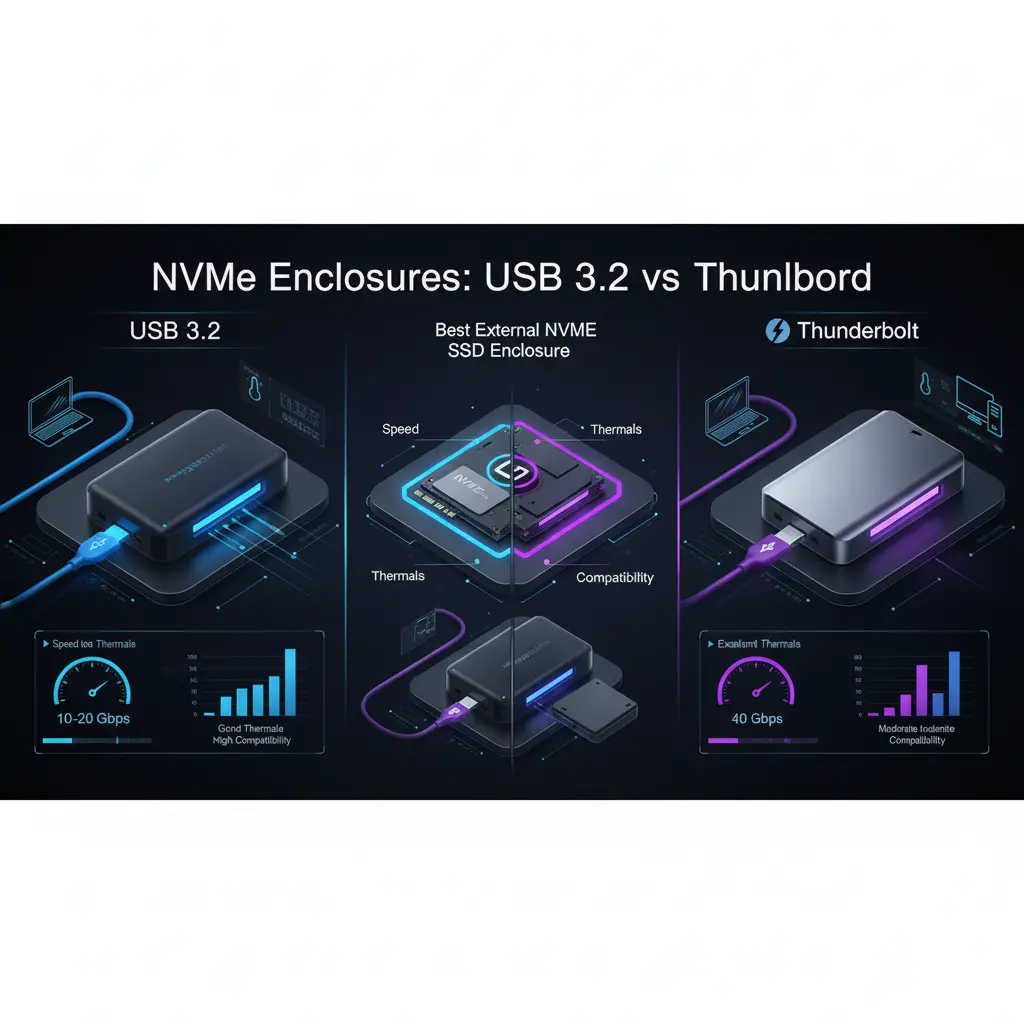

External NVMe SSD Enclosures: USB 3.2 vs Thunderbolt — What’s the Difference?
External NVMe SSD enclosures let you turn fast internal NVMe drives into portable, high-performance storage. But not all enclosures are equal: the interface — typically USB 3.2 (over USB-C) or Thunderbolt — determines real-world speed, latency, compatibility, and price. This guide explains how NVMe, USB 3.2, and Thunderbolt differ, what matters when buying an enclosure, and which choice best fits common use cases.
What is NVMe and why it matters
NVMe (Non-Volatile Memory Express) is a storage protocol designed for PCIe-based flash memory. Compared to older SATA-based SSDs, NVMe uses PCIe lanes and a modern protocol optimized for parallelism and low latency, delivering much higher throughput and greatly reduced I/O wait. When you place an NVMe drive in an external enclosure, the enclosure’s controller and interface determine how much of that performance the host can actually use.
USB 3.2: versions and realistic limits
USB 3.2 is a family with multiple variants that often confuses buyers:



- USB 3.2 Gen 1 (formerly USB 3.0): up to 5 Gbps — bottleneck for NVMe.
- USB 3.2 Gen 2: up to 10 Gbps — capable of moderate NVMe speeds, roughly up to ~1,100–1,200 MB/s in ideal conditions.
- USB 3.2 Gen 2×2: up to 20 Gbps — approaches higher NVMe throughput and can sustain ~2,000–2,500 MB/s on good controllers and cables.
Important notes:
- Advertised bandwidth is theoretical. Protocol overhead, controller efficiency, cable quality, and host port implementation reduce real speeds.
- Many USB-C ports labeled “USB-C” are only Gen 1 or Gen 2. Check specs.
- USB typically uses the UASP (USB Attached SCSI Protocol) for better command queuing and performance; good enclosures support UASP.
Thunderbolt: higher throughput and lower latency
Thunderbolt (3 and 4 being most common for NVMe enclosures) is built on PCIe tunneling, offering much higher, more consistent bandwidth:
- Thunderbolt 3: up to 40 Gbps (PCIe x4 lanes tunneled) — supports NVMe speeds close to internal M.2 PCIe x4 performance (up to ~3,000–3,500 MB/s depending on the SSD).
- Thunderbolt 4: also up to 40 Gbps but with stricter certification, improved security features, and better multi-device handling.
Advantages of Thunderbolt:
- Near-native NVMe performance with much lower protocol overhead.
- Lower latency than USB, which benefits professional workflows (video editing, large file transfers, databases).
- Daisy-chaining and better support for multi-device hubs.
Trade-offs:
- Thunderbolt enclosures are usually more expensive.
- Thunderbolt requires compatible ports on the host (not all USB-C ports support Thunderbolt).
- Thunderbolt cables and host support matter — passive vs active cables and length affect performance.
Bandwidth vs real-world performance
Raw bandwidth numbers (10 Gbps, 20 Gbps, 40 Gbps) are useful but don’t tell the whole story. Real-world throughput depends on:
- NVMe drive performance: cheaper NVMe drives may not saturate a 40 Gbps link.
- Enclosure controller quality: poor controllers add latency and overhead.
- Thermal management: NVMe drives throttle when overheated. Enclosures with heat sinks or active cooling maintain higher sustained speeds.
- Host support: OS drivers, port firmware, and cable compatibility impact throughput.
For example, a high-end NVMe drive in a Thunderbolt 3 enclosure can sustain multi-gigabytes-per-second transfers. The same drive in a USB 3.2 Gen 2 enclosure will be limited by the 10 Gbps ceiling, often yielding under 1,200 MB/s.
Thermal throttling and sustained workloads
NVMe SSDs produce significant heat under heavy transfer loads. External enclosures that prioritize design (thick aluminum shells, thermal pads, vents, or small fans) help dissipate heat and prevent thermal throttling. If you plan on long 4K video transfers, running VMs, or editing directly from the drive, choose an enclosure with explicit thermal solutions. Otherwise, you may see sharp performance drops after a few minutes of heavy use.
Compatibility, TRIM, and bootable external drives
- Bootability: Many modern systems support booting from external NVMe enclosures, but success depends on BIOS/UEFI, the enclosure’s controller, and the OS. Thunderbolt setups more reliably support external booting; USB booting can work but sometimes requires specific firmware or drivers.
- TRIM support: TRIM helps maintain SSD performance over time. Some enclosure controllers and OS combinations support TRIM passthrough; others do not. If long-term performance consistency matters, verify TRIM passthrough support.
- Operating systems: macOS, Windows, and Linux handle external NVMe differently; macOS historically has strong Thunderbolt support, while Windows works well with both USB and Thunderbolt if drivers are correct.
Use-case recommendations
- Casual backups and occasional large file transfers: USB 3.2 Gen 2 enclosures (10 Gbps) are cost-effective and fast enough for most users.
- Power users, video editors, and content creators: Thunderbolt 3/4 enclosures deliver higher sustained throughput and lower latency for editing workflows and multi-stream playback.
- Mobile productivity with a modern laptop: Consider USB 3.2 Gen 2×2 enclosures if your laptop supports it — they hit a good balance of price and speed without the Thunderbolt premium.
- Bootable external OS or virtualization: Prefer Thunderbolt for reliability and compatibility, but confirm your system supports external boot from NVMe.
Practical buying tips
- Check host port specs: Don’t assume a USB-C port equals high speed. Confirm USB generation or Thunderbolt support.
- Match drive to interface: Avoid paying for a high-end NVMe if your interface caps at 10 Gbps — you won’t use the drive’s full potential.
- Favor enclosures with good cooling and a solid aluminum shell to reduce throttling.
- Look for UASP and TRIM passthrough support if you care about performance longevity.
- Validate cable and accessory quality: Active Thunderbolt cables vs passive, and proper certification, matter.
- Read real-world benchmarks and reviews: Manufacturer specifications are helpful but benchmarks reveal sustained throughput and thermal behavior.
Cost and longevity considerations
Thunderbolt enclosures and cables cost more, and not all laptops support Thunderbolt. USB enclosures are cheaper but may need replacement if you upgrade to a host that supports faster standards. Consider future-proofing: a Thunderbolt enclosure is more investment upfront but more likely to remain relevant across multiple devices and workflows.
Conclusion
Choosing between NVMe USB 3.2 and Thunderbolt external enclosures is a trade-off between cost, maximum achievable speed, and real-world sustained performance. USB 3.2 Gen 2 and Gen 2×2 enclosures provide great value for mainstream users, while Thunderbolt 3/4 unlocks the full potential of high-end NVMe drives for professional workloads. Always match your drive, enclosure, and host port capabilities, prioritize thermal design, and confirm features like TRIM and UASP support to ensure long-term performance.









