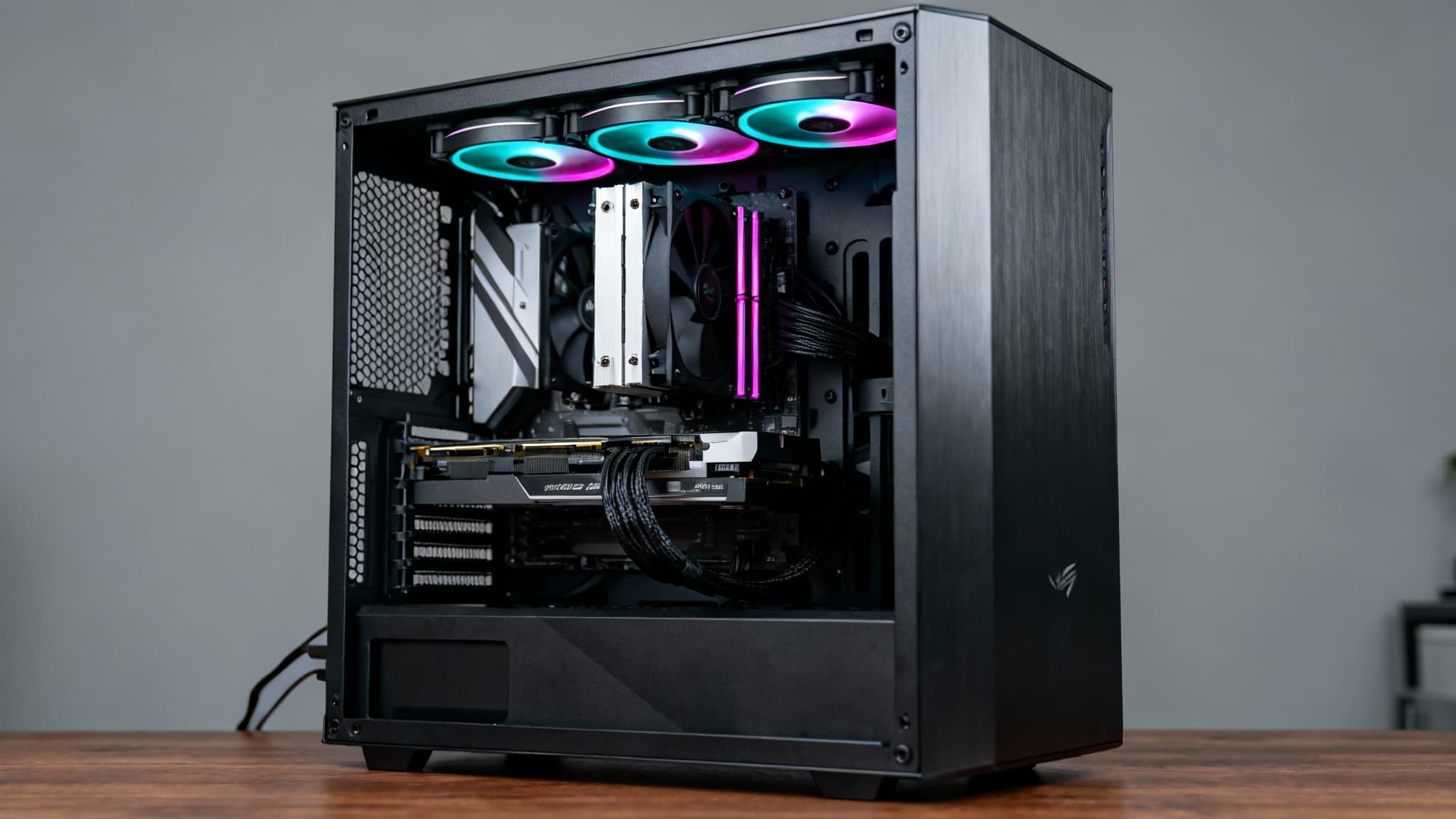

Building or upgrading a gaming PC in the United States can be incredibly rewarding—both for performance and for long-term value. But with new chips launching every few months and marketing buzzwords everywhere, it’s easy to overspend on the wrong parts or bottleneck your system. This practical, sales-focused guide breaks down how to choose the right CPU, GPU, RAM, and PSU for a gaming rig, what specs actually matter, and how to balance your budget for the best frames-per-dollar. If you’re shopping for a US-based build in 2025, this is for you.
How to Balance Your Budget
A balanced gaming PC avoids bottlenecks. As a general rule for a mid-range 1080p/1440p gaming build:
- GPU: 40–55% of your total budget
- CPU: 20–30%
- RAM + Storage: 10–15%
- PSU + Case + Cooling: 10–15%
If you play competitive esports titles (Valorant, CS2, Fortnite), prioritize high refresh rates and CPU frequency. If you play AAA single-player games at ultra settings, push more budget to the GPU.

CPU: What Really Matters for Gaming
Modern games prefer strong single-core performance and high sustained clocks, while newer titles also benefit from more threads. Look for:
- High boost clocks (5 GHz+ is common on recent chips)
- At least 6–8 cores for modern gaming
- Large cache (can deliver smoother frame times)
- Platform longevity (socket support, DDR5, PCIe 5.0)
Intel vs AMD? Both deliver excellent gaming performance. Intel often wins on pure high-frequency bursts and strong productivity acceleration; AMD shines with efficiency, great multicore scaling, and robust platform support. Don’t overbuy: an 8-core CPU paired with a strong mid-high GPU is ideal for most gamers up to 1440p.
Key tips:
- Don’t pair a budget CPU with a flagship GPU—it can cause CPU bottlenecks and uneven frame pacing.
- Favor newer architectures for better 1% low frame rates (smoother gameplay).
- If you stream or run heavy background apps, 8–12 cores provide headroom.
Cooling and motherboards:
- A good air cooler or 240mm AIO helps maintain boost clocks.
- Choose a motherboard with strong VRMs, ample M.2 slots, and PCIe support that matches your GPU and storage plans.
GPU: The Heart of Gaming Performance
Your graphics card dictates in-game eye candy and frame rates. Key specs:
- VRAM: For 1080p, 8 GB is acceptable; for 1440p, 12 GB is safer; for 4K or mod-heavy titles, 16 GB+ is ideal.
- Rasterization vs Ray Tracing: Ray tracing looks stunning but is demanding; ensure your card supports modern upscalers.
- Upscaling: DLSS, FSR, and XeSS can dramatically boost FPS with minimal visual trade-offs.
Resolution-based guidance:
- 1080p High/Ultra: Mid-range GPUs deliver excellent value.
- 1440p High/Ultra: Upper mid-tier cards are the sweet spot.
- 4K Ultra: High-end GPUs shine, but pair with a capable CPU and strong PSU.
Thermals and noise:
- Prefer dual- or triple-fan designs with robust coolers.
- Check case airflow—front intake and top/rear exhaust keep GPU temps in check.
Future-proofing:
- More VRAM, better upscalers, and strong ray-tracing performance extend a card’s lifespan.
- Consider your monitor: a 144 Hz or 240 Hz 1080p panel benefits from higher raw FPS; a 1440p 165 Hz panel asks for a tier-up GPU.
RAM: Capacity, Speed, and Latency
RAM impacts minimum frame rates and system responsiveness. For modern Windows gaming:
- Capacity: 16 GB is entry-level; 32 GB is the new sweet spot. Heavy modding or content creation? Consider 64 GB.
- Speed: On DDR4, 3200–3600 MT/s CL16–18 is solid. On DDR5, 5600–6400 MT/s is a strong value tier with low latency kits offering smoother frame times.
- Channels: Always run dual-channel (2 sticks) for better bandwidth and stability.
Tuning tips:
- Enable XMP/EXPO in BIOS to run advertised speeds.
- Lower latency often improves 1% lows in CPU-bound games.
- Match kits; mixing modules can cause instability or slower fallback speeds.
PSU: Don’t Skimp on Power and Safety
A quality power supply protects your investment and stabilizes performance. Focus on:
- Wattage headroom: Aim for 30–40% overhead above your max load for silence and longevity.
- Efficiency: 80 Plus Gold is a great baseline; Platinum/Titanium for ultra-quiet and efficient builds.
- Reliability: Look for long warranties, Japanese capacitors, and a reputable OEM.
- Connectors: Ensure the right PCIe cables, including 12VHPWR if your GPU uses it.
- ATX 3.0/3.1 compliance: Designed for modern transient power spikes from high-end GPUs.
Wattage guidance:
- 1080p mid-range GPU systems: 550–650W quality unit.
- 1440p upper mid-range: 650–850W.
- 4K high-end GPUs and overclocked CPUs: 850–1000W (sometimes more, depending on peaks).
Cable management:
- Use modular PSUs to simplify routing.
- Avoid daisy-chaining PCIe power on power-hungry GPUs; use separate cables as recommended by the vendor.
Avoiding Bottlenecks and Stutters
- Match CPU and GPU tiers. If your GPU is waiting on the CPU, you’ll see high GPU headroom and inconsistent 1% lows.
- Use a fast NVMe SSD for game installs to reduce load times and streaming hitches.
- Keep drivers updated; use clean installs when swapping GPUs.
- Monitor temperatures—throttling can mimic “bottlenecks.”
Cooling, Case Airflow, and Acoustics
- Case choice matters: front mesh panels and at least two intake + one exhaust fan provide ideal airflow.
- CPU coolers: Tower air coolers are quiet and effective; AIOs help in compact builds or with higher TDP chips.
- GPU cooling: Ensure clearance for long cards and check vertical mount options if desired.
- Acoustic tuning: Larger, slower-spinning fans reduce noise without sacrificing airflow.
Monitor Pairing and Features
Your display should guide your parts:
- 1080p 240 Hz: Prioritize high FPS with a strong CPU and a capable GPU; optimize settings for sustained frame rates.
- 1440p 144–165 Hz: Balance CPU/GPU; this is the sweet spot for visual quality and responsiveness.
- 4K 120 Hz: High-end GPU and strong PSU; consider upscaling for max smoothness.
Adaptive sync:
- G-SYNC/FreeSync minimize tearing and stutter—make sure your GPU and monitor standards align.
Upgrading Strategy: Where to Spend First
- Start with the GPU if your frame rates are low at your target resolution.
- Upgrade CPU if you’re hitting CPU limits (low GPU utilization, stutters in CPU-heavy titles).
- Move to 32 GB RAM for newer AAA titles and streaming/multitasking.
- Replace aging PSUs proactively, especially if you’re adding a more powerful GPU.
Buying in the US: Practical Tips
- Check return policies and warranties from trusted US retailers for hassle-free swaps.
- Watch seasonal sales (Black Friday, back-to-school, holiday promos).
- Verify compatibility with part picker tools before you buy.
- Consider total platform cost: motherboard, RAM standard (DDR4 vs DDR5), cooler brackets, and case fit.
Quick Example Builds (Conceptual)
- 1080p Esports: 6–8 core CPU, mid-range GPU, 16–32 GB DDR4/DDR5, 650W Gold PSU, fast NVMe SSD.
- 1440p All-Rounder: 8-core CPU with high boost, upper mid GPU (12 GB+ VRAM), 32 GB DDR5 6000 MT/s, 750–850W Gold, airflow-focused case.
- 4K Enthusiast: 8–12 core CPU, flagship GPU (16–24 GB VRAM), 32–64 GB DDR5, 850–1000W ATX 3.x PSU, premium cooling.
Final Take
For a gaming PC that feels fast now and stays relevant, prioritize a balanced CPU/GPU combo, 32 GB of tuned RAM, and a high-quality Gold-rated PSU with modern standards. Don’t chase specs you’ll never use—target your monitor’s resolution and refresh rate, and build for smooth 1% lows, not just flashy peak FPS. With smart choices, you’ll get better performance per dollar, quieter operation, and room to grow.









