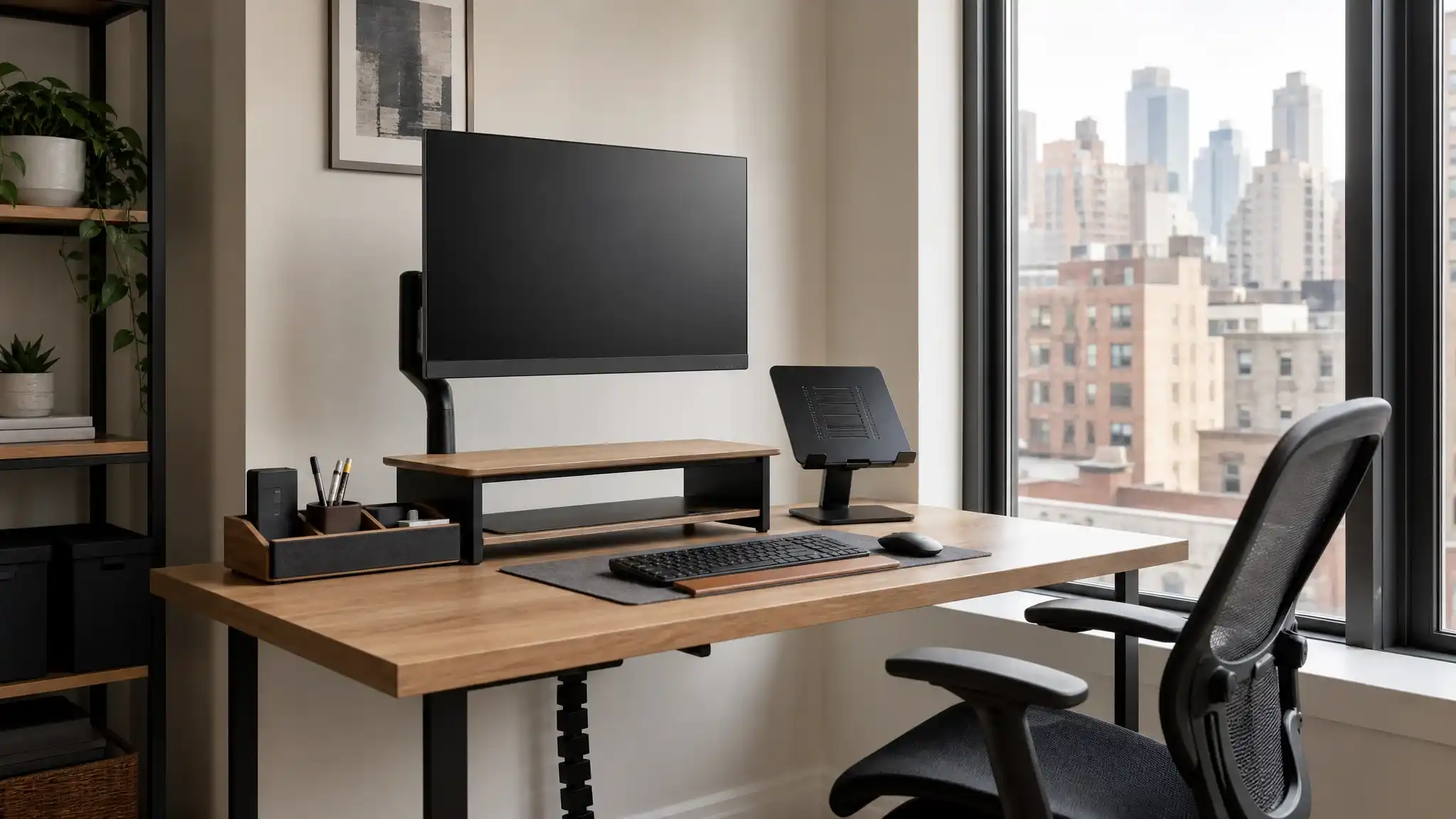

Best Monitor Stands for New York Home Office Setups
A well-designed home office can make a major difference in how comfortably and efficiently you work. In New York, where apartments often have limited square footage and every inch of desk space matters, a quality monitor stand is more than a simple accessory. It can improve your posture, clear visual clutter, create useful storage, and help you build a productive workstation without overwhelming the room.
The best monitor stands for New York home offices combine ergonomic height adjustment, stable construction, smart storage, and a footprint that works in compact apartments. Whether you work from a studio in Manhattan, a converted bedroom in Brooklyn, or a small dedicated office in Queens, the right stand can turn an ordinary desk into a more organized and comfortable workspace.
Why a Monitor Stand Matters in a New York Home Office
Many people place their monitor directly on a desk, which often positions the screen too low. When you repeatedly look downward, your neck and shoulders can become strained over a long workday. A proper ergonomic monitor stand raises the screen closer to eye level and supports a more natural viewing angle.


A monitor riser also creates open space under the screen. This small change can make a compact work surface feel significantly larger. You can slide a keyboard, notebook, docking station, or small office supplies underneath when they are not in use. For New Yorkers working from a dining table or a narrow desk, that extra flexibility matters.
Beyond comfort, monitor stands help define a work zone in a multi-use room. A clean, elevated screen setup makes it easier to transition into work mode and close down your workspace at the end of the day.
Choose the Right Type of Monitor Stand
Not every monitor stand solves the same problem. Before buying, consider your screen size, desk material, available space, work habits, and whether you use one monitor or several.
Monitor Risers for Simple, Stable Height
A traditional monitor riser for desk is an excellent option for people who want a straightforward setup. These stands sit directly on the desktop and lift the monitor several inches. Most risers require no complicated installation, and they often include a shelf underneath for convenient storage.
Wooden risers work especially well in home offices that blend with living-room furniture. Metal models suit modern, industrial, or minimalist interiors and often provide ventilation for laptops or desktop accessories. A riser is also a practical choice if you use a monitor that does not support VESA mounting.
For a small New York apartment office, look for a compact riser with a slim depth. It should elevate your monitor without taking up unnecessary desk space.
Adjustable Monitor Arms for Maximum Flexibility
An adjustable monitor arm offers more movement than a fixed riser. It attaches to your desk with a clamp or grommet mount and allows you to raise, lower, tilt, swivel, and rotate the screen. This flexibility helps you customize your viewing angle throughout the day.
A desk-mounted arm is particularly useful for hybrid workers who switch between focused laptop work, video calls, and creative tasks. You can move the screen closer when reviewing detailed work, then push it back when you need room for writing or sketching.
Monitor arms also create a clean floating-screen look. They free up the entire area beneath the display, which makes them ideal for a space saving desk setup. However, you should check that your desk edge is sturdy enough for a clamp mount and verify that your monitor supports the required VESA pattern.
Dual Monitor Stands for Multitasking
If you regularly compare documents, edit video, manage spreadsheets, code, trade, or work with several applications at once, a dual monitor stand can improve your workflow. It keeps two screens aligned at a consistent height and helps reduce the neck movement that comes from placing one monitor lower or farther away than the other.
For tight spaces, vertical dual-monitor configurations can be smarter than side-by-side layouts. A stacked arrangement preserves desk width while giving you more screen area. Horizontal dual arms work well when your desk is wide enough and your work benefits from having two full-size windows visible together.
Before purchasing, measure both monitors, including their weight. Choose a stand that supports each screen independently and leaves enough room for safe movement.
Prioritize Ergonomics Over Appearance
A monitor stand should look good, but it must first support a healthy workstation. The top third of your monitor should sit at or slightly below eye level when you sit upright. You should view the screen from roughly an arm’s length away, although the ideal distance depends on monitor size and display resolution.
An ergonomic desk setup also depends on chair height, keyboard placement, and posture. Keep your shoulders relaxed, place your feet flat on the floor or a footrest, and position your keyboard so that your wrists remain neutral. A monitor stand cannot solve every ergonomic issue by itself, but it forms a critical part of the system.
If you share a desk with another household member, choose a height-adjustable solution. An adjustable stand helps each user set a more comfortable screen position without rebuilding the workspace every day.
Save Space with Storage-First Designs
New York homes reward intentional organization. A desktop organizer stand can combine monitor elevation with storage drawers, cubbies, pen holders, and cable slots. This type of stand works especially well for people who need quick access to office essentials but do not have room for a separate filing cabinet.
A monitor stand with drawers can hide charging cables, sticky notes, adapters, external drives, and stationery. Open shelves offer faster access and create a lighter visual effect, while closed drawers make the desk look cleaner during video calls.
Consider the daily objects that usually collect around your monitor. If you use a laptop, a keyboard, a phone, and documents, choose a stand with enough clearance to store at least one of those items below the screen. This approach supports better home office organization and helps you maintain a desk that feels calm rather than crowded.
Manage Cables for a Cleaner Workstation
Loose cables can make even an expensive home office look unfinished. They also take up room, collect dust, and become annoying when you need to move your equipment. Look for a cable management monitor stand or monitor arm with built-in routing channels.
Cable clips, adhesive channels, and an under-desk power strip can further improve your setup. Route monitor, laptop, power, and charging cables in the same direction so they disappear behind the desk instead of hanging in view.
Good cable management also makes it easier to clean and rearrange your workspace. In a small apartment, visual simplicity has a real impact. A clean desk can make the entire room feel more open.
Match the Stand to Your Desk and Interior Style
The right stand should fit the practical and visual needs of your room. A natural wood wooden monitor stand can soften a modern desk and create warmth in a small home office. Black steel or mesh risers match industrial furniture and provide a durable, professional feel. Clear acrylic stands work well in very small rooms because they create less visual weight.
If you work from a shared living area, choose a stand that complements the furniture rather than looking overly corporate. A stylish monitor stand can make your work equipment feel like a deliberate part of your home instead of temporary clutter.
You should also measure your desk before ordering. Check the available width, depth, and clearance near walls or windows. If you want a clamp-mounted arm, measure the thickness of your desktop and make sure the clamp has enough unobstructed space to attach securely.
Consider Laptop and Monitor Combinations
Many remote workers use a laptop as a second screen. In this case, pairing a monitor riser with a laptop stand for desk can create a more balanced setup. Raise the laptop screen closer to the height of your primary monitor, then use an external keyboard and mouse to keep your arms comfortable.
A monitor-and-laptop layout works well for video meetings, email management, and project work. You can keep the main task on the larger monitor while placing communication tools or reference material on the laptop display.
For better visual alignment, choose stands that let you adjust each screen independently. This flexibility helps you create a cleaner small apartment office without adding a larger desk.
Key Features to Check Before Buying
When comparing monitor stands, focus on practical specifications rather than marketing claims alone:
- Weight capacity: Confirm that the stand supports your monitor’s actual weight.
- Screen compatibility: For arms, verify the VESA mounting pattern.
- Height range: Ensure the stand can raise the screen to a comfortable level.
- Desk compatibility: Check clamp size, desk thickness, and edge clearance.
- Base stability: A freestanding stand should have a wide, non-slip base.
- Storage needs: Select drawers, shelves, or open space based on your workflow.
- Material quality: Choose steel, solid wood, or durable engineered materials.
- Cable routing: Built-in cable channels help maintain a clean desk.
- Assembly: Pick a setup that matches your comfort level with installation.
Final Thoughts
The best monitor stand for a New York home office is the one that improves your daily routine without consuming valuable space. A simple riser may suit a laptop-and-monitor desk, while a full-motion arm can transform a compact workstation into a flexible, professional setup. Dual-monitor users should prioritize stability and independent adjustment, while people who work in shared rooms may benefit most from a storage-focused design.
Think of your monitor stand as an investment in comfort, organization, and focus. By selecting the right height, materials, storage features, and mounting style, you can create a workspace that feels efficient even in the smallest New York apartment.
Amazon Product Recommendation
For a stylish dual-screen desktop setup, consider the Aothia Solid Wood Dual Monitor Stand Riser, 43 Inch. It provides a wide surface for two monitors or a monitor-and-laptop configuration, offers under-monitor storage, and uses an FSC-certified wood design. Verify your desk dimensions, monitor weight, delivery availability, and current listing details before purchasing.









