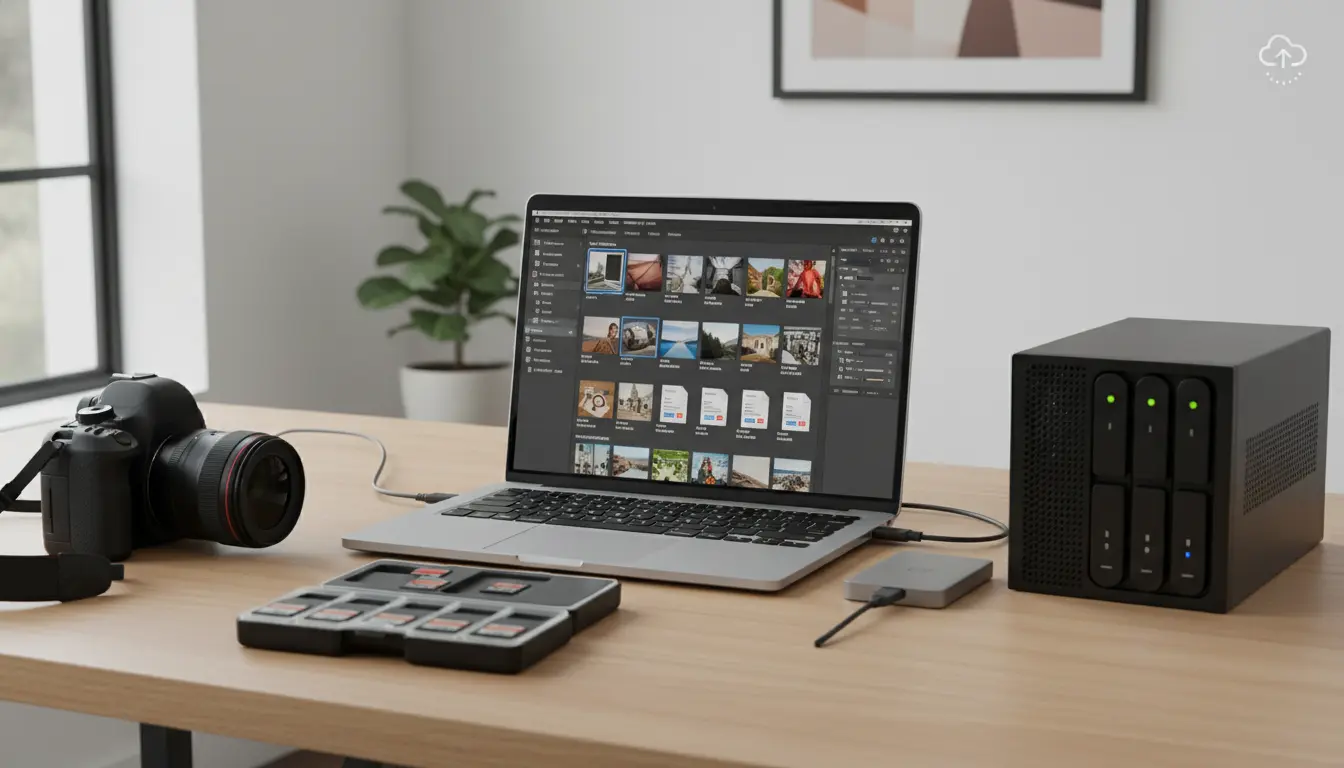

Photo Archiving Strategy: RAW vs JPEG and Cloud Storage Explained
Archiving your photos the right way ensures your memories and professional work stay safe, accessible, and ready for future edits. Whether you’re a hobbyist or a professional photographer, choosing between RAW and JPEG formats—and setting up a robust cloud-based workflow—can dramatically impact image quality, storage costs, and long-term reliability. In this comprehensive guide, we’ll break down an effective photo archiving strategy that combines the strengths of RAW and JPEG with modern cloud solutions, while keeping your workflow fast, scalable, and secure.
RAW vs JPEG: Which should you archive?
- RAW files
- Pros: Maximum dynamic range, non-destructive editing latitude, better color depth, future-proof for re-editing with improved software.
- Cons: Large file sizes, proprietary formats, requires processing software, slower to preview and share.
- JPEG files
- Pros: Small size, universally compatible, fast to share, quick previews, efficient for culling and delivery.
- Cons: Compressed and lossy, limited editing flexibility, potential banding in gradients, less recovery in shadows/highlights.
Best practice:
- Keep RAW files for “keepers” (portfolio shots, client work, important events) to maintain maximum editing flexibility.
- Keep high-quality JPEGs (at minimum, full-resolution, minimal compression) for quick reference, web use, and fast sharing.
- For casual snaps, JPEG-only might be acceptable—but consider periodic export from RAW for consistency and quality.
A hybrid archiving model that works
- Ingest and cull
- Import everything into a cataloging tool (e.g., Lightroom, Capture One, Photo Mechanic).
- Use JPEG previews for speed; tag, rate, and reject.
- Keep only the best RAWs; export high-quality JPEGs from those.
- Organize with a predictable structure
- Folder convention: YYYY/YYYY-MM-DD_Event-or-Client/Assets
- Subfolders: RAW, JPEG, Edits, Exports, Prints
- File naming: YYYYMMDD_ClientOrEvent_Sequence (e.g., 20250314_IstanbulWedding_001)
- Apply descriptive metadata
- Write IPTC fields: creator, copyright, contact, location, and keywords.
- Use hierarchical keywords (e.g., People > Wedding > Bride; Location > Istanbul > VenueName).
- Embedding metadata in files (XMP sidecars for RAW) ensures portability across platforms.
- Color profiles and export standards
- Keep RAW in native color space; export master JPEGs in Adobe RGB for print, sRGB for web.
- Use 100% quality or near-lossless JPEG for archive-grade outputs.
- When needed, maintain a high-bit-depth TIFF/PSD for layered edits.
Cloud-first, but not cloud-only
Cloud storage is essential for offsite redundancy and accessibility, but local storage remains the backbone for speed.
- Primary working storage
- Fast local NVMe/SSD for current projects.
- Catalog/previews on SSD for quick browsing.
- Secondary local backup
- Large HDD or RAID/NAS for long-term, on-prem backup.
- Follow 3-2-1 rule: 3 copies, 2 different media, 1 offsite.
- Cloud backup/archive
- Cloud sync for active projects (e.g., Dropbox, Google Drive, OneDrive) and/or backup-oriented services (e.g., Backblaze, CrashPlan, Amazon S3/Glacier).
- Consider immutable or versioned storage to protect against accidental deletion or ransomware.
- Use lifecycle policies: hot storage for current work, cold/archive tiers for completed projects to cut costs.
Tip: If using a NAS, enable snapshots and backup the NAS to a cloud target (e.g., Backblaze B2, Wasabi, or S3) for layered protection.
Workflow automation for consistency
- On import
- Auto-rename files, apply a metadata template, add base keywords.
- Generate smart previews to edit without originals attached.
- On export
- Use presets for master JPEGs (full-res, low compression), web JPEGs (sRGB, sized, sharpened), and print TIFFs.
- Automatically write XMP to files to preserve edits and metadata.
- Scheduled backups
- Daily: Incremental backup of current project folders to local RAID/NAS.
- Nightly: Cloud backup/sync for changed files only.
- Monthly: Integrity check with checksums; spot-restore test to validate recoverability.
Ensuring long-term readability and resilience
- Use open or widely supported formats where possible.
- Keep RAW originals but also archive a master edit format (TIFF/PSD) for critical images.
- Sidecar XMP ensures your metadata and edits survive across software ecosystems.
- Maintain a format migration plan
- Every 3–5 years, review vendor lock-in risks.
- If a RAW format becomes obscure, convert to DNG or maintain high-bit TIFF masters.
- Verify integrity
- Generate and store checksums (e.g., MD5/SHA256) for critical assets.
- Periodically run verification to detect silent bit rot, especially on spinning disks.
Cost management without compromising quality
- Tier your archive
- Tier 1 (Hot): Current year projects in cloud sync and SSD/NAS.
- Tier 2 (Warm): Last 2–3 years in NAS + cloud standard tier.
- Tier 3 (Cold): 4+ years in cold storage (Glacier/Archive tiers) with index and previews local.
- Store once, reference often
- Keep small JPEG previews locally for browsing; fetch originals from cloud only when needed.
- Deduplication and compression
- Avoid duplicate exports; use clear naming and export logs.
- Consider lossless compression for TIFFs where applicable.
Security and access control
- Enable two-factor authentication on all cloud accounts.
- Encrypt local backups (FileVault, BitLocker) and use encrypted vaults for cloud uploads when handling sensitive work.
- Use unique, strong passwords managed by a password manager; separate admin and user accounts on NAS.
Collaboration and client delivery
- Use shared cloud folders or proofing galleries for client review.
- Deliver final sets as high-quality JPEGs plus optional TIFFs for print.
- Archive delivery packages (final exports + delivered PDFs/contacts/licenses) alongside project files for complete history.
Archiving your photos the right way ensures your memories and professional work stay safe, accessible, and ready for future edits. Whether you’re a hobbyist or a professional photographer, choosing between RAW and JPEG formats—and setting up a robust cloud-based workflow—can dramatically impact image quality, storage costs, and long-term reliability. In this comprehensive guide, we’ll break down an effective photo archiving strategy that combines the strengths of RAW and JPEG with modern cloud solutions, while keeping your workflow fast, scalable, and secure.








