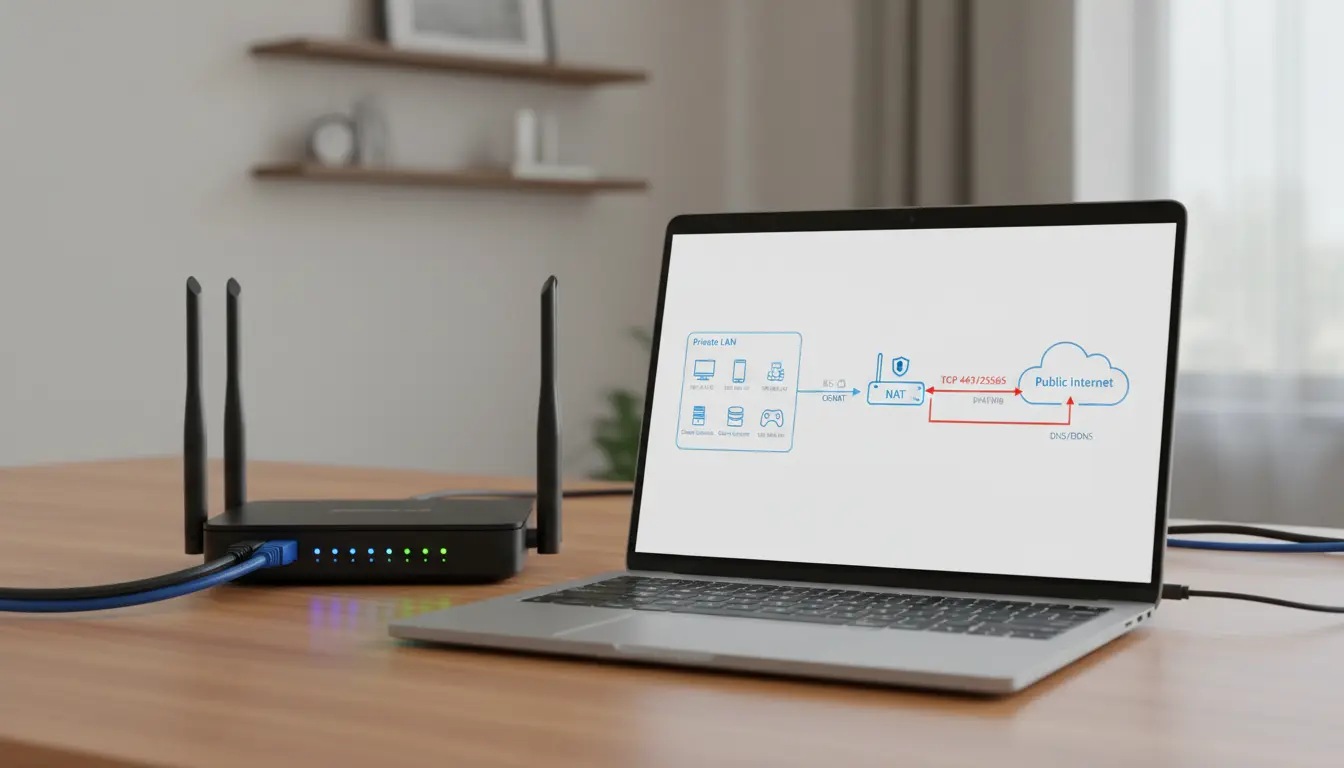

Public vs Private IP, CGNAT, and Port Forwarding: A Complete SEO-Friendly Guide
Understanding how devices communicate over the internet starts with knowing the difference between public and private IP addresses, how CGNAT affects connectivity, and when port forwarding is necessary. This comprehensive guide explains each concept in simple terms, shows real-world use cases, and helps you troubleshoot common networking issues, all while staying SEO-friendly and highly readable.
What is an IP Address?
An IP address is a unique identifier assigned to a device on a network. It allows devices to find and communicate with each other. Think of it as a phone number for your device. There are two broad categories: public IP addresses and private IP addresses.
Public vs Private IP: What’s the Difference?
- Public IP address:
- Assigned by your internet service provider (ISP).
- Globally routable on the internet.
- Unique across the entire web.
- Used by routers, servers, and any device that must be reachable from outside your local network.
- Private IP address:
- Assigned within your local network by your router’s DHCP.
- Not routable on the public internet.
- Reused across many networks using reserved ranges:
- 10.0.0.0 – 10.255.255.255
- 172.16.0.0 – 172.31.255.255
- 192.168.0.0 – 192.168.255.255
- Used for PCs, phones, smart TVs, and IoT devices inside your home or office.
In a typical home network, your ISP gives your router one public IP, and your router gives each device a private IP. The router then uses Network Address Translation (NAT) to let your private devices share the single public IP.
NAT vs CGNAT: Why It Matters
- Traditional NAT:
- Happens on your home router.
- Translates many private IPs to your single public IP.
- Outbound connections (like browsing) work seamlessly; inbound connections require port forwarding.
- Carrier-Grade NAT (CGNAT):
- NAT performed by your ISP at the carrier level.
- Your router no longer gets a true public IP; instead, it receives an address from a shared pool used internally by the ISP.
- You share a public IP with many customers, which helps ISPs conserve IPv4 addresses.
- Impact: It becomes difficult or impossible to accept unsolicited inbound connections from the internet to your home network.
How to detect CGNAT:
- Compare your router’s WAN IP to your “What is my IP” result on the web. If they differ and the WAN IP falls into ranges like 100.64.0.0/10 or looks non-public, you might be behind CGNAT.
- If your ISP confirms you’re behind CGNAT, expect challenges with hosting servers, P2P connectivity, game hosting, and some remote access tools.
What is Port Forwarding?
Port forwarding lets you expose a service running inside your private network to the public internet. It tells your router: “When you receive traffic on this public port, send it to this private device and port.”
Common examples:
- Hosting a Minecraft or game server.
- Remote access to a NAS, IP camera, or home lab.
- Self-hosted websites or development servers.
- VoIP or SIP devices that need inbound connectivity.
Key pieces of information for port forwarding:
- The internal device’s private IP (e.g., 192.168.1.50).
- The internal service port (e.g., 22 for SSH, 80 for HTTP, 25565 for Minecraft).
- The external port on your public IP (can be the same or different).
- The protocol (TCP, UDP, or both).
Note: Port forwarding requires that your router has a public IP. If you’re behind CGNAT, standard port forwarding will not work from the open internet to your device.
When CGNAT Blocks Port Forwarding: Your Options
- Request a public IP from your ISP:
- Some ISPs offer a static or dynamic public IP for a small monthly fee.
- Ask specifically for “no CGNAT” or a “public IPv4” assignment.
- Use IPv6:
- IPv6 typically gives globally routable addresses to devices.
- Ensure your ISP and router support IPv6, and secure your firewall rules properly.
- Use a reverse proxy or tunneling service:
- Tools like Cloudflare Tunnel, Tailscale, Zerotier, or WireGuard-based relays can securely expose services without traditional port forwarding.
- A VPS plus a reverse SSH tunnel (e.g.,
ssh -R) can bridge your private network to a public endpoint.
- Host on a VPS:
- Run services on a virtual private server with a public IP and connect your home network to it via VPN.
- UPnP/NATPMP:
- Some apps auto-open a port on your router. This will not bypass CGNAT, but can help on normal NAT. Use with caution and only on trusted networks.
Security Best Practices for Port Forwarding
Exposing services increases risk. Follow these steps:
- Use strong, unique passwords and, wherever possible, keys instead of passwords (e.g., SSH keys).
- Restrict source IPs with firewall rules when feasible.
- Change default ports to reduce noise from internet scans, but don’t rely on obscurity alone.
- Keep services updated and patched.
- Prefer VPN-based access (WireGuard, OpenVPN) over exposing raw services.
- Use application-level authentication and TLS encryption wherever possible.
Dynamic DNS (DDNS): Keeping Up With Changing IPs
If your ISP changes your public IP periodically, your hostname will break unless you use DDNS. A DDNS service maps a domain name to your changing IP automatically.
- Popular options: Dynu, No-IP, Cloudflare DNS API.
- Configure your router or a small client on your network to update DNS when your IP changes.
- Combine DDNS with port forwarding or tunnels for reliable remote access.
Practical Scenarios
- Hosting a game server at home:
- Without CGNAT: Set a static DHCP lease for your PC, forward the server port, and share your public IP or DDNS hostname with friends.
- With CGNAT: Ask ISP for a public IP or use a tunnel/VPS relay.
- Accessing a home NAS remotely:
- Recommended: Set up WireGuard on your router or a lightweight device (like a Raspberry Pi). Connect to your network over VPN rather than exposing SMB or web admin to the internet.
- Self-hosting a web app:
- Harden the app, use HTTPS via a reverse proxy like Nginx or Caddy, and consider Cloudflare Tunnel if behind CGNAT.
IPv4 Exhaustion and Why CGNAT Exists
IPv4 offers roughly 4.3 billion addresses—insufficient for today’s internet scale. CGNAT helps ISPs stretch limited IPv4 space. IPv6 solves the shortage with a massive address space, but deployment remains uneven. For many users, CGNAT is an unavoidable middle ground until IPv6 adoption is universal or they opt into a public IPv4.
How to Check Your Setup
- Find your LAN IP: On Windows
ipconfig, on macOS/Linuxifconfigorip addr. - Router WAN IP: Check your router’s status page.
- Public IP: Search “what is my IP.”
- If Router WAN IP != Public IP, contact your ISP to ask if you’re under CGNAT.
Performance and Reliability Considerations
- NAT and CGNAT introduce minimal latency, but complex paths or overloaded carrier NATs can cause intermittent issues.
- Port forwarding itself doesn’t speed anything up; it only allows inbound connections.
- Tunneling solutions may add minor overhead, but often provide better reliability across carriers and networks.
Final Tips
- Prefer VPN-based remote access for security.
- If you must expose ports, keep services minimal and well maintained.
- Consider a small VPS as a public-facing relay, especially under CGNAT.
- Explore IPv6 if your ISP supports it, and configure your firewall thoughtfully.








