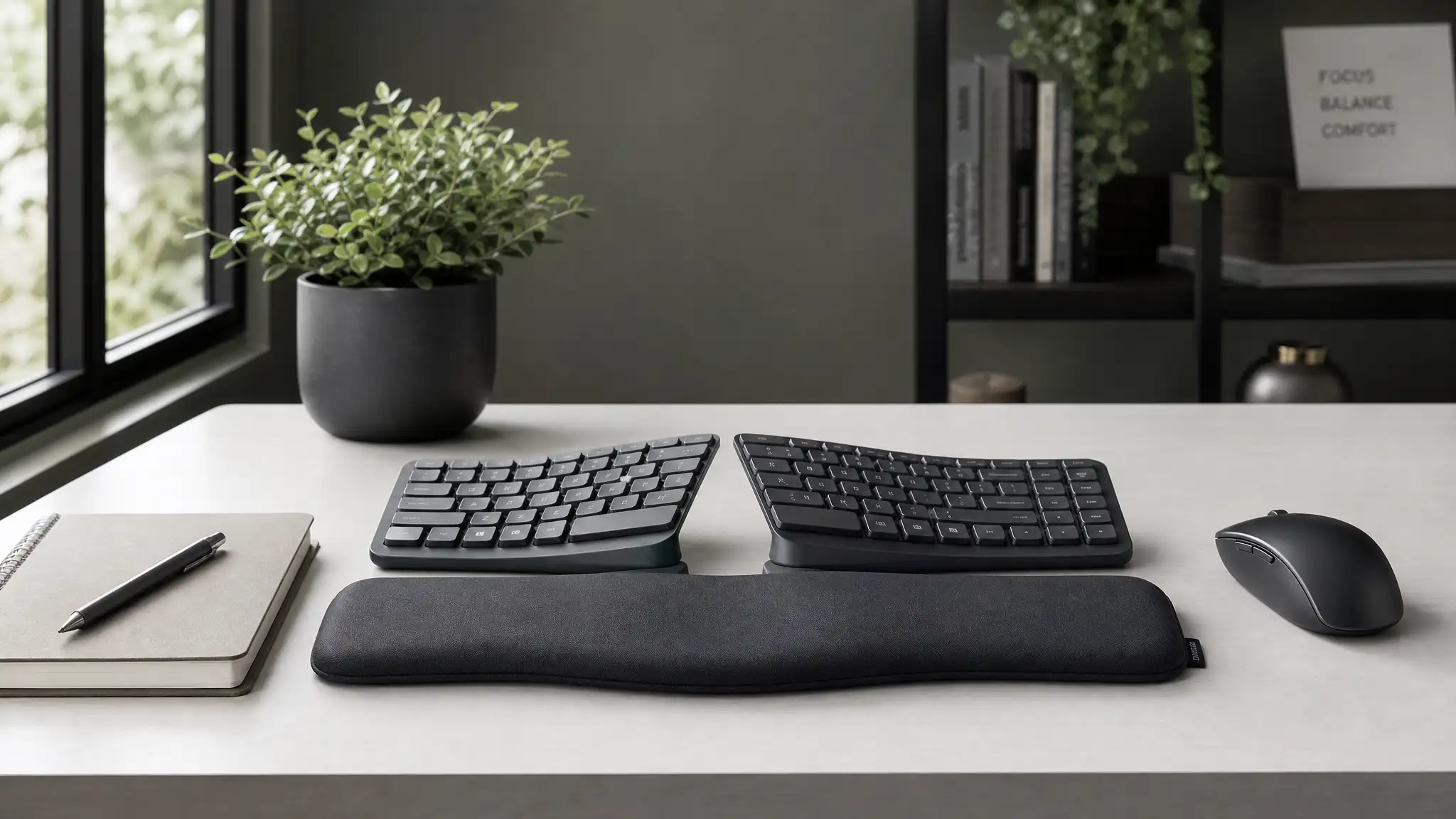

Best Ergonomic Keyboards to Prevent Wrist Pain and Carpal Tunnel
If you type for hours every day, your keyboard can either support your body or slowly work against it. Many people ignore early warning signs such as wrist stiffness, finger numbness, hand fatigue, and forearm tension. Over time, these symptoms may become more serious and even contribute to repetitive stress problems like carpal tunnel syndrome. That is why choosing the right ergonomic keyboard matters.
The best ergonomic keyboards do more than look different. They help your hands stay in a more natural hand position, reduce awkward wrist angles, and lower strain during long work sessions. A well-designed keyboard can also support better typing posture, improve comfort, and make your desk setup healthier overall.
In this guide, you will learn what makes an ergonomic keyboard effective, which features matter most, and how to choose the best model for your needs. If you want a practical way to reduce discomfort and type with less strain, this article will help you make a smarter decision.


Why Wrist Pain Happens While Typing
Wrist pain rarely starts from one big mistake. It usually builds up from small habits repeated every day. Traditional flat keyboards often force the hands inward and make the wrists bend unnaturally. When you combine that position with long typing sessions, poor desk height, and limited breaks, strain increases fast.
A standard keyboard may cause your forearms to rotate too much and your wrists to extend upward. This position puts extra pressure on the tendons and nerves that pass through the wrist. People who already deal with nerve sensitivity may notice worsening discomfort when they keep using a setup that does not fit their body.
An ergonomic keyboard for wrist pain aims to solve this issue by changing hand placement and key layout. Instead of forcing your body to adapt to the keyboard, it allows the keyboard to adapt to your body.
How Ergonomic Keyboards Help Prevent Carpal Tunnel Symptoms
Carpal tunnel symptoms often involve numbness, tingling, weakness, or burning sensations in the hand and fingers. While a keyboard alone cannot diagnose, treat, or cure a medical condition, it can reduce the physical stress that may aggravate symptoms.
A high-quality keyboard for carpal tunnel usually supports straighter wrists and better arm alignment. Many designs also reduce finger reach and make keystrokes feel lighter. When you use low-force key switches, you do not need to pound the keys with extra pressure. That helps reduce tension in the fingers, wrists, and forearms.
Some models include a split keyboard layout, which separates the left and right hand sections. This design opens the shoulders slightly and prevents the wrists from collapsing inward. Others use a tented keyboard design, which raises the center and keeps the forearms in a more relaxed position. These changes may look minor, but they can make a big difference over a full workday.
Key Features to Look For in the Best Ergonomic Keyboard
Not every ergonomic keyboard works the same way. Some focus on comfort, while others focus on posture correction. If you want long-term relief, look for these essential features.
1. Split Layout
A split keyboard helps your hands rest farther apart. This design supports a more neutral alignment from your elbows to your fingertips. It often feels more natural than a compact traditional layout.
2. Curved or Contoured Key Shape
Curved keyboards guide your fingers into a more relaxed path. They reduce sideways reach and support smoother movement while typing.
3. Negative Tilt Keyboard Option
Many people raise the back of their keyboard, but that often bends the wrists upward. A negative tilt keyboard does the opposite. It slopes downward away from you and encourages straighter wrists.
4. Palm and Wrist Support
A cushioned palm rest can improve comfort during pauses between typing. Good wrist support for typing should feel stable, soft, and well-positioned. However, your wrists should not press heavily into the surface while you actively type.
5. Key Switch Feel
Some people prefer softer, quieter keys. Others like tactile feedback. In either case, low-force key switches reduce impact and can help limit finger fatigue.
6. Wireless or Flexible Setup
A wireless ergonomic keyboard gives you more freedom to place the device exactly where your body needs it. Better placement often leads to better office ergonomics.
Best Types of Ergonomic Keyboards for Wrist Relief
Different users need different solutions. The right keyboard depends on your pain level, typing habits, and workspace.
Split Ergonomic Keyboards
These are some of the most effective options for reducing wrist deviation. A split keyboard encourages a more open upper-body posture and can support healthier shoulder positioning. It suits office workers, writers, coders, and anyone who types for long periods.
Tented Keyboards
A tented keyboard design lifts the center section and rotates the forearms slightly inward. This movement can reduce stress created by full pronation, which happens when your palms face downward for too long. Many users with forearm strain appreciate this feature.
Compact Ergonomic Keyboards
Compact models remove extra spacing and place the mouse closer to the body. That reduces shoulder reach and may support a more balanced workstation setup.
Mechanical Ergonomic Keyboards
A mechanical ergonomic keyboard can be an excellent choice if you want precise feedback and durability. The key is to choose switches that do not require too much force. A light tactile switch often works well for comfort and typing accuracy.
Wireless Ergonomic Keyboards
A wireless ergonomic keyboard is ideal if you want a clean desk and more flexibility. It allows you to adjust distance, angle, and position without cable limitations.
How to Choose the Right Ergonomic Keyboard for Your Needs
You should not buy a keyboard based only on appearance. A good ergonomic product must match your body and your daily routine.
Start by asking how many hours you type each day. If you work at a computer full-time, invest in a design with stronger ergonomic support. Next, think about your symptoms. If your pain appears mostly in the wrists, prioritize a split keyboard or negative tilt keyboard. If your shoulders and upper back also feel tight, a wider split and compact layout may help.
You should also consider adaptation time. Some ergonomic keyboards feel strange at first. That is normal. Your muscles and habits need time to adjust. Most people need several days or even a few weeks before the layout feels comfortable.
If possible, choose a model with a return policy. Comfort is personal, and the best keyboard is the one you can use consistently without creating new strain.
Ergonomic Keyboard Alone Is Not Enough
Even the best ergonomic keyboard cannot fix poor habits by itself. You also need a complete ergonomic workspace. Keep your elbows close to your sides, place the keyboard at a comfortable height, and avoid lifting your shoulders while typing. Your screen should sit at eye level, and your chair should support a neutral seated posture.
Take short movement breaks every 30 to 60 minutes. Stretch your fingers, rotate your shoulders, and relax your grip. Small changes reduce stress better than one expensive product alone.
Good office ergonomics also includes mouse placement. If your mouse sits too far away, it can undo the benefits of your keyboard. Keep both devices close enough that your arms stay relaxed.
Common Mistakes People Make When Buying an Ergonomic Keyboard
Many buyers assume any curved keyboard will solve their pain. That is not always true. Some models change the look but do not improve alignment in a meaningful way. Others include a large wrist pad but ignore key spacing and typing angle.
Another mistake is expecting instant relief. An ergonomic keyboard reduces strain, but it does not work like a magic fix overnight. You still need proper posture, regular breaks, and realistic expectations.
Some users also choose overly stiff keys. If you already deal with fatigue, heavy switches can make things worse. In many cases, low-force key switches provide a better experience.
Finally, do not ignore your typing habits. If you slam the keys, lean on your wrists, or work for hours without moving, discomfort will continue no matter how advanced the keyboard looks.
Who Benefits Most from an Ergonomic Keyboard?
An ergonomic keyboard is especially helpful for:
- Remote workers
- Office professionals
- Writers and editors
- Programmers
- Designers
- Gamers who type often
- Students with long study sessions
- Anyone recovering from repetitive strain injury symptoms
If you already notice tingling, weakness, or ongoing pain, you should also consider speaking with a qualified medical professional. A keyboard can reduce daily strain, but persistent symptoms deserve proper attention.
Final Thoughts
The best ergonomic keyboards to prevent wrist pain and carpal tunnel symptoms support the body in a smarter way. They improve alignment, reduce unnecessary pressure, and encourage better long-term typing habits. Features like a split keyboard, tented keyboard design, cushioned palm rest, and negative tilt keyboard position can all contribute to a healthier setup.
The ideal choice depends on your work style, desk arrangement, and comfort preferences. Focus on fit rather than hype. When you combine the right keyboard with proper typing posture, better office ergonomics, and regular breaks, you give your hands and wrists a better chance to stay comfortable and productive.
A good ergonomic keyboard is not just a tech accessory. It is a daily tool that can support your health, comfort, and performance for years.
Amazon.com Product Recommendation
One strong option is the Logitech ERGO K860 Wireless Ergonomic Keyboard. It is widely known for its split curved layout, comfortable wrist support, and user-friendly design for long typing sessions.









