
The Best Wireless CarPlay Adapters for Any Car (Buyer’s Guide)
If your car already supports factory wired CarPlay, a wireless upgrade can feel like a new infotainment system. You keep the same familiar interface, but you stop plugging in a cable every time you drive. A good wireless CarPlay adapter also reduces car dashboard clutter, starts quickly, and stays connected without random dropouts.
This guide explains how wireless adapters work, what to buy for your specific setup, how to avoid lag, and how to get the most reliable daily experience.
What a Wireless CarPlay Adapter Actually Does
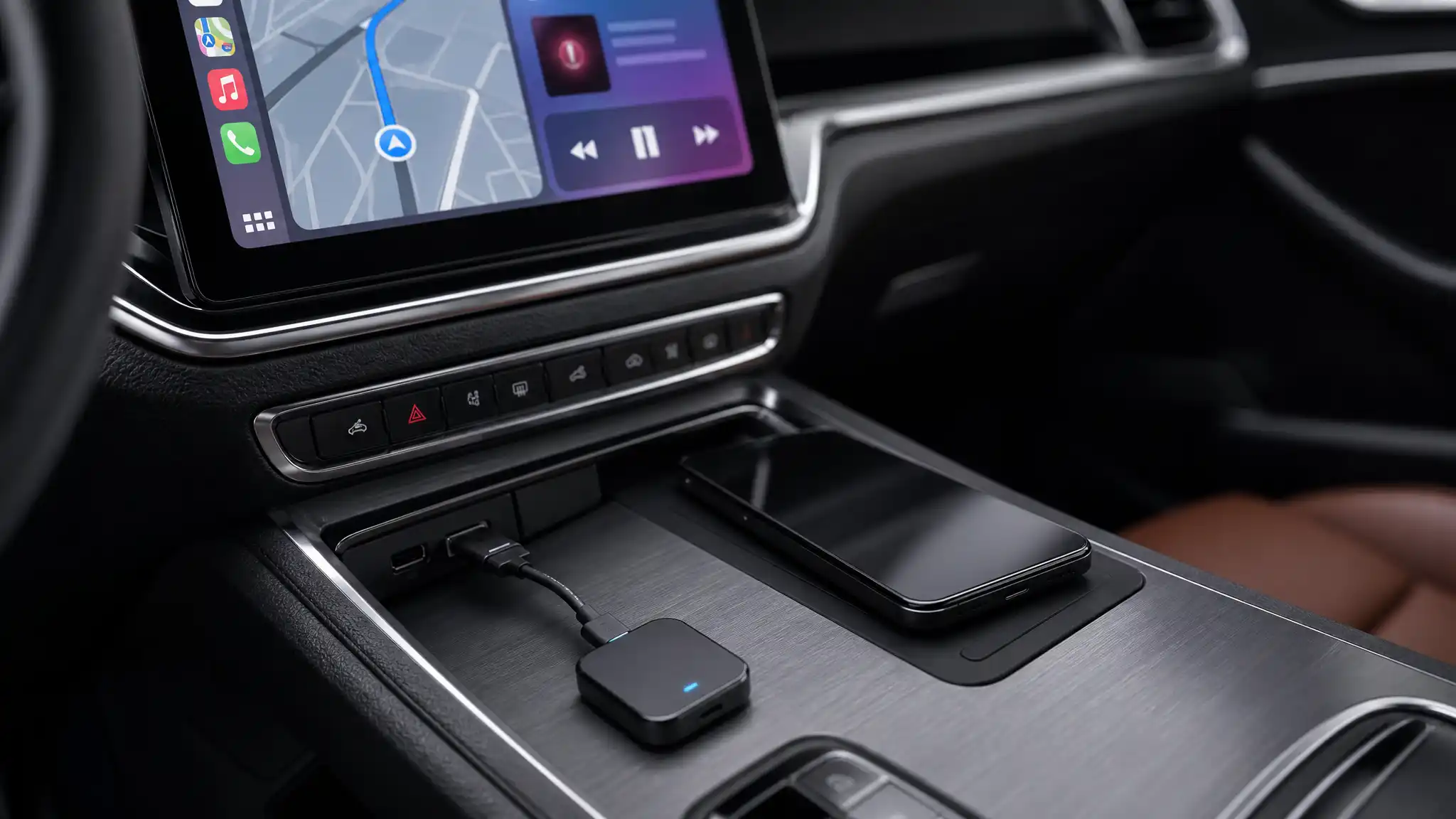
A wireless adapter is essentially a small bridge between your car and your iPhone. You plug the adapter into the car’s USB port that normally runs CarPlay. Then the adapter handles Bluetooth pairing for the initial handshake and uses Wi‑Fi (often 5GHz Wi‑Fi) for the high-bandwidth CarPlay connection.


In simple terms:
- Your car still thinks it’s talking to a phone over USB.
- Your iPhone thinks it’s connected to a wireless CarPlay head unit.
- You get navigation, music, calls, and Siri without a cable.
The #1 Compatibility Rule (Don’t Skip This)
A wireless adapter only works if your vehicle already has wired CarPlay. If your car has:
- No CarPlay at all → you need a new head unit (not an adapter).
- Wireless CarPlay built in → an adapter is usually unnecessary and may not work as expected.
- Wired CarPlay built in → you’re the perfect match.
Also confirm your iPhone version. Many adapters support iPhone iOS 10+ compatibility, but you’ll get a better experience on newer iOS versions because wireless stability and CarPlay behavior improve over time.
What Makes an Adapter “Best” for Real-World Driving
1) Fast Boot + Strong Auto-Reconnect
Daily convenience comes down to seconds. Look for:
- Quick startup after engine on
- Reliable auto reconnect (you should not re-pair every week)
- Smooth handoff when you leave and re-enter the car
If the adapter nails auto-connect, it feels invisible—in the best way.
2) Dual-Band Wi‑Fi (Especially 5GHz)
Adapters that support 5GHz Wi‑Fi typically handle crowded environments better (apartments, busy streets, parking garages). That means fewer stutters in maps and fewer connection resets.
3) Low Latency Audio and Call Stability
You want:
- Minimal delay when skipping tracks
- Stable voice quality on calls
- Consistent audio sync for podcasts
Many product pages advertise low latency audio, but real performance depends on your car’s head unit and how noisy the wireless environment is. Still, choosing a reputable adapter with strong Wi‑Fi support gives you the best odds.
4) Port Flexibility (USB-A vs USB-C)
Cars vary. Some have USB-A, some USB-C. The best kits include:
- A USB-A plug plus a USB-A to USB-C adapter
- Or a short extension cable to reduce strain in tight ports
This matters more than people think. A cramped USB port can cause intermittent disconnects if the adapter wiggles while driving.
5) Firmware Updates (Quietly Important)
Wireless adapters are tiny computers. The best brands offer firmware updates to fix bugs, improve stability, and expand infotainment system compatibility. If a product never mentions updates, you may get stuck with whatever quirks it shipped with.
Choosing the Right Type for “Any Car” Use Cases
For Most Drivers: Simple Plug-and-Play
If you want the easiest experience, choose a CarPlay dongle with a true plug and play setup:
- Plug into the CarPlay USB port
- Pair once
- Drive
This category suits commuters who care about speed, simplicity, and consistent reconnect behavior.
For Families or Shared Cars: Multi-User Switching
If two people drive the same car, prioritize adapters that handle multiple devices well. The goal is predictable behavior:
- It should connect to the most recently used phone (or let you pick quickly)
- It shouldn’t “fight” between two iPhones when both are nearby
For Tech-Sensitive Vehicles: Better Compatibility Claims
Some head units are picky. If your car’s wired CarPlay is already finicky, choose an adapter known for broader infotainment system compatibility and strong support. Also consider models that explicitly mention stability features like cooling design or stronger Wi‑Fi modules.
Installation Tips for Maximum Stability
Use the Correct USB Port
Many cars have multiple USB ports, but only one supports CarPlay data. If CarPlay never launches, you’re likely in a charge-only port. Try the port you normally use for wired CarPlay.
Avoid Loose Fit and Vibration Issues
A tiny adapter sticking straight out can shake on rough roads. If your port is in a spot where it can get bumped, use a short extension cable to keep the connection stable and reduce strain.
Disable Old Pairings If You Troubleshoot
If the connection starts failing:
- Remove the car/adapter from your iPhone’s Bluetooth list
- Delete the CarPlay profile in iPhone settings (if present)
- Re-pair cleanly
This solves a surprising number of “it worked yesterday” problems.
Common Problems (And How to Prevent Them)
“There’s a Delay When I Change Songs”
Some latency is normal with wireless. To minimize it:
- Prefer 5GHz Wi‑Fi
- Keep the adapter updated (when possible)
- Reduce interference (don’t run multiple hotspots in the car)
“It Randomly Disconnects”
The usual culprits:
- Weak power from the USB port
- Loose connection (vibration)
- Overheating in hot weather
- Interference in dense areas
Pick a compact adapter with stable power design, and consider one that mentions heat management.
“My Car Has Split Screen—Will It Still Work?”
Many systems keep their original UI capabilities. If your head unit supports it, a good adapter should continue to allow split screen display (for example, maps + music). The exact behavior depends on the car’s infotainment system, but wireless adapters typically don’t remove features—they just change the connection method.
How to Shop Smart Without Keyword Stuffing Your Brain
When you compare listings, focus on these practical checkpoints:
- Works with factory wired CarPlay
- Solid auto reconnect
- Dual-band Wi‑Fi, ideally 5GHz Wi‑Fi
- Strong reviews mentioning stability, not just “it connects”
- Clear support story: firmware updates, warranty, documentation
- Port accessories included (USB-A/USB-C)
If you buy based on these fundamentals, you can find the best wireless option for almost any car that already supports wired CarPlay.
Amazon.com Product Recommendation (1 Item)
If you want a straightforward wired-to-wireless upgrade that also supports Android Auto, this is a commonly listed option on Amazon:
- Shrandi 2-in-1 Wireless CarPlay & Android Auto Adapter (Plug & Play):
(Always double-check your car has wired CarPlay before purchasing, and verify your port type to ensure a clean install.)