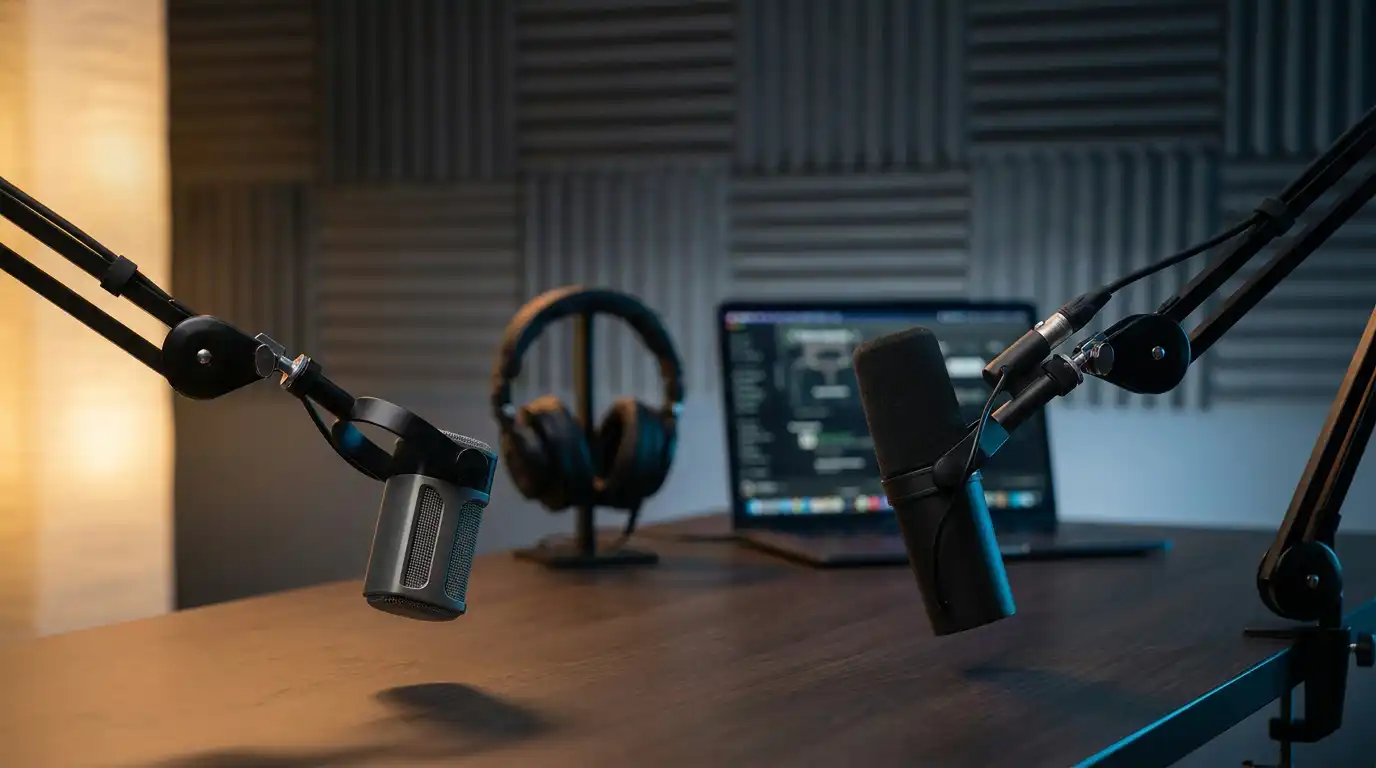

Shure MV7 vs. RØDE PodMic USB: The Ultimate Podcast Mic Test (Explained)
Choosing a podcast microphone in 2026 feels simple—until you actually compare two of the most popular options in the “serious creator” tier: Shure MV7 and RØDE PodMic USB. Both are dynamic mics designed for speech, both promise a polished “radio” tone, and both target podcasters who want great results without building a full studio.
This article breaks down a practical, real-world comparison: sound character, features, connectivity, setup flexibility, and which mic fits your workflow. I’ll keep it hands-on and organic—because your voice, room, and recording habits matter more than marketing.
Why this comparison matters (and what “ultimate test” should mean)
A true “ultimate podcast mic test” isn’t just a raw audio clip. It includes:
- How each mic handles background noise rejection in normal rooms
- How much mic gain you need and how clean the signal stays
- Whether headphone monitoring is usable and latency-free
- How well the mic controls plosives (P/B sounds) and sibilance
- Whether the mic integrates smoothly into a modern podcast recording setup (USB today, XLR tomorrow)
Both of these microphones can deliver professional results, but they do it in slightly different ways.
Quick overview: the core difference
Shure MV7 in one sentence
MV7 is a versatile hybrid mic built for creators who want USB dynamic microphone convenience now and XLR connectivity for future growth—plus strong software control via a companion app.
RØDE PodMic USB in one sentence
PodMic USB takes the classic PodMic concept and modernizes it with USB features and onboard processing, aiming for a “broadcast” vibe with a clean, creator-friendly workflow—especially for streaming and quick content production.
Sound signature: what your audience actually hears
Shure MV7 sound profile
The MV7 tends to sound controlled and “ready” with minimal effort. It’s often described as smooth and slightly compressed-feeling even before you apply heavy editing. In practice, that translates to voice clarity that stays consistent when you move a little or vary your speaking volume.
If you record close—think 5–10 cm—the MV7 can produce a tight, intimate tone that works well for interviews, solo podcasts, and narration. It also reacts predictably to EQ: you can add presence for clarity or low-end weight without the mic falling apart.
RØDE PodMic USB sound profile
PodMic USB leans into a bold, broadcast-style mic character—more “chest” and weight when you work it close. If you like a thicker, energetic tone (common in YouTube commentary or streaming), you’ll probably enjoy it. But that extra weight means you should pay attention to proximity effect and plosives. A stable mic position and good plosive control become more important.
In a treated room, the PodMic USB can sound big and impressive. In an untreated room, the low-end can sometimes exaggerate “room boom” if your placement isn’t consistent.
Background noise and room handling
Dynamic microphones are popular for podcasters because they typically reject room noise better than condensers. Still, your room and mic technique matter.
- MV7 usually feels more forgiving in average rooms. Its tonal balance and tighter pickup behavior help reduce distracting reflections. That’s a real benefit if you record in a home office.
- PodMic USB can also reject noise well, but because it can sound fuller, poor placement can make your room feel more obvious. You can fix this with better positioning, basic treatment, or careful EQ.
If your environment is noisy (fans, street noise, keyboard), both are solid options, but the MV7 often requires fewer “rescues” in post.
USB experience: plug-and-play vs. tweak-and-go
MV7 USB workflow
MV7’s USB side shines when you want quick and repeatable results. You connect it, set levels, and you’re almost done. The companion app gives you control over tone and gain behavior, which helps you adapt the mic to different voices without rebuilding your chain every time.
This is especially useful if you record on different days and want your episodes to match.
PodMic USB workflow
PodMic USB aims to give you that modern creator convenience too—USB recording with onboard tools designed for fast content. If you do a lot of YouTube streaming or create frequent short-form clips, you’ll appreciate how quickly you can get a “finished” sound without stacking plugins.
The key difference is “feel”: PodMic USB pushes you toward a bigger broadcast flavor; MV7 pushes you toward consistent clarity with flexible shaping.
XLR and future-proofing
Here’s a major decision point.
- Shure MV7 includes XLR connectivity. That matters if you plan to add an audio interface later for multi-mic sessions, higher-end preamps, or more advanced routing.
- RØDE PodMic USB is designed for USB-first creators (and depending on the exact model/version you buy, your analog upgrade path may be different than MV7’s straightforward USB+XLR approach).
If you already know you’ll expand into an interface-based setup—multiple hosts, outboard gear, studio routing—the MV7’s hybrid design gives you more flexibility.
Monitoring, controls, and day-to-day usability
Headphone monitoring
Both mics support headphone monitoring, which is crucial for catching clipping, hum, or room noise before you record a full episode. What you want is:
- volume that’s strong enough
- monitoring that feels immediate (low latency)
- controls that don’t interrupt your workflow
MV7 tends to integrate monitoring in a way that “just works” for most users. PodMic USB also targets that creator workflow, especially if you’re used to USB mics and want minimal friction.
Gain and level management
Many podcasters struggle with gain staging: too low and you get hiss when boosting; too high and you clip. A good dynamic mic should help you keep levels stable.
- MV7 is generally easier to level quickly and keep consistent.
- PodMic USB can sound fantastic, but you’ll want to dial in mic gain carefully to keep the sound big without getting muddy or distorted.
Accessories and setup: what you’ll realistically need
Neither mic performs at its best when it’s sitting awkwardly on a desk stand far from your mouth. For podcasting, placement is everything.
Boom arm and positioning
A desk boom arm makes a bigger difference than many beginners expect. It lets you keep a stable distance and angle, which improves consistency and reduces room noise.
Pop filter and plosives
Even dynamic mics can pop when you speak close. You’ll get better results with a pop filter or foam windscreen and a slight off-axis angle. This helps with plosive control without killing the crispness of your voice.
Use-case recommendations (who should buy what?)
Choose Shure MV7 if you:
- want a reliable, repeatable sound with minimal fuss
- record in a normal room and want strong background noise rejection
- plan to upgrade later using XLR connectivity and an audio interface
- care about consistent voice clarity for long-form podcasts
Choose RØDE PodMic USB if you:
- want a bold, modern broadcast tone for podcast + streaming
- like a “bigger” sound and don’t mind dialing placement carefully
- create frequent content where quick “finished” sound matters
- want a mic that fits a high-energy, broadcast-style mic identity
Final verdict: which one wins the “ultimate test”?
If the test is about repeatable podcast results in real rooms, the Shure MV7 usually wins on consistency, flexibility, and future-proofing. It’s the safer choice for creators who want a dependable sound across many episodes.
If the test is about big, attention-grabbing tone for creator content, the RØDE PodMic USB can feel more exciting—especially when your setup and technique are solid and you want that thick broadcast presence.
In other words: MV7 is the more flexible long-term tool; PodMic USB is the more “flavor-forward” content mic.
Amazon.com product suggestion (1 item)
If you want the single most useful upgrade for either mic, consider adding a quality boom arm on Amazon:
- RØDE PSA1+ Professional Studio Arm (improves positioning, consistency, and reduces desk noise)









