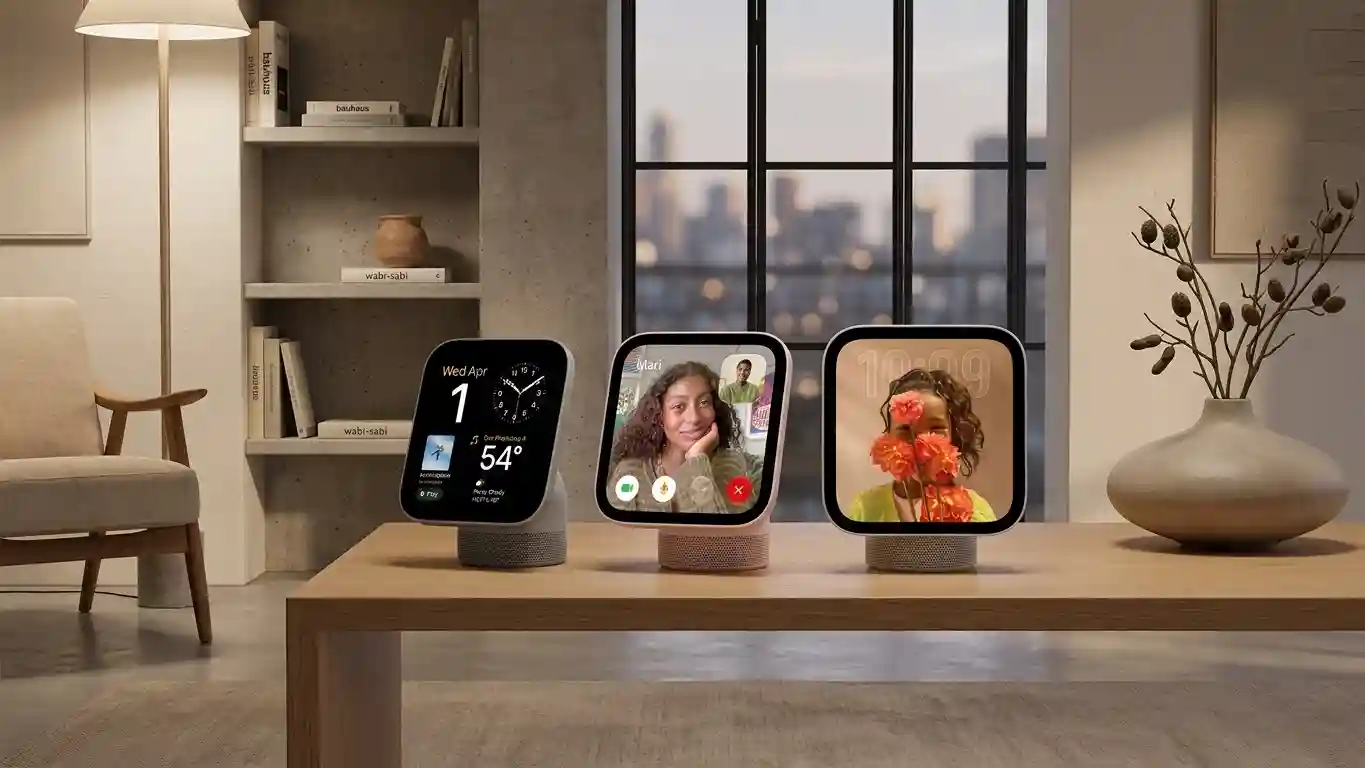

Apple HomeView brings a shared screen to the Apple household, combining entertainment, communication, and connected home controls. Apple announced availability on November 13, 2026, positioning the device as a central place for everyday interactions. Its appeal goes beyond displaying information: HomeView connects familiar Apple services with conversational assistance and personalized access. For households already using compatible iPhones or iPads, that combination could make routine tasks easier without requiring everyone to reach for a phone.
A Display Built for Shared Spaces
The device features a 7-inch Liquid Retina display and comes in tabletop and wall-mounted versions. Both support the Home app, allowing users to manage settings, automations, and smart home accessories from a dedicated screen.
Placement shapes the experience. A tabletop unit could suit a kitchen counter where people check plans or start music. A wall-mounted version could serve an entrance or hallway, keeping household controls within reach. Apple offers the tabletop model in silver, starlight, rose pink, and space gray; the wall-mounted model comes in silver and space gray.
What Siri AI Adds
Siri AI gives this smart home display a more conversational interface. According to Apple, users can ask questions across many subjects, while onscreen awareness lets the assistant respond to displayed content or take relevant actions.
Personalized assistance requires additional hardware. When users pair an Apple Intelligence-enabled iPhone or iPad, Siri AI can draw on personal context from supported information across apps, including Calendar and Messages. It can also act across apps to complete tasks.
That distinction matters when evaluating the product. General questions and personal requests do not carry identical requirements. Buyers should check device compatibility, software versions, language support, and regional availability before expecting every demonstrated capability to work.
Personalization Without Showing Everyone Everything
Shared devices often create an awkward tradeoff between convenience and privacy. HomeView addresses that challenge by recognizing up to six people by face and adapting content for each person. Supported services include Messages, FaceTime, Calendar, Reminders, and Find My.
Apple says personal content appears when HomeView recognizes the user and their paired iPhone or iPad is present and recently unlocked. Its announcement also describes specific conditions that can preserve access after the paired device disconnects from Wi-Fi.
These controls give families an important setup consideration: privacy depends partly on recognition and paired device conditions, not simply on placing the display in a shared room.
Entertainment and Home Management Together
HomeView supports Apple Music playback and FaceTime calls alongside calendar access and household management. Bringing these activities together could reduce the need to move between separate screens during everyday routines.
Its voice-controlled home automation features also provide a hands-free route to supported actions. However, shoppers should distinguish the display from the accessories it manages. A new screen does not automatically upgrade existing lights, locks, or other equipment. Check each accessory’s compatibility before planning a connected home around it.
Pricing, Mounts, and Launch Markets
Apple lists both HomeView versions at $299 in the United States. Launch markets include Australia, Canada, India, New Zealand, Singapore, the United Kingdom, and the United States. Apple says the device is not available for sale in the European Union because Siri AI is currently unavailable there in iOS.
Wall installation adds another purchasing decision. Schneider Home’s USB-C wall connector starts at $59.95, while its AC wired mount starts at $79.95. Apple schedules the $129.95 PoE wired mount for early 2027.
Important Details Before Buying
Siri AI launches in beta with HomeView software version 27.2. Setup and multiuser support require a compatible iPhone or iPad running current software. Personal context requests require an Apple Intelligence-enabled paired device with Siri AI enabled in a supported language.
Apple also notes daily limits for certain features that use server-side models and says expanded access will carry a fee in the future. Consider those conditions alongside the purchase price.
For an established Apple household, HomeView offers an interesting combination of shared access and individual experiences. Its strongest potential benefit lies in making familiar tasks easier to reach, rather than replacing every screen at home.
The useful question is whether a dedicated household display solves a daily inconvenience that your existing Apple devices still leave unaddressed today.