
Best Cameras with Open Ecosystem and Tethering Support: A Detailed Guide
Content creators, professional photographers, and filmmakers increasingly need cameras that talk seamlessly to laptops, tablets, and mobile devices. That’s where cameras with open ecosystem and tethering support shine. They let you control the camera remotely, transfer files in real time, integrate with editing and streaming software, and build flexible workflows that grow with your needs.
In this guide, we’ll break down what “open ecosystem” really means, why tethering support matters, how to choose the right camera, and which models stand out today. The goal is to help you pick a camera that won’t lock you into a closed system and will stay useful for years.
What Is an Open Ecosystem in a Camera?
An open ecosystem camera is designed to work smoothly with a wide range of third‑party tools instead of forcing you into a single proprietary app or platform. In practice, this means:
- Standard interfaces like USB-C, HDMI, and sometimes Ethernet
- Compatibility with major tethering software such as Adobe Lightroom, Capture One, and OBS
- Support for open or well‑documented APIs that developers can build on
- Easy integration with Cloud storage, live streaming platforms, and remote control apps
The more open your camera ecosystem is, the easier it becomes to automate tasks, build custom workflows, and connect multiple devices on set or in a studio.
Why Tethering Support Is So Important
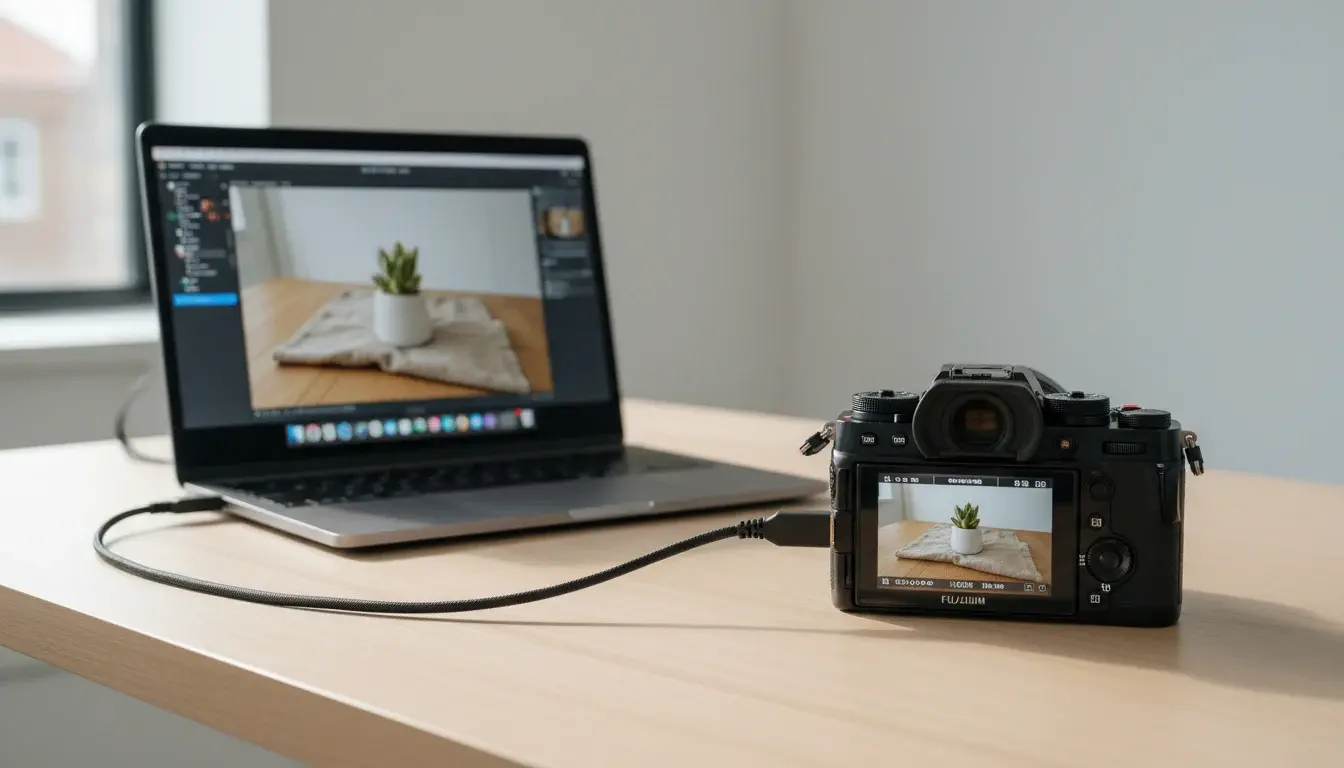
Camera tethering support lets you connect your camera directly to a computer or mobile device so you can:
- Monitor shots in real time on a bigger screen
- Trigger the shutter remotely and adjust settings without touching the camera
- Automate backups so every shot lands instantly in a folder or catalog
- Collaborate with clients on set by showing them live previews or selects
For studio photographers, commercial teams, and hybrid shooters who both film and take photos, strong tethering capabilities dramatically speed up production and reduce errors.
Key Features to Look for in an Open Ecosystem Camera
When you’re comparing cameras with good tethering and open ecosystem support, pay attention to these features:
1. Connectivity Options
Look for models that offer:
- USB-C with high data throughput for stable tethered shooting
- Wi‑Fi and Bluetooth for wireless control and file transfer
- Clean HDMI output for live streaming and external recorders
- Optional Ethernet or USB‑to‑Ethernet for rock‑solid network setups
Robust camera connectivity options are the foundation of a flexible workflow.
2. Software Compatibility
A great tethered shooting workflow depends on how well your camera talks to your favorite tools. Check whether the camera works smoothly with:
- Adobe Lightroom and Photoshop
- Capture One Pro
- OBS Studio and streaming software
- Vendor‑provided desktop apps for remote control
- Mobile apps on both iOS and Android
You want a camera that doesn’t require special hacks or unreliable plugins just to connect.
3. Cross‑Platform and Remote Control
A truly cross‑platform camera solution should connect to Windows, macOS, and sometimes Linux. It should also support:
- Remote camera control over USB or Wi‑Fi
- Easy firmware updates
- Configurable network options for remote access in studios or live productions
If you collaborate across teams or travel often, this flexibility is essential.
4. Open APIs and Third‑Party Integrations
Developers and power users should consider whether a camera offers an open camera API or SDK. This allows:
- Custom remote control tools
- Automated capture for research, product photography, or time‑lapse
- Integration with home‑grown asset management systems
An API‑friendly camera makes it much easier to future‑proof your setup.
Benefits of Choosing a Camera with Strong Tethering
Switching to a tethered camera setup brings clear benefits:
- Higher accuracy: You can see focus, exposure, and composition in detail on a large screen.
- Faster feedback: Clients and art directors can review images as they’re captured.
- Improved organization: Files go directly into your chosen folder structure or catalog, reducing manual import work.
- More stable streaming: For live events, cameras optimized for live streaming cameras provide cleaner, more reliable feeds than typical webcams.
In short, tethering helps you shoot smarter, not harder.
Use Cases: Who Needs Open Ecosystem and Tethering Most?
- Studio Photographers
They rely on professional tethering solutions to shoot directly into Capture One or Lightroom, apply presets on the fly, and show clients the results immediately. - Hybrid Photo/Video Creators
They benefit from multi‑device camera integration, sending stills and video to different devices, syncing with cloud services, and feeding clean HDMI to switchers. - Live Streamers and Educators
For tutorials, webinars, and live events, a tethered camera for live streaming offers higher image quality, stable connections, and remote control from a laptop. - Content Studios and Agencies
Larger teams need scalable, open ecosystem cameras that work with asset management tools, automated backups, and shared editing environments.
How to Build a Reliable Tethered Shooting Workflow
To get the most from tethering‑friendly cameras, follow these best practices:
- Use high‑quality USB‑C or HDMI cables with proper length and shielding.
- Secure all connections to avoid accidental disconnects during critical moments.
- Configure your tethering software to apply basic presets and auto‑save to redundant drives or cloud folders.
- Test your remote camera access and triggers before client sessions or live broadcasts.
- Keep firmware and tethering apps updated to maintain compatibility and performance.
A little preparation goes a long way toward a friction‑free experience.
Recommended Camera on Amazon
For creators who want a flexible, well‑connected system, a great example on Amazon is the Sony Alpha 7 IV (A7 IV). It offers strong tethering support, excellent connectivity options, and broad compatibility with major tethering software and streaming tools. You can find it by searching for “Sony a7 IV Mirrorless Camera” on Amazon.