
Why Choosing a Child‑Safe Tablet Matters
Selecting a child‑friendly tablet on Amazon is one of the most important decisions parents can make in today’s digital age. Children use tablets for entertainment, education, creativity, and even communication. However, safety features, durability, parental controls, and age‑appropriate content should always come first. Amazon offers a wide range of kid‑safe tablets and accessories that help parents create a secure and enriching digital environment. This article explores how to choose the right tablet, which features really matter, and what accessories enhance both safety and usability.
Understanding What Makes a Tablet Safe for Kids
A child‑safe tablet isn’t simply a regular device with a colorful case. It comes with built‑in protection systems, durable construction, and content controls designed for younger users. When evaluating tablets on Amazon, parents should pay attention to several essential elements:
- Robust parental control features
- Durable and shock‑resistant design
- Screen time management tools
- Age‑appropriate apps and educational content
- Battery longevity and performance stability
These features create a balanced experience that encourages learning while protecting children from inappropriate content or excessive screen exposure.

Key Features to Look for When Buying a Kid‑Friendly Tablet
1. Parental Control Software
High‑quality parental controls allow adults to restrict access to certain apps, websites, and downloads. Amazon’s own Kids+ ecosystem simplifies the process by offering content filters based on age brackets. Additionally, parents can set screen time limits or create educational-focused sessions.
2. Durable and Protective Hardware
Kids drop things. A lot. That’s why durability is non‑negotiable. Many kid-friendly tablets come with:
- Reinforced corners
- Rubber bumpers
- Anti-scratch screens
- Shock‑absorbent materials
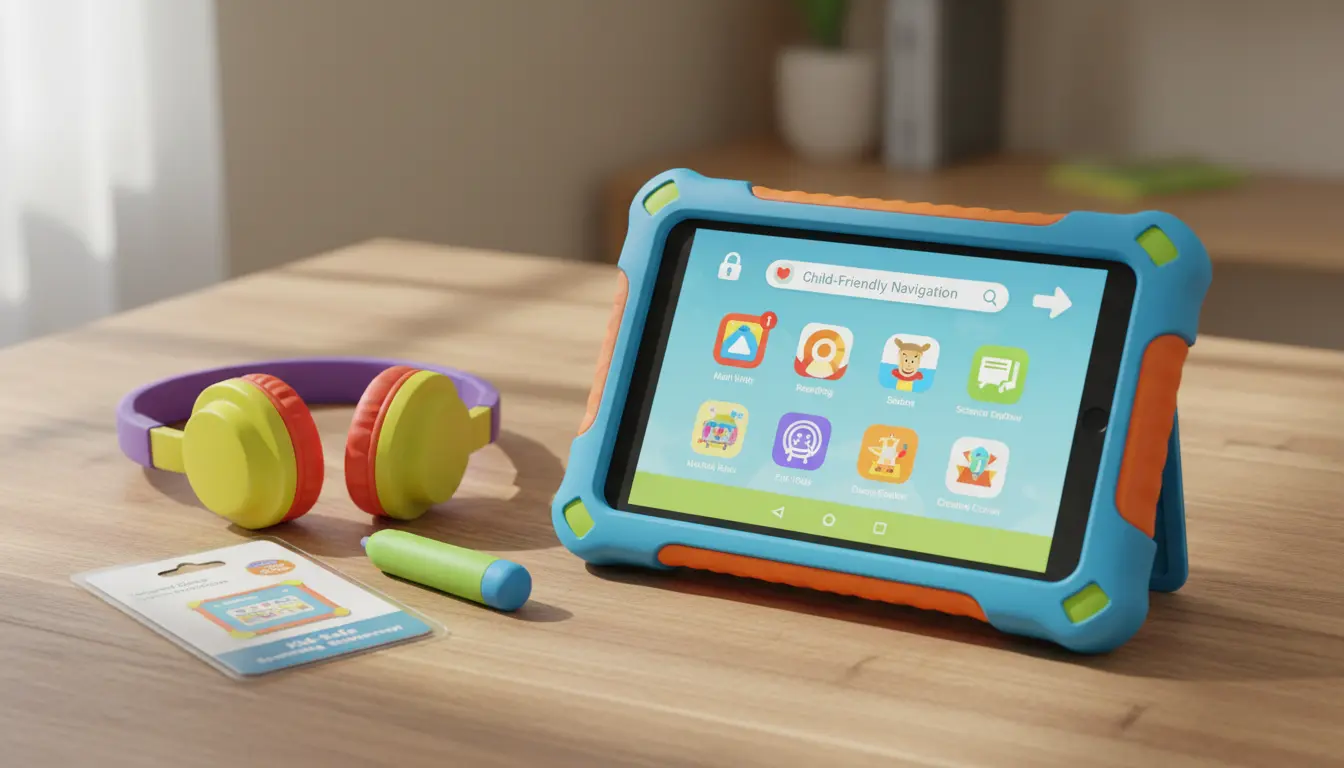
Parents should consider a model that includes a rugged protective case to extend the tablet’s lifespan even in energetic environments.
3. Blue Light Protection and Display Quality
Young eyes are sensitive to digital displays. Choosing a tablet with blue light filters, adaptive brightness, and sharp resolution helps reduce long-term strain. A crisp, vivid screen also improves the learning experience for reading, drawing, and interactive educational games.
4. Battery Performance
Long battery life is especially important during travel, school projects, and long outings. A tablet with at least 8–10 hours of active use ensures children can enjoy uninterrupted learning and play.
5. Storage Capacity and Expandability
Children frequently install new apps, download videos, and store drawings or school projects. Tablets with expandable storage slots or at least 32GB of internal memory provide enough room for continuous usage.
Benefits of Child‑Safe Tablets for Learning and Development
Child-safe tablets aren’t just entertainment devices—they support educational growth when used appropriately. Interactive learning apps, storytelling tools, and digital art platforms help improve:
- Creativity
- Vocabulary
- Problem-solving skills
- Hand-eye coordination
- Critical thinking
Many Amazon tablets integrate seamlessly with educational programs such as ABCmouse, Khan Academy Kids, or Amazon Kids+, which deliver structured and age-relevant content.
Best Accessories for Enhancing Safety and Functionality
Accessories play a crucial role in making tablets safer and more convenient for children. On Amazon, parents can find a variety of protective and functional add‑ons.
1. Heavy‑Duty Protective Cases
A rugged case minimizes damage during accidental drops. Some come with handles for better grip, making them especially good for toddlers.
2. Tempered Glass Screen Protectors
Screen guards protect against scratches and cracks. For children, a shatter‑proof, anti-glare protector is ideal.
3. Child‑Friendly Headphones
Volume‑limited headphones ensure kids never listen at dangerous sound levels. Look for comfortable, adjustable, padded designs.
4. Tablet Stands and Holders
Ergonomic stands make reading or watching videos easier. They also promote better posture and reduce neck strain.
5. Stylus Pens for Creative Learning
A stylus pen encourages artistic engagement, handwriting practice, and interactive game play without smudging the screen.
How to Maintain Tablet Safety Over Time
Buying a secure tablet is just the first step. Parents should regularly update settings and monitor usage to maintain a safe digital environment.
- Update apps and system software frequently
- Review activity logs
- Adjust parental controls as kids grow
- Disable in‑app purchases
- Teach digital safety habits early
Consistent involvement ensures the tablet remains a beneficial learning tool rather than a digital distraction.
Top Amazon Tablet Recommendation for Kids
If you’re searching for a reliable and secure option, the Amazon Fire HD 10 Kids Tablet stands out. It includes a kid-proof case, a 2‑year worry-free guarantee, robust parental controls, a bright HD display, and a full year of Amazon Kids+ subscription. This combination makes it one of the most trusted choices for child‑safe use.