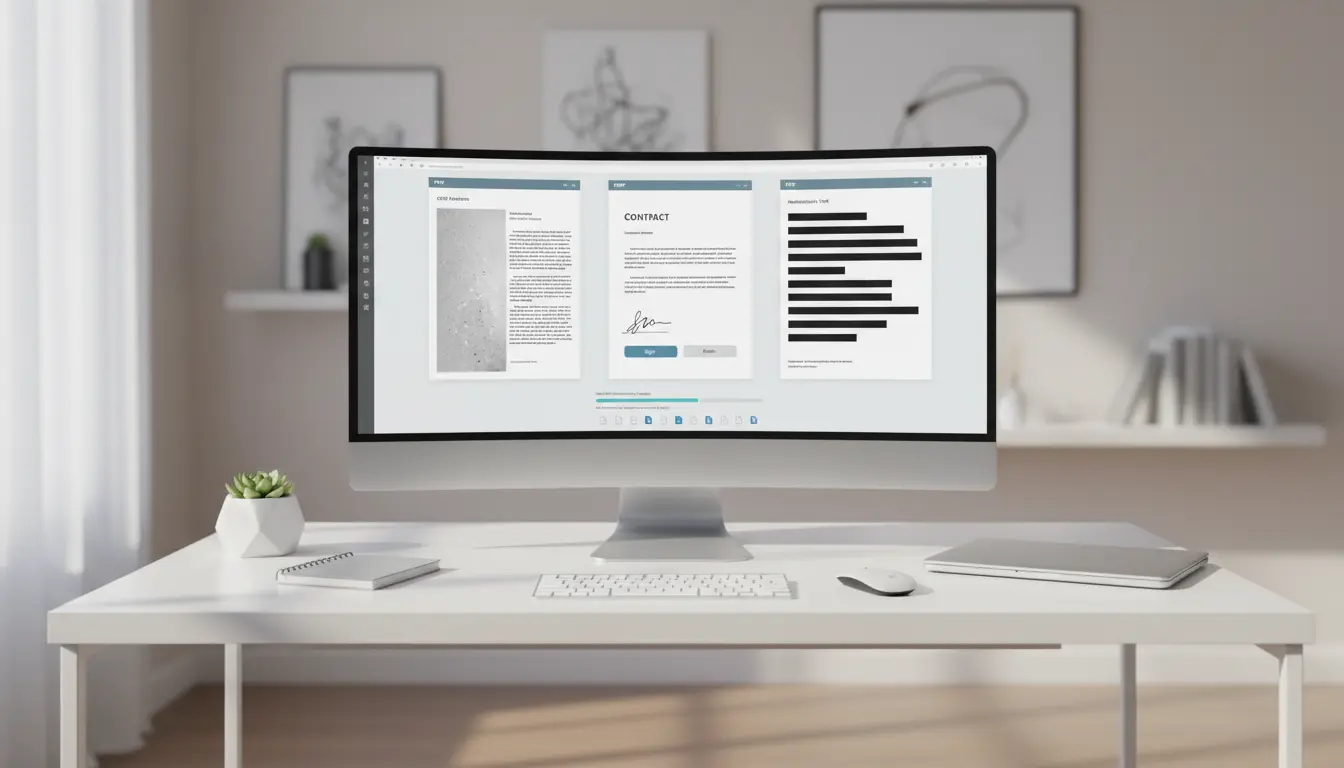

PDF Workflows: OCR, E‑Signatures, Redaction and Bulk Conversion
In modern digital workplaces, efficient PDF workflows are critical for productivity, security and compliance. From scanning paper archives with OCR to securing contracts with e‑signatures, redacting sensitive information and converting hundreds of files in bulk, a well‑designed PDF workflow saves time and reduces risk. In this article, you will learn how these four pillars—OCR, e‑signature, redaction and bulk conversion—fit together in a practical, business‑ready system.
What Is a PDF Workflow?
A PDF workflow is a structured series of steps that a document follows from creation to storage or archiving. Instead of manually opening, editing and saving each file, you define repeatable actions:
- Capture (scan or import documents)
- Process (OCR, annotate, sign, redact, convert)
- Distribute (share, export, sync)
- Archive (store with consistent naming and metadata)
When you automate these stages, your organization reduces manual errors, speeds up approvals, and keeps documents consistent across teams and departments.
Step 1: OCR – Turning Scans into Searchable PDFs
Many businesses still rely on printed forms, signed contracts and paper invoices. Without OCR (Optical Character Recognition), these pages become static images—impossible to search or index properly. OCR technology converts the visual shapes of letters into machine‑readable text and embeds that text inside the PDF.
Why OCR Matters
- Searchability
With OCR, staff can quickly search by client name, invoice number or contract clause instead of browsing hundreds of pages. This improves knowledge management and makes audits smoother. - Accessibility & Compliance
Searchable PDFs support screen readers and assistive technologies. Many industries must comply with accessibility and records regulations. OCR helps meet those standards. - Data Extraction
OCR unlocks the ability to extract fields such as dates, amounts or IDs for use in accounting systems, CRMs or analytics dashboards.
Best Practices for OCR in PDF Workflows
- Scan at 300 dpi or higher for clear text recognition.
- Use language‑specific OCR (e.g., English, Turkish, German) for better accuracy.
- Enable text layer output so the PDF looks identical to the original but is fully searchable.
- Integrate OCR as an automatic first step whenever you import scanned documents or images.
Step 2: Digital Signatures and E‑Signature Workflows
PDFs are the standard format for contracts, proposals, NDAs and HR documents. E‑signatures allow you to collect legally binding approvals without printing, mailing or scanning.
Benefits of E‑Signature in PDF Workflows
- Speed and Convenience
Recipients can review and sign documents from any device. This cuts approval cycles from days to minutes. - Audit Trails
Good e‑signature solutions add time stamps, signer identity, IP addresses and certificate details to a secure audit trail. This helps with compliance and dispute resolution. - Security and Integrity
Digitally signed PDFs include cryptographic protection. When someone modifies a signed document, the signature shows as invalid, preventing unnoticed tampering.
Designing an E‑Signature Workflow
- Use templates for frequently used agreements so you only adjust variables like names and dates.
- Add signature fields, initials and date fields directly inside the PDF.
- Route documents automatically to the next signer via email or internal workflow tools.
- Store signed PDFs in a centralized, access‑controlled repository with clear naming rules.
Step 3: PDF Redaction – Protecting Sensitive Information
Redaction is the process of permanently removing sensitive content from a document. Simply drawing a black box over text is not enough; the data still exists underneath and can be revealed by copying or editing. Proper PDF redaction deletes the underlying content.
When You Need Redaction
- Sharing contracts with third parties while hiding pricing, personal data or trade secrets
- Publishing reports that must comply with GDPR, HIPAA or financial regulations
- Responding to legal discovery requests while protecting privileged information
Redaction Best Practices
- Use Professional Redaction Tools
Choose PDF software that offers true redaction, not just annotation. Look for features that remove text, metadata, comments and hidden layers. - Search Before You Redact
Run keyword searches for names, IDs or confidential terms to ensure you find all sensitive instances before publishing or sending the file. - Review the Final Output
Always open the redacted PDF in a separate viewer to verify that the hidden text cannot be selected, searched or recovered. - Automate Policies Where Possible
In larger organizations, set up automated redaction rules based on patterns like credit card numbers or national IDs to reduce manual mistakes.
Step 4: Bulk PDF Conversion at Scale
Bulk PDF conversion means transforming many documents at once—either into PDF or from PDF into other formats. This step is crucial when migrating systems, digitizing archives or standardizing file types across teams.
Common Bulk Conversion Scenarios
- Converting Word, Excel, PowerPoint and image files into standardized PDF for archiving
- Exporting PDFs to PDF/A for long‑term storage and compliance
- Converting PDFs back to editable formats for content reuse or translation
- Compressing large batches of PDFs to reduce storage usage and speed up sharing
Tips for Efficient Bulk PDF Conversion
- Build command‑line or scheduled tasks that run nightly batch jobs on new files.
- Apply consistent naming conventions and folder structures so teams can find files easily later.
- Combine conversion with OCR, compression and encryption to optimize quality and security in a single pass.
- Test sample batches first to ensure layouts, fonts and images remain accurate.
Bringing It All Together: A Unified PDF Workflow
A powerful PDF workflow combines OCR, e‑signature, redaction and bulk conversion in one end‑to‑end process. Here is a simple example:
- Capture & OCR
A team scans paper contracts and incoming mail. The system automatically performs OCR and saves them as searchable PDFs. - Review & Redaction
Legal staff review relevant documents and redact confidential clauses before sharing them with external partners. - E‑Signature
Redacted agreements go out to clients using e‑signature workflows. Each step is tracked with an audit trail. - Bulk Conversion & Archiving
After completion, signed contracts are automatically converted to PDF/A, compressed, encrypted and stored in a long‑term archive via a scheduled bulk conversion task.
This kind of integrated PDF workflow reduces bottlenecks, strengthens compliance, and helps organizations move toward a paperless, audit‑ready environment.









