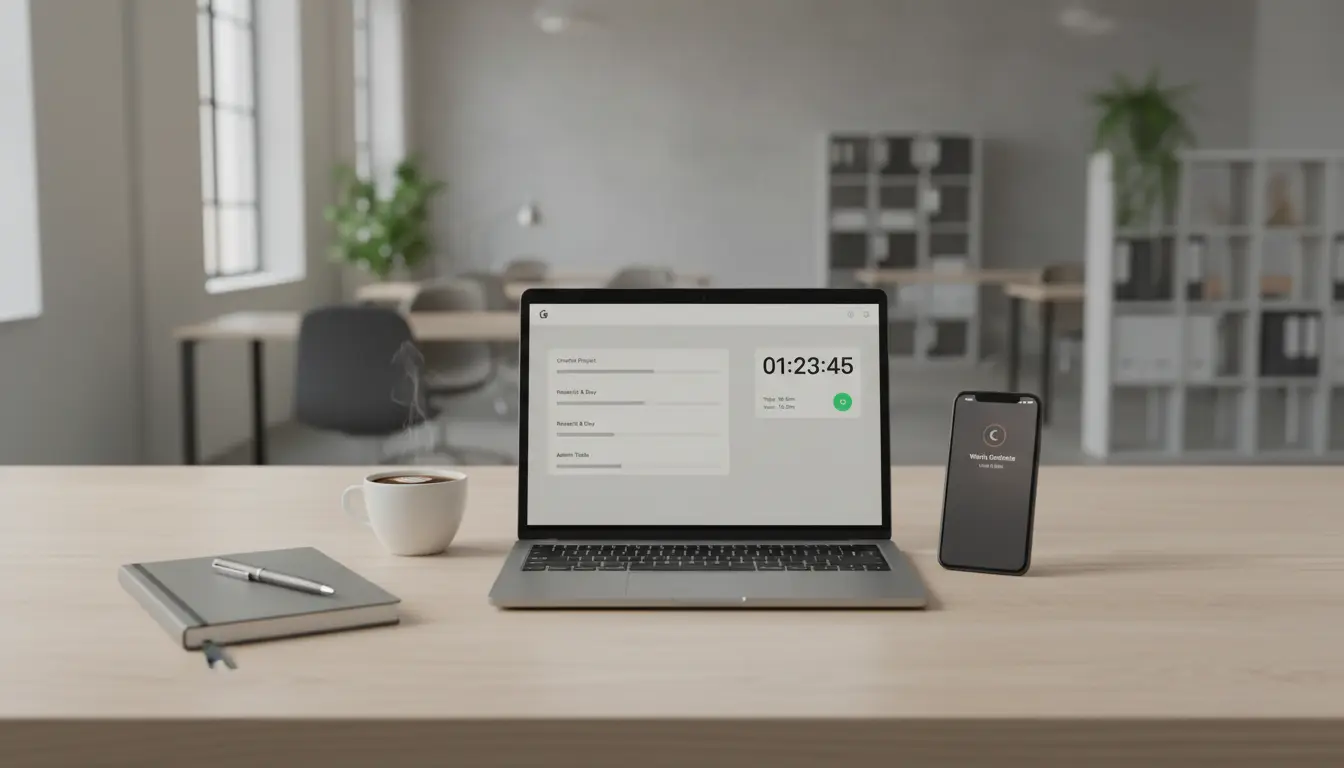

Time Tracking and Focus Tools: How Toggl and Focus Modes Help You Work Smarter
In a world full of digital distractions and constant context switching, effective time management and deep focus have become competitive advantages. Two tools stand out for professionals, students, and creators alike: Toggl and Focus modes. Together, they provide a powerful framework for tracking where your time actually goes and protecting your attention for meaningful work. This comprehensive guide explains how these tools work, the benefits of combining them, and practical strategies to build a sustainable, distraction-resistant workflow.
What is Toggl and why time tracking matters
Toggl is a simple yet robust time tracking solution used by freelancers, agencies, and teams to measure time spent across tasks, clients, and projects. With just one click to start/stop a timer, Toggl helps you capture accurate data without interrupting your flow. Over days and weeks, this data becomes a mirror of your habits—revealing time sinks, productivity peaks, and the real cost of meetings or multitasking.
Key benefits of Toggl:
- Clarity and accountability: Understand exactly how long tasks take versus estimates.
- Data-driven planning: Use reports to forecast workloads and improve quoting for clients.
- Reduced context switching: Label tasks and batch similar work to maintain momentum.
- Team transparency: Managers can see capacity and allocate projects more intelligently.
For solo professionals, Toggl builds self-awareness and nudges you toward better routines. For teams, it offers shared visibility and supports outcomes-based culture over hours-based assumptions.
What are Focus modes and how they improve deep work
Focus modes are configurable attention filters built into operating systems and productivity apps. On iOS and macOS, Focus lets you allow only essential notifications from specific people or apps while silencing everything else. Many Android devices and Windows offer similar features via Do Not Disturb, App Timers, or Priority modes. The essence is the same: minimize interruptions to enable deep work.
Why Focus modes matter:
- Protect cognitive bandwidth: Each notification triggers a costly context shift.
- Support intentionality: You decide when to be reachable and by whom.
- Encourage time blocking: Pair Focus with calendar blocks to create predictable focus windows.
- Reduce anxiety: Fewer pings means fewer reasons to check your phone “just in case.”
Focus modes are most effective when customized by context—Work, Study, Writing, Design, Meetings, and Personal. Each mode can have unique app permissions, home screens, and even calendar-based automation.
The synergy: Track your time while you protect your attention
Toggl gives you visibility; Focus modes give you control. Combine them to create a virtuous cycle:
- Plan your day with blocks
- Define 2–4 deep work blocks (60–120 minutes) and 2–3 shallow work/admin blocks (30–45 minutes).
- Assign project tags and goals for each block.
- Activate a Focus mode per block
- For deep work, allow only mission-critical tools (e.g., design app, IDE, writing app).
- For shallow work, allow communications like email and chat to process messages in batches.
- Start a Toggl timer for the block
- Use descriptive names like “Write blog section: intro and outline” instead of vague labels.
- Tag by client/project and task type (writing, research, review, meeting).
- Review and refine
- At day’s end, check Toggl reports: Did deep blocks remain focused? Which interruptions slipped through?
This loop helps you iterate toward a high-leverage schedule. Over time, you’ll identify the best times for deep work, the tasks that routinely overrun, and the habits that erode your focus.
Practical setup tips for Toggl
- Create consistent naming conventions: Use “Client – Project – Task” so reports are clean.
- Use tags for activity type: Research, Writing, Design, Review, Meeting, Admin.
- Set billable vs. non-billable status to separate revenue work from overhead.
- Enable idle detection and reminders to reduce untracked time.
- Integrate with your tools: Calendar, Asana, Trello, Jira, or your IDE for automatic tracking prompts.
Reporting best practices:
- Weekly review: Compare planned vs. actual on key projects.
- Capacity planning: Identify over-allocated weeks and rebalance proactively.
- Profitability checks: Analyze which task types or clients deliver the most value.
Practical setup tips for Focus modes
- Create multiple modes: Work Deep, Work Shallow, Meetings, Study, Personal.
- Customize allowed apps per mode: Productivity apps only for deep focus; communication apps for shallow blocks.
- Limit your home screen: Use a minimalist page with only the tools you need for that mode.
- Automate triggers: Start “Work Deep” when a calendar event with “Deep Work” is active; activate “Meetings” when a call starts.
- Combine with App Limits: Cap social media or news apps during work hours.
For phones:
- Disable badges for nonessential apps.
- Turn off lock-screen previews to reduce temptation.
- Use grayscale during deep blocks to make your screen less enticing.
For desktops:
- Silence notifications system-wide.
- Use full-screen mode for a single task.
- Consider website blockers to prevent reflexive browsing during focus windows.
A sample daily workflow
- 08:30–09:00: Planning and inbox zero. Focus mode: Work Shallow. Toggl: Admin.
- 09:00–11:00: Deep work block. Focus mode: Work Deep. Toggl: Feature writing or coding.
- 11:00–11:30: Break and light messages. Focus mode: Work Shallow. Toggl: Communication.
- 11:30–12:30: Meetings. Focus mode: Meetings. Toggl: Meetings (tag: client/team).
- 13:30–15:00: Deep work block. Focus mode: Work Deep. Toggl: Design/analysis.
- 15:00–16:00: Reviews and documentation. Focus mode: Work Shallow. Toggl: Review.
- 16:00–16:15: Wrap-up and next-day plan. Focus mode: Work Shallow. Toggl: Planning.
This structure creates intentional rhythm—protecting creative time while giving space for collaboration and admin.
Overcoming common challenges
- “I forget to track time.” Use Toggl reminders and the desktop widget; link timers to calendar events with descriptive titles.
- “My deep blocks get interrupted.” Tighten Focus allowlists, schedule collaboration windows, and communicate your deep work times to your team.
- “Estimates are always wrong.” Use historical Toggl data to refine estimates; add 20–30% buffer for complexity or reviews.
- “I feel guilty ignoring messages.” Set expectations: share your availability hours and promise response windows during shallow blocks.
Measuring what matters
Don’t optimize for raw hours; optimize for outcomes and energy. Useful metrics include:
- Deep work ratio: Percent of total tracked time spent in deep work.
- Task overrun rate: Frequency that tasks exceed estimates.
- Context switches: Number of distinct tasks per day; aim to reduce.
- Energy alignment: Note peak-focus hours and schedule the hardest work there.
Pair these with qualitative notes: What derailed you? Which environment felt most productive? What small change reduced friction?
Long-term benefits
By pairing Toggl with Focus modes, you build a system that:
- Reduces decision fatigue through routines and automation.
- Increases throughput by minimizing context switching.
- Improves forecasting and pricing with real data.
- Protects well-being by separating deep work from always-on communication.
- Compounds over time into a calmer, more reliable work practice.
With consistency, you’ll find that your best work becomes more predictable—and your schedule starts reflecting your priorities rather than your notifications.








