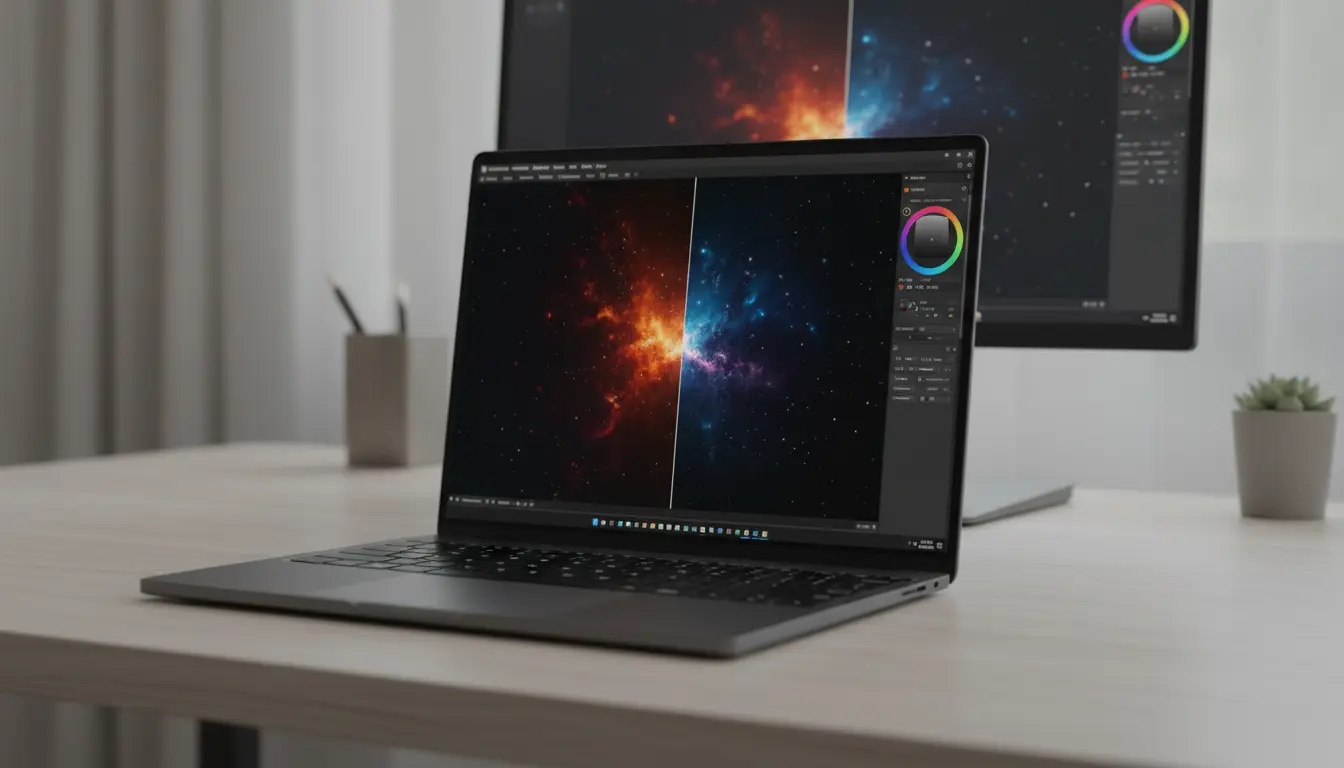

OLED vs IPS Laptop Displays: Burn‑In Risk and Color Accuracy Explained
Choosing a laptop with the right display is more important than ever. Whether you are a content creator, gamer, or office user, your screen affects eye comfort, color accuracy, and long‑term durability. Today, two main technologies dominate the laptop market: OLED and IPS (a type of LCD). Both have strengths and weaknesses, especially when it comes to burn‑in risk and color accuracy.
This article explains the key differences between OLED and IPS laptop screens, how they handle static content, what to expect in terms of color performance, and which type might be better for you.
What Is an OLED Laptop Display?
OLED (Organic Light‑Emitting Diode) panels use organic compounds that emit light when an electric current passes through them. Each pixel is self‑emissive, meaning it creates its own light and can turn completely off.

Key characteristics of OLED laptop panels
- Perfect blacks (pixels switch off entirely)
- Extremely high contrast ratios
- Vivid, saturated colors
- Instant pixel response times for smooth motion
- Thinner panels and often more modern designs
These features make OLED laptops highly attractive for watching movies, editing HDR photos and videos, and playing visually rich games.
What Is an IPS Laptop Display?
IPS (In‑Plane Switching) is a type of LCD technology that relies on a backlight behind liquid crystals. Unlike OLED, IPS pixels do not emit their own light. Instead, they modulate the light from the LED backlight.
Key characteristics of IPS laptop panels
- Consistent and accurate colors
- Wide viewing angles
- No permanent burn‑in in normal use
- Often brighter in sustained full‑screen whites
- Generally more affordable and more common
IPS displays are a solid all‑round option for productivity, office work, and color‑sensitive tasks when properly calibrated.
Burn‑In Risk: OLED vs IPS in Laptops
One of the most discussed drawbacks of OLED technology is burn‑in. Burn‑in occurs when static elements—like taskbars, logos, or UI buttons—stay on the screen for long periods, leaving a faint “ghost” image permanently visible.
OLED burn‑in risk on laptops
Laptop usage patterns often include:
- Static menu bars
- IDEs and code editors
- Browser tabs and address bars
- Application icons pinned to the taskbar
Because these elements can remain almost unchanged for hours every day, OLED laptop panels face a higher risk of permanent image retention over several years.
Modern OLED laptops, however, include protections:
- Pixel shifting (subtle movements of the entire image)
- Automatic brightness limiting for static areas
- Screen savers that activate aggressively
- UI dimming of persistent elements
These techniques significantly reduce the chance of burn‑in under typical usage, but they do not eliminate it entirely.
IPS laptops and image retention
IPS LCDs use a backlight and do not suffer from classic OLED burn‑in. They can show temporary image retention in rare cases (after displaying high‑contrast static images for very long periods), but this usually disappears quickly and does not become permanent.
If you often display static interfaces for many hours every day and plan to keep your laptop for many years, IPS still offers the safer route regarding burn‑in.
Color Accuracy: Which Is Better, OLED or IPS?
Both OLED and IPS can deliver excellent color accuracy, but how they achieve it and how they look by default can differ significantly.
OLED color performance
- Very wide color gamuts (often 100% DCI‑P3 or more)
- Deep blacks make colors look extra vivid
- Great for HDR content and high‑contrast visuals
However, default factory settings on some OLED laptops push saturation to create a “wow” effect. This can look impressive, but it is not always color‑accurate for professional work.
Many modern OLED laptops add calibrated profiles:
- sRGB mode for web content
- DCI‑P3 or Display P3 modes for video and cinema
- Dedicated “Creator” or “Color‑Accurate” presets
When you select these calibrated modes and, ideally, fine‑tune with a hardware colorimeter, OLED displays can become extremely accurate while retaining their stunning contrast.
IPS color performance
High‑quality IPS laptop displays can be very accurate out of the box, especially on models designed for creators and professionals. Their strengths include:
- Natural, less oversaturated colors by default
- Good coverage of sRGB, and on premium models, DCI‑P3 or Adobe RGB
- Stable color reproduction across the panel and viewing angles
While IPS cannot achieve the infinite contrast of OLED, many calibrated IPS panels meet or exceed professional standards for photo editing, graphic design, and print‑oriented workflows.
Eye Comfort and Everyday Usability
Eye comfort is often overlooked, but it should be a key factor in your choice.
OLED comfort considerations
- Deeper blacks can reduce glare in dark environments.
- Fast response times reduce motion blur in fast‑moving scenes.
- Some users are sensitive to PWM (pulse‑width modulation) dimming, used on certain OLED laptops at low brightness levels.
If you are sensitive to flicker or plan to use your laptop at low brightness for long periods, it is worth checking reviews for PWM frequency data.
IPS comfort considerations
- Generally more consistent brightness in bright office environments.
- Some IPS panels also use PWM, but many business and creator models implement DC dimming or high‑frequency PWM that reduces eye strain.
For long spreadsheet sessions, coding, and general productivity, a good matte IPS display remains very comfortable.
Which One Should You Choose?
Your ideal choice depends on your priorities and workflow.
Choose an OLED laptop if:
- You prioritize deep blacks and cinematic visuals.
- You watch a lot of HDR movies or stream high‑quality content.
- You edit HDR photos and videos and want extremely high contrast.
- You are okay with managing static UI elements and using screen savers to reduce burn‑in risk.
Choose an IPS laptop if:
- You want minimal risk of permanent burn‑in.
- You mainly do productivity tasks, coding, or office work.
- You need reliable, consistent colors and brightness over many years.
- You prefer a more affordable option that still offers solid color accuracy.
Both technologies can be calibrated for serious color work. OLED offers wow‑factor contrast and deep blacks, while IPS still leads for long‑term durability and worry‑free use with static interfaces.
Practical Tips to Reduce OLED Burn‑In on Laptops
If you decide on an OLED laptop, a few habits can help extend the panel’s life:
- Enable auto‑hide taskbars and menus where possible.
- Use dark mode to reduce bright static elements.
- Activate screen savers that start quickly when you are idle.
- Avoid running static UI elements at maximum brightness for many hours.
- Use built‑in pixel shifting and protection features, usually enabled by default in display settings.
These small steps help preserve color consistency and minimize long‑term image retention.
Recommended OLED Laptop on Amazon
For users who want an OLED laptop with strong color accuracy and burn‑in mitigation, consider the ASUS Zenbook 14 OLED available on Amazon.com. Many configurations include:
- 14‑inch OLED panel with 2.8K resolution
- Wide color gamut and factory‑calibrated profiles
- Modern CPUs for productivity and creative workloads
Always check the exact model specifications and recent user reviews to confirm color coverage, calibration options, and any notes about burn‑in protections.









