
Amazon’s Best Audio Equipment for Podcasts and YouTube
Great ideas deserve clear sound. Whether you host an interview show, record solo tutorials, or publish weekly video essays, viewers notice audio quality before they notice camera upgrades. A practical Amazon setup can help creators capture a warm, focused voice without turning a spare room into a commercial studio. This guide explains how to choose the best audio equipment for podcasting and YouTube, build a reliable creator workflow, and spend where it matters most.
Start with Your Recording Environment
Before you add a microphone to your cart, listen to your room. Hard floors, bare walls, desk fans, and nearby traffic can make an expensive microphone sound disappointing. Soft furnishings, curtains, rugs, bookcases, and simple acoustic treatment reduce reflections and make speech easier to understand. You do not need to eliminate every sound. Instead, reduce the distractions that compete with your voice.
Choose the Right Podcast Microphone
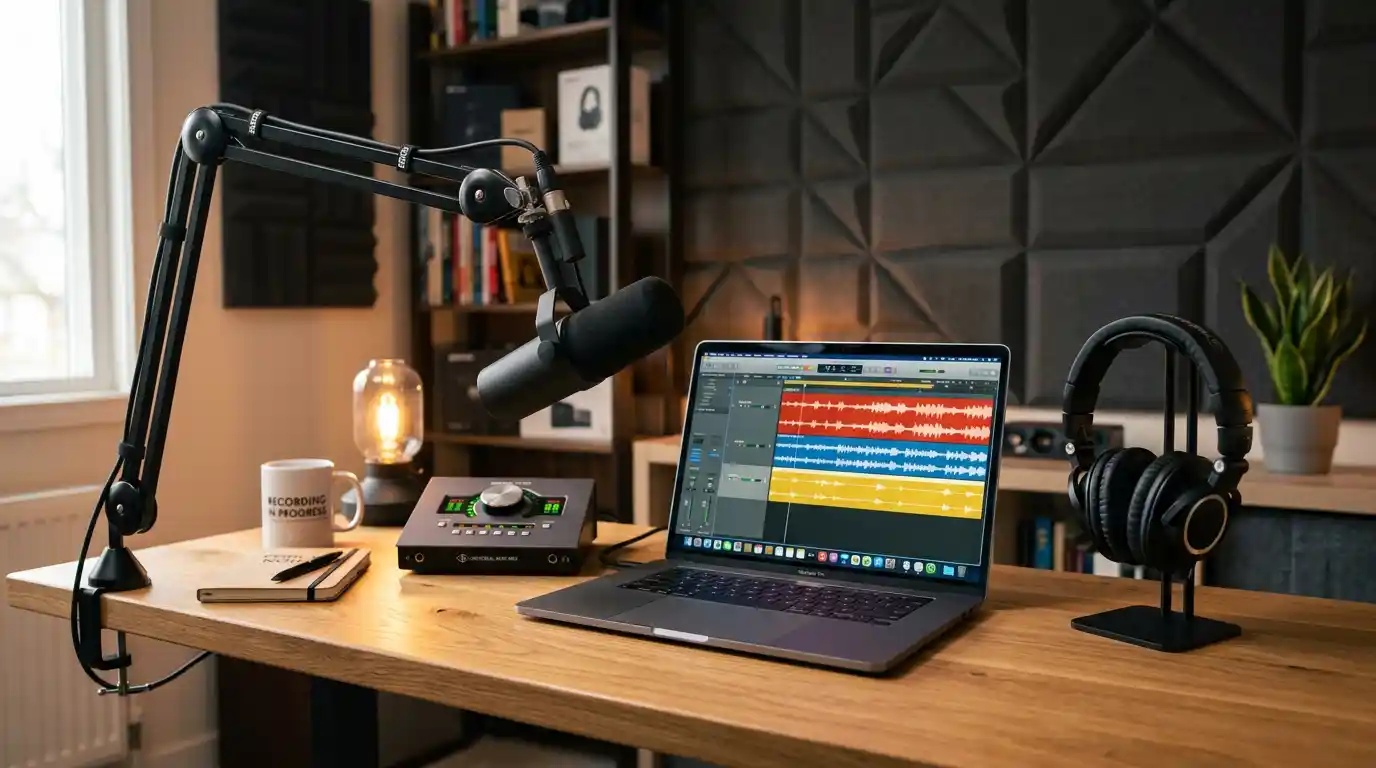
Your microphone shapes the entire listening experience. A USB microphone connects directly to a computer and offers the quickest route to recording. It suits beginners who want a simple setup for narration, calls, tutorials, or a one-person podcast. Choose a model with a headphone output when possible, because direct monitoring lets you hear your voice with minimal delay.
An XLR microphone gives you a more expandable route. It needs an audio interface or mixer, but it lets you upgrade individual parts later. Dynamic microphones often work especially well in untreated rooms because they focus on close speech and reject more distant background noise. Condenser microphones can capture extra detail, yet they also reveal more room tone. Select the pattern and microphone type that match your space rather than chasing a famous name.
For clear podcast sound, keep the microphone close, usually just outside the frame of your mouth, and speak across it instead of directly into it. This technique reduces harsh bursts of air. Add a pop filter or foam windscreen to control plosives, and use a shock mount if desk vibrations travel into the recording. A stable boom arm improves comfort, keeps the mic in position, and frees desk space for notes or a keyboard.
Build a Flexible YouTube Audio Setup
A strong YouTube audio setup depends on how you film. Desk-based creators can use a USB or XLR microphone on a boom arm. On-camera presenters can use a compact wireless microphone system or a wired lavalier microphone. Travel creators benefit from lightweight gear that connects quickly to a phone, camera, or portable recorder.
Match the microphone to the shot. A visible broadcast microphone can look intentional in a studio video, while a clipped lavalier creates a cleaner frame for tutorials and walk-and-talk content. For outdoor filming, use wind protection and monitor recordings whenever possible. Wind can ruin a good take faster than a minor camera issue.
Add an Audio Interface When You Need Control
An audio interface converts an XLR microphone signal into a clean digital signal for your computer. It also provides microphone preamps, gain controls, headphone monitoring, and sometimes additional inputs for guests or instruments. A two-input interface supports a host and one guest, while a larger podcast mixer suits roundtable shows.
Choose only the connections you will use. Many new creators buy complex boards filled with effects, then use only one microphone channel. A compact interface with dependable controls often creates a faster, calmer recording process. Check that it works with your operating system and that it supplies phantom power if you choose a condenser microphone.
Use Closed-Back Headphones for Monitoring
Studio headphones help you catch clicks, hum, distortion, and level changes while you can still fix them. Closed-back headphones limit sound leakage, so they work well when you record near a microphone. They also help hosts and guests focus during long conversations.
Avoid judging the final mix only through earbuds or laptop speakers. Listen on headphones, a phone, and ordinary speakers before publishing. This quick check reveals whether dialogue remains clear for real viewers. Good podcast headphones do not need dramatic bass; they need reliable detail and comfort.
Improve Speech with Simple Recording Habits
Even the best microphone cannot replace technique. Sit or stand tall, keep a steady distance from the mic, and speak with relaxed energy. Record a few seconds of room tone at the beginning or end of each session. Editors can use that sample to identify consistent background noise.
In post-production, remove obvious mistakes, lower distracting noise carefully, and use light compression to control uneven volume. Do not overprocess your voice. Excessive noise reduction can create metallic artifacts, while heavy compression can make speech tiring. Aim for natural, intelligible audio that matches your channel’s personality.
Plan Your Amazon Shopping List
When browsing Amazon, prioritize the signal path: microphone, mounting, connection, monitoring, and recording device. Read current product specifications rather than relying only on titles. Confirm connector types, included cables, compatibility, return options, and whether accessories fit your desk or camera. A low-cost mic can become expensive if it requires several missing adapters.
New creators can begin with a USB microphone, a boom arm, headphones, and basic room control. Growing channels can add an XLR microphone and audio interface. Multi-person programs may need several microphones, headphones, and a recorder or mixer with inputs. Buy for your current format, then expand after you establish a repeatable publishing routine.
Final Thoughts
The best Amazon audio gear is not automatically the most expensive gear. Choose a microphone that suits your room, a connection method that suits your workflow, and monitoring tools that help you hear problems early. Record consistently, improve one weak link at a time, and let your audience focus on your message. Clear, confident sound turns a useful episode or video into content people will want to finish and share.
Recommended Amazon Product
For a creator who wants to record up to four people or work away from a desk, consider the Zoom PodTrak P4 Podcast Recorder on Amazon. The Amazon listing describes four XLR microphone inputs, four headphone outputs, phone and USB connectivity, sound pads, and battery-powered operation. Those features make it a practical option for interviews, small panels, and portable sessions. Review current listing details before purchasing, as availability and specifications can change.