
Best Printers for Quiet Office Standards: A Practical, Noise-Conscious Buying Guide
Modern offices are no longer built around constant background noise. Many teams now work in open-plan spaces, shared coworking floors, home offices, and hybrid setups where meetings happen all day on video calls. In these environments, printer noise matters more than ever. A loud machine can interrupt focus, distract colleagues, and even reduce perceived professionalism during calls. That’s why choosing a printer that meets quiet office standards is not just a “nice-to-have”—it’s a productivity decision.
This guide explains what “quiet” really means for office printing, which printer types tend to be quieter, what features you should prioritize, and how to build a printing workflow that stays silent and efficient. You will also learn how to compare models with confidence, especially when brands market “quiet mode” in different ways.
What Quiet Office Standards Mean (and Why They Matter)
Quiet office standards are about minimizing disruptive sound so people can concentrate. Even if your office doesn’t follow a formal acoustic regulation, you can still evaluate printers using common-sense criteria: operational noise during printing, mechanical noises during warm-up, and idle sounds like fan hum.
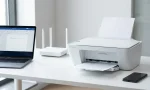
Printers typically create noise in three main moments:
- Warm-up and initialization: some lasers ramp up fans and motors quickly.
- Paper feeding and printing: rollers, gears, and print engines generate most of the audible sound.
- Post-print cooling: fans may run longer after a print job.
To build a low-distraction environment, you want a printer that stays calm across all three phases—not only a machine that’s quiet after it finishes.
Laser vs Inkjet: Which Is Quieter in Real Offices?
A common assumption is that inkjet printers are always quieter than laser printers. In reality, both can be quiet if designed for it.
- Inkjet models can offer very low mechanical noise, especially during light document printing. They often suit small teams and home offices. Many are also energy-efficient and don’t need intense warm-up cycles.
- Laser models tend to print faster and handle larger monthly volumes better, but some units can be noisier due to the print engine, motor movement, and cooling fans.
If your priority is a quiet workspace and moderate volume, a business inkjet with efficient paper handling is often a strong choice. If you print high volumes and need speed, look for modern business lasers that offer a true low noise printing mode and stable motor design.
Features That Actually Reduce Noise (Not Just Marketing)
Manufacturers use a lot of language like “silent,” “quiet,” or “eco,” but you should focus on features that have real-world impact:
- Quiet mode / low-noise mode: This usually slows printing speed to reduce mechanical stress and sound peaks. It’s ideal for calls and shared areas.
- Direct drive or smoother paper path: A simpler paper path means fewer abrupt movements and less vibration.
- Good chassis build quality: A heavier, well-assembled body absorbs vibration better than thin plastic shells.
- Auto duplex printing designed smoothly: Duplex mechanisms can be loud if they reverse pages aggressively. High-quality duplex units do it with less clatter.
- Efficient cooling and fan profiles: Some printers keep fans at a low, steady level instead of sudden bursts.
Also consider placing the printer on a stable surface. Even a quiet printer can become noisy if it sits on a hollow cabinet that amplifies vibrations.
What to Look For When Comparing Noise Specs
Some brands publish acoustic information, but not all do it in the same way. If you can find sound ratings, they may be listed as:
- Sound power (more standardized)
- Sound pressure (what you perceive nearby)
- Measurements at different speeds or modes
Even without perfect spec alignment, you can still compare by looking for consistent language and independent reviews. When reviewers mention “usable in a shared room” or “not distracting on calls,” that’s often more valuable than one isolated number.
A practical way to evaluate: choose models that include a quiet mode feature, then confirm through customer feedback that it genuinely reduces noise and doesn’t introduce annoying secondary sounds like squeaking rollers.
Balancing Quiet Printing with Speed and Cost
Silence often requires trade-offs. If a printer runs in quiet mode, it may print slower. That does not automatically mean it’s a worse machine. It means it respects your environment.
To choose well, match the printer to your office pattern:
- If you print small batches frequently, you want a device that stays quiet during repeated starts, feeds paper smoothly, and doesn’t ramp fans too aggressively.
- If you print large batches occasionally, you can schedule print runs during low-traffic hours and prioritize reliability and capacity more.
Also factor in running costs. Some quiet models are economical, but others become expensive due to high cartridge pricing. For a quiet office, the best value is often a printer with predictable consumables and a stable long-term cost profile.
Setup Tips to Keep Any Printer Quieter
Even the right printer can become annoying if setup is wrong. Use these tactics:
- Enable quiet mode by default when available, then switch to standard mode only for time-sensitive bulk jobs.
- Use a high-quality paper type recommended by the manufacturer. Low-grade paper can increase roller noise, misfeeds, and re-tries.
- Maintain rollers and cleaning routines. Dust and paper debris often create extra squeaks and rattles.
- Place the printer away from desks but still accessible. A few meters can make a major difference.
- Use print scheduling: Send large jobs at set times to avoid constant intermittent noise.
If your team relies heavily on scanning and copying, consider whether the ADF (automatic document feeder) is loud. A noisy ADF can be as disruptive as the print engine.
Who Benefits Most from Quiet Office Printers?
Quiet printing matters in almost every modern workspace, but it becomes essential for:
- Open offices where multiple people share the same space
- Remote-first teams using frequent video calls
- Client-facing environments (reception, clinics, small studios)
- Home offices where noise impacts family or roommates
- Libraries, study rooms, and education spaces
In these settings, a quiet printer is not a luxury—it supports comfort, concentration, and professional presence.
Recommended Printer Types for Quiet Office Standards
Instead of listing dozens of models, focus on the most suitable categories:
- Business Inkjet All-in-One (AIO)
Great for quiet performance, scanning, and moderate printing volume. Often a smart choice for shared spaces. - Compact Monochrome Laser Printer with Quiet Mode
Ideal when you mainly print text documents and want fast performance with controlled noise output. - Mid-range Business Laser AIO with Efficient Duplex
Best for teams needing scanning, copying, and regular duplex printing—choose carefully to avoid loud duplex mechanisms.
When you shop, prioritize real-user feedback that mentions “quiet,” “silent mode,” “low-noise,” and “good for meetings.” Those phrases usually reflect genuine experience.
A Single Amazon Product Suggestion (Example Category Winner)
If you want one strong starting point, look for a business-class printer series that emphasizes efficient office use, duplex support, and quiet printing features. One commonly recommended option on Amazon is:
- Brother HL-L2370DW (Monochrome Laser Printer) — often appreciated for reliable office document printing, duplex capability, and generally controlled operating noise compared to older laser models.