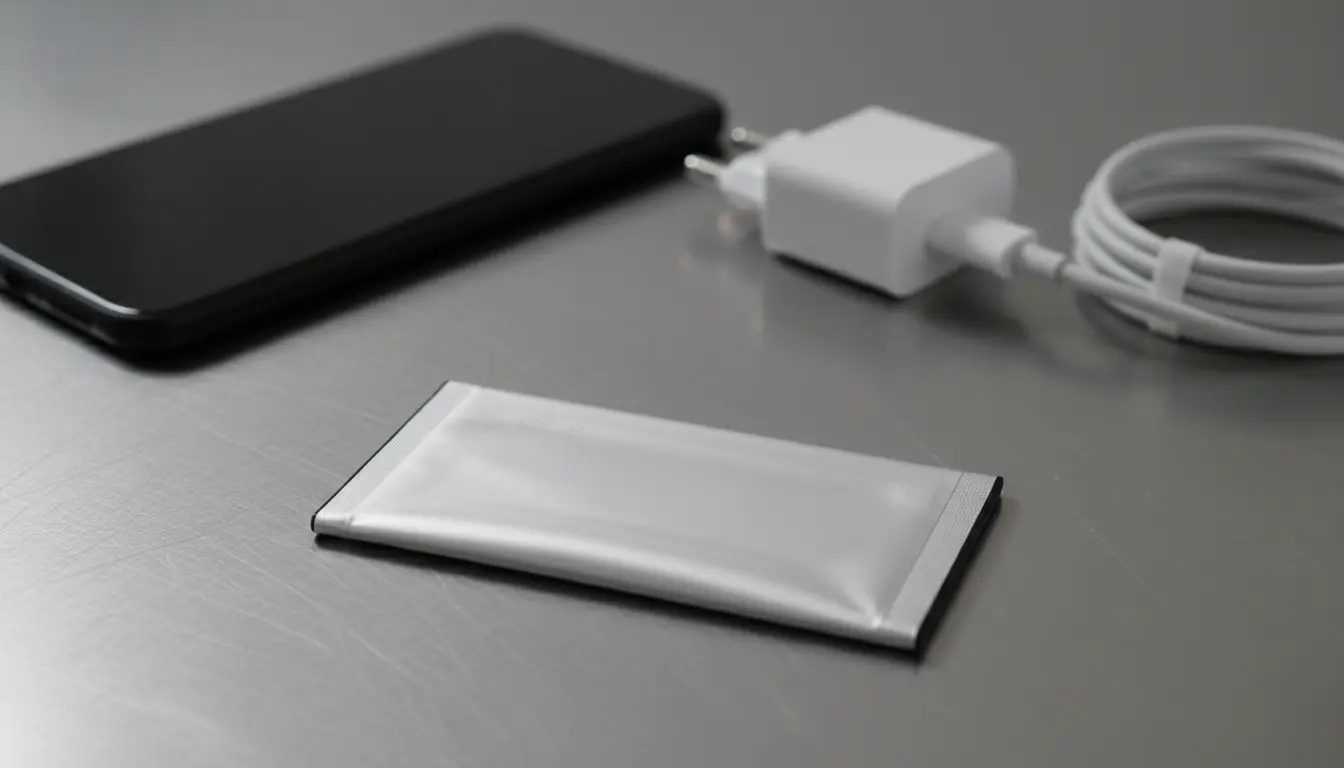

Swollen Batteries and Safety: Symptoms, Risks, and the Right Response
Swollen batteries are more than just a minor inconvenience. They are a clear warning sign that something is wrong inside the cell and that a serious safety risk may be developing. Whether you use a smartphone, laptop, tablet, or power bank, understanding battery swelling and safety can protect you, your devices, and even your home from potential fire or chemical hazards.
In this guide, you will learn what causes battery swelling, how to recognize the symptoms early, which immediate steps you should take, and how to safely dispose of a swollen battery. You will also find practical tips for preventing battery damage and extending the lifespan of your device batteries.
What Is Battery Swelling?
Battery swelling usually occurs in lithium‑ion or lithium‑polymer batteries. Inside these batteries, chemical reactions create energy. Under normal conditions, these reactions are controlled and safe. However, when a battery is damaged, overcharged, exposed to heat, or reaches the end of its life, unwanted chemical reactions can produce gas.


This gas builds up inside the sealed casing, causing the battery to expand. The result is a swollen, puffy, or bloated battery. Once this happens, the battery is no longer safe to use and must be handled with extreme care.
Common Causes of Swollen Batteries
Several factors can trigger battery swelling. Understanding these causes can help you avoid dangerous situations:
1. Overcharging and Poor-Quality Chargers
Leaving a device plugged in for long periods or using cheap, unregulated chargers can stress the battery. Inconsistent voltage and current speed up internal wear and can lead to gas buildup.
2. Excessive Heat
High temperatures are one of the biggest enemies of lithium‑ion batteries.
Examples include:
- Leaving your phone on a car dashboard under direct sunlight
- Using a laptop on a pillow or bed that blocks ventilation
- Storing devices near heaters or in hot environments
Heat accelerates chemical breakdown inside the cell and increases the risk of swelling.
3. Physical Damage
A drop, bend, puncture, or crush can damage the battery layers. Even if the device looks fine on the outside, internal damage can cause short circuits and gas formation over time.
4. Old or Worn-Out Batteries
Every battery has a limited number of charge cycles. When a battery is very old or heavily used, its internal structure degrades. At this stage, it can start swelling even under normal use.
5. Manufacturing Defects
In rare cases, factory defects or poor-quality materials can lead to swelling. This is more common with very cheap, unbranded, or counterfeit batteries that do not meet safety standards.
Symptoms of a Swollen Battery
Recognizing the signs of a swollen battery early can help you avoid more serious damage. You may notice:
1. Device Housing Deforming
- The back cover or screen starts to bulge or lift
- The case no longer fits properly
- Gaps appear between the frame and the screen
2. Screen Issues
- The display looks slightly raised or curved
- Touch sensitivity becomes inconsistent
- There may be light leaks around the edges
3. Buttons and Ports Not Fitting Correctly
- Power or volume buttons become hard to press or feel stuck
- SIM tray or charging port no longer lines up as it used to
4. Strange Smell or Heat
- A sweet, chemical, or metallic odor may come from the device
- The device feels unusually hot even with light use or when idle
If you notice any of these symptoms, stop using the device immediately and move to a safe handling plan.
Immediate Safety Steps If Your Battery Is Swollen
If you suspect battery swelling, your priority must be safety. Follow these steps:
1. Power Off the Device
Turn off the device as soon as possible. Do not try to reboot or run diagnostics. Reducing power flow lowers the risk of further damage.
2. Unplug from Power
If the device is charging, carefully disconnect the charger. Never charge a device with a suspected swollen battery.
3. Do Not Puncture or Press the Battery
A swollen battery may be under pressure. Puncturing, bending, or pressing on it can cause:
- Leakage of toxic chemicals
- Smoke or fire
- Thermal runaway (a self-accelerating reaction)
Handle the device gently and do not try to “flatten” the battery.
4. Move It to a Safe Area
If possible, place the device:
- On a non‑flammable surface (tile, metal, stone)
- Away from flammable materials like paper, fabric, or curtains
- In a well‑ventilated area
Avoid placing it on your bed, sofa, or wooden furniture.
5. Do Not Attempt DIY Repairs Without Knowledge
Many people are tempted to open the device at home and remove the battery. While this might be possible for experienced technicians, an untrained person can easily damage the cell or the screen and increase risks. When in doubt, seek professional help.
How to Correctly Handle and Dispose of a Swollen Battery
Swollen batteries are considered hazardous waste. You must never throw them in regular trash or household recycling bins.
1. Check Local E‑Waste or Battery Recycling Programs
Most cities and electronics retailers offer:
- E‑waste collection points
- Battery recycling drop‑off centers
- Special days or events for hazardous material disposal
Look up local guidelines and follow official instructions.
2. Transporting the Swollen Battery Safely
If you need to take the battery or device to a recycling center or repair shop:
- Keep the battery or device in a fire-resistant container, if possible
- Avoid metal-to-metal contact with terminals
- Do not leave it in a hot car for long periods
Some people place devices in anti‑static or plastic bags, but avoid sealing a hot or actively reacting battery in airtight containers.
3. Ask a Professional Technician
Authorized service centers and reputable repair shops are familiar with safe swollen battery removal and disposal. They have tools and procedures specifically designed for this situation.
How to Prevent Battery Swelling
Although you cannot control everything, you can significantly reduce the probability of battery swelling with good habits.
1. Use Quality Chargers and Cables
- Choose original or high-quality certified chargers
- Avoid ultra-cheap, no‑name power adapters
- Make sure chargers meet your device’s voltage and current requirements
Stable, clean power is vital for battery health.
2. Avoid Extreme Temperatures
- Keep devices out of direct sun
- Do not leave them in locked cars during hot or freezing weather
- Allow devices to cool down if they feel hot before charging
Heat management is one of the simplest and most effective ways to prevent swelling.
3. Do Not Keep the Battery at 100% All the Time
Modern lithium‑ion batteries last longer when they are used in the 20–80% charge range most of the time. Occasionally going to 100% is fine, but constantly keeping the device plugged in for days or weeks can shorten battery life.
4. Replace Old Batteries in Time
If you notice:
- Rapid battery drain
- Unexpected shutdowns
- Devices that heat up quickly during normal use
then your battery may be near the end of its life. Replacing it early reduces the chance of it swelling later.
5. Buy Genuine or Quality Replacement Batteries
When replacing a battery:
- Avoid counterfeit products
- Prefer original OEM or trusted third‑party brands with good reviews
- Check certifications and safety standards where available
Investing in a reliable battery is far cheaper than dealing with a damaged device or safety incident.
Can You Still Use a Device with a Swollen Battery?
Using a device with a swollen battery is not safe. Risks include:
- Fire or explosion
- Permanent damage to the screen or internal components
- Injury from chemical exposure or burns
Even if the device “still works,” do not continue using it. The correct response is to stop using the device, back up data if safely possible, and arrange for battery replacement and proper disposal.
Choosing Protective Accessories
Using good accessories can reduce battery stress and external damage:
- Protective cases to reduce impact from drops
- Cooling stands or laptop stands to improve airflow
- Surge protectors to avoid damage from unstable electricity
These tools support safe charging and long-term battery health.
Example Product Suggestion (Amazon)
On Amazon.com, a commonly used and well‑reviewed option is the Anker 525 Charging Station (7-in-1) or similar multi‑port USB charging station. Quality products like this typically offer:
- Stable, regulated power output
- Multiple safety features (over‑voltage, short‑circuit, temperature control)
- Compatibility with phones, tablets, and smaller devices
Always verify the current model, reviews, and certifications before purchasing, and make sure the power specs match your devices’ requirements.









