
As more of our lives move online, the quality and consistency of your wireless connection matter more than ever. If you’re in the United States running a modern smart home, gaming, streaming in 4K/8K, or supporting hybrid work, you’ve likely heard about Wi‑Fi 6 (802.11ax) and the new Wi‑Fi 7 (802.11be). While Wi‑Fi 6 has become mainstream, Wi‑Fi 7 promises a substantial leap in speed, latency, and reliability—especially in congested environments. This guide breaks down the real-world differences, what they mean for your setup, and whether it’s the right time to upgrade.
What Wi‑Fi 6 Brought to the Table
Wi‑Fi 6 focused on efficiency rather than just raw speed. It introduced technologies that improved performance in dense networks—think apartments, office buildings, and homes with dozens of devices.
Key Wi‑Fi 6 technologies:


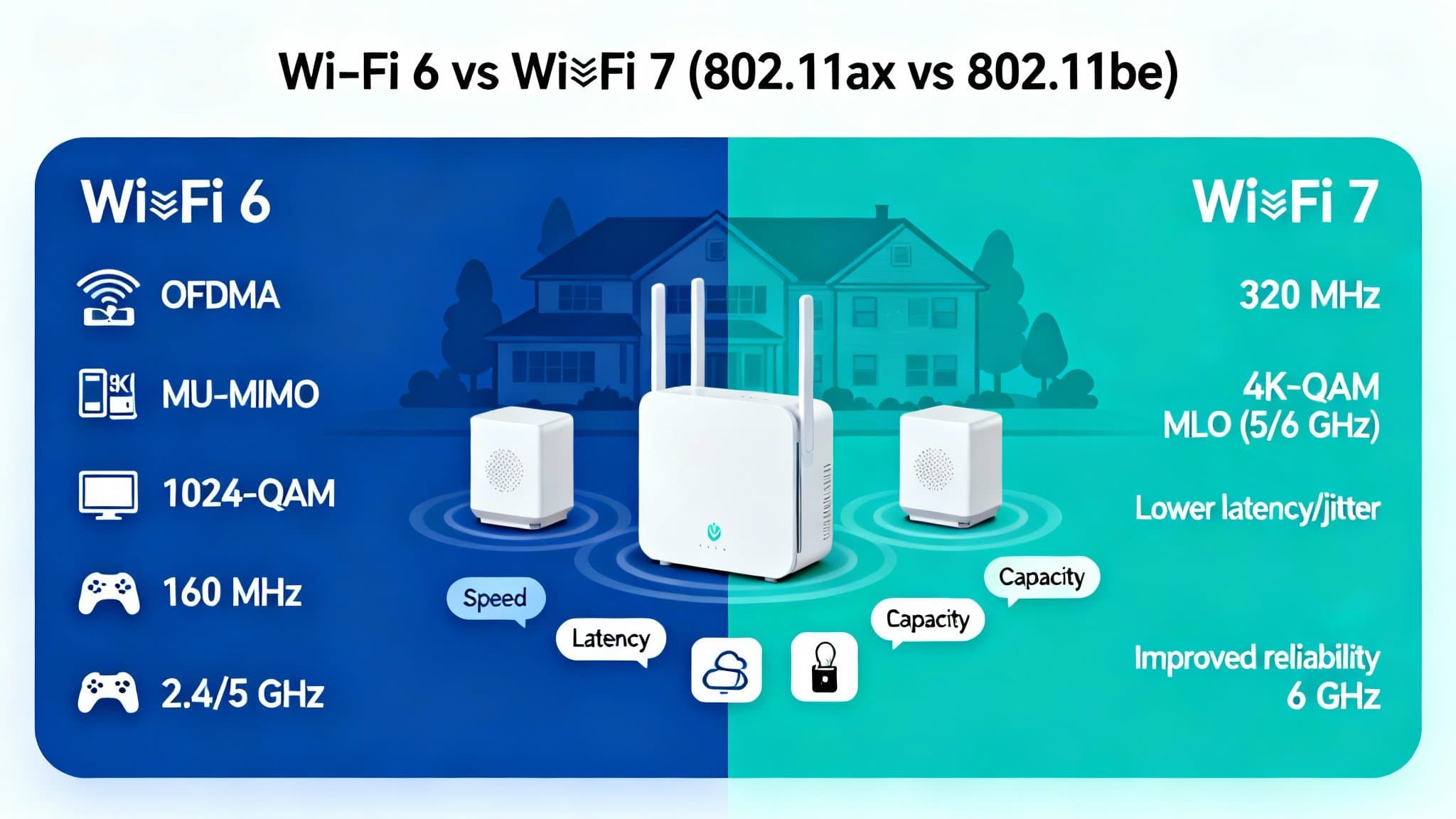
- OFDMA (Orthogonal Frequency Division Multiple Access): Splits channels into smaller subcarriers so multiple devices can transmit simultaneously, reducing contention.
- MU‑MIMO (Multi-User Multiple Input Multiple Output): Handles multiple downlink streams to different devices at once (and uplink in Wi‑Fi 6), improving throughput.
- Target Wake Time (TWT): Lets IoT and battery-powered devices sleep longer, boosting battery life while reducing congestion.
- 1024‑QAM: Packs more data into each signal for higher throughput in good signal conditions.
Typical performance:
- Real-world speeds often in the 500 Mbps–1.5 Gbps range on premium setups.
- Latency improvements versus Wi‑Fi 5, but still variable under heavy load.
- Works on 2.4 GHz and 5 GHz; with Wi‑Fi 6E, adds clean 6 GHz spectrum for less interference.
How Wi‑Fi 7 Levels Up
Wi‑Fi 7 builds on Wi‑Fi 6/6E and takes advantage of wider channels, better spectrum utilization, and smarter link reliability.
Standout Wi‑Fi 7 technologies:
- 320 MHz Channels: Double the maximum channel width of Wi‑Fi 6E (160 MHz). On 6 GHz, this can significantly increase peak throughput when spectrum availability allows.
- 4K‑QAM: Increases data density beyond 1024‑QAM. In optimal conditions, this adds notable speed gains.
- Multi‑Link Operation (MLO): A game changer. Devices can use multiple bands (e.g., 5 GHz and 6 GHz) simultaneously or switch between them on the fly. This reduces latency spikes and improves stability.
- Enhanced Puncturing (Multi‑RU and Preamble Puncturing 2.0): Works around interference by “puncturing” busy parts of the spectrum, keeping the rest of the channel active.
- Deterministic Low Latency: Scheduling and coordination improvements reduce jitter—great for gaming, VR/AR, and real-time collaboration.
Expected performance:
- Peak theoretical speeds up to roughly 40 Gbps under perfect conditions with 320 MHz channels and 4K‑QAM. Real-world consumer speeds will be far lower, but still meaningfully higher than Wi‑Fi 6/6E.
- Lower and more consistent latency thanks to MLO and improved scheduling—noticeable in gaming and high-quality video calls.
- Better reliability in crowded RF environments.
Wi‑Fi 6 vs Wi‑Fi 7: Side‑by‑Side
- Speed: Wi‑Fi 7’s wider 320 MHz channels and 4K‑QAM can deliver 2–4x the real‑world throughput of Wi‑Fi 6 in ideal scenarios. However, benefits depend heavily on access to clean 6 GHz channels and device support.
- Latency: Wi‑Fi 7’s MLO and deterministic scheduling offer smoother, more predictable latency, reducing lag spikes.
- Spectrum: Both use 2.4/5 GHz; Wi‑Fi 6E/7 use 6 GHz. Wi‑Fi 7 takes much better advantage of 6 GHz with 320 MHz channels.
- Capacity: Both handle many devices, but Wi‑Fi 7’s improved OFDMA, puncturing, and MLO boost aggregate performance under load.
- Backward Compatibility: Wi‑Fi 7 routers support Wi‑Fi 6/5/4 clients, but you’ll need Wi‑Fi 7 clients to unlock full benefits.
Real‑World Use Cases in the U.S.
- Multi‑Gig Internet Plans: If you’ve upgraded to 2 Gbps or higher from a U.S. ISP, Wi‑Fi 7 is better positioned to deliver multi‑gig speeds wirelessly across compatible devices.
- Smart Homes with Many Devices: Wi‑Fi 7 maintains higher aggregate throughput with dozens of IoT devices, 4K streams, security cameras, and work laptops operating simultaneously.
- Cloud Gaming and Esports: Lower latency and reduced jitter improve responsiveness and consistency.
- 4K/8K Streaming and Live Content Creation: Higher sustained throughput and link stability help with high-bitrate streams and uploads.
- AR/VR and Spatial Computing: MLO and deterministic latency reduce motion-to-photon delays, making wireless VR more viable.
Do You Need Wi‑Fi 7 Right Now?
Consider upgrading if:
- You have or plan to get multi‑gig broadband (2–5 Gbps) and want to see those speeds wirelessly where possible.
- You use latency‑sensitive apps (competitive gaming, VR, real‑time collaboration) and want more consistency.
- Your environment is dense or interference‑prone, and Wi‑Fi 6/6E isn’t delivering stable performance.
- You’re buying new flagship devices (laptops/phones) that already support Wi‑Fi 7.
You can wait if:
- Your internet plan is 1 Gbps or less and Wi‑Fi 6/6E already meets your needs.
- Most of your devices are Wi‑Fi 5/6 and you don’t plan to refresh them soon.
- You don’t use 6 GHz due to local constraints or home layout, and 5 GHz performs well.
What You Need for a Successful Wi‑Fi 7 Upgrade
- Wi‑Fi 7 Router or Mesh System: Look for models with 6 GHz support, 320 MHz channels, and MLO. In larger U.S. homes, tri‑band or quad‑band mesh systems provide better coverage.
- Wi‑Fi 7 Clients: Newer flagship phones, laptops, and PCIe adapters are rolling out with 802.11be chipsets. Without Wi‑Fi 7 clients, you won’t see the big gains.
- Multi‑Gig Backhaul: For mesh, use Ethernet or dedicated 6 GHz wireless backhaul. If possible, run 2.5G/10G Ethernet to key nodes for best stability.
- Proper Placement: Centralize the primary router, elevate it, and avoid obstructions. 6 GHz has shorter range than 5 GHz; you may need additional nodes for full-home coverage.
- Channel Planning: Use automatic channel selection to leverage clean 6 GHz spectrum. In busy neighborhoods, puncturing and MLO help, but physical placement is still critical.
- ISP Gear: If your modem/gateway is old, pair your Wi‑Fi 7 router with a DOCSIS 3.1+ cable modem or appropriate fiber ONT and ensure your WAN port supports multi‑gig.
Security and Power Efficiency
- WPA3 remains the standard, with ongoing enhancements for enterprise and personal networks. Wi‑Fi 7 maintains strong security best practices.
- Power optimizations continue from Wi‑Fi 6’s TWT, helping battery-operated devices and improving overall efficiency in dense IoT scenarios.
Cost Considerations
Wi‑Fi 7 routers and mesh systems are priced at a premium compared to Wi‑Fi 6/6E. If you’re budget-conscious and your performance is acceptable today, a high-quality Wi‑Fi 6E system might be a cost-effective middle ground—especially if you want access to 6 GHz without paying top-tier Wi‑Fi 7 prices. For early adopters with multi‑gig service and new devices, the investment in Wi‑Fi 7 can pay off in speed and stability.
Future‑Proofing Your Network
Wi‑Fi 7 is designed to scale with next-gen demands: multi‑gigabit internet, ultra‑high bitrate streaming, real-time collaboration, and low-latency computing. If you’re refreshing your networking gear in 2025 and beyond—and especially if you’re in the U.S. with access to 6 GHz spectrum—Wi‑Fi 7 offers a meaningful step up that will age well over the next several years.
Bottom Line: Upgrade Timing
- Upgrade now if you have multi‑gig service, use latency‑sensitive apps, or are deploying new Wi‑Fi 7 devices and want top-tier performance across a large or device-dense home.
- Wait if your current Wi‑Fi 6/6E setup is stable, your devices are older, or your internet plan doesn’t exceed 1 Gbps.
By focusing on your real-world needs—speed, coverage, latency, and device mix—you can decide whether Wi‑Fi 7’s features will materially improve your day-to-day experience.








