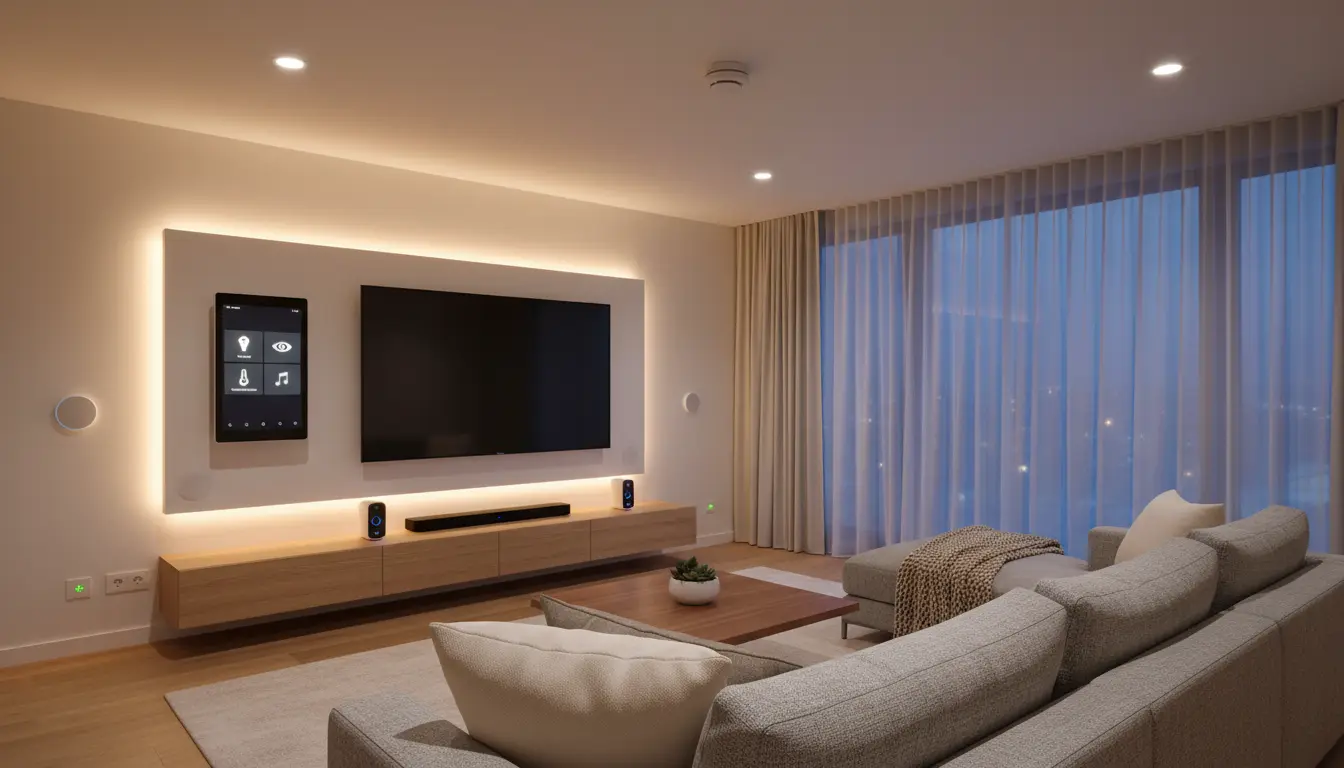

Smart Home Hubs for Flawless Automation: The Complete Guide
Smart homes are no longer a futuristic dream. With the right smart home hub, you can control lighting, climate, security, entertainment, and even small appliances from a single interface. A well‑chosen hub becomes the brain of your connected home, bringing together devices from different brands and communication standards into one seamless ecosystem.
In this guide, you’ll learn what a smart home hub is, why you need one, how it works, and how to choose the best hub for your needs. You’ll also see how smart home centers improve energy efficiency, comfort, and security while keeping your system easy to manage and expand.
What Is a Smart Home Hub?
A smart home hub is a central device that connects and coordinates your smart lights, locks, thermostats, sensors, cameras, and other home automation products. Instead of controlling each device with its own app, the hub unifies everything in a single platform or mobile app.

A modern smart home centre typically supports multiple wireless protocols such as:
- Wi‑Fi – for smart speakers, cameras, and many plugs
- Zigbee and Z‑Wave – low‑power mesh networks for sensors, switches, and bulbs
- Bluetooth – often for initial setup or nearby devices
- Matter / Thread – the new standard for interoperability between brands
By translating between these languages, the hub ensures that devices from different manufacturers can talk to each other and respond to combined automation routines.
Why You Need a Smart Home Centre for Flawless Automation
You can control a few Wi‑Fi devices directly from your phone, but once your system grows, it quickly becomes messy. A dedicated hub solves this by giving you:
- Unified control
One app or voice command to manage everything. You can dim lights, lock doors, and adjust the thermostat without jumping between multiple apps. - Reliable automation
Routines run locally on the hub, not only in the cloud. This means your lights still turn on at sunset and motion sensors still trigger alarms even if your internet connection is unstable. - Lower latency and better performance
Hubs optimized for smart home automation process rules quickly. This reduces delays between a trigger (like motion) and an action (like turning on a light). - Greater scalability
A smart home hub is designed to handle dozens or hundreds of devices without overwhelming your Wi‑Fi network. Mesh protocols distribute the load more efficiently. - Enhanced security and privacy
Many advanced hubs offer local data processing, strong encryption, and fine‑grained control over which devices can access your network or communicate externally.
How Smart Home Hubs Work Behind the Scenes
At a technical level, a smart home controller performs several key tasks:
- Device discovery and pairing
When you add a new bulb, sensor, or switch, the hub discovers it, pairs securely, and assigns it to a room or zone. - State monitoring
The hub constantly tracks the status of each device – whether a door is open, a light is on, or the temperature has changed. - Automation logic
You can create rules such as:
“If the front door unlocks after sunset, turn on the hallway lights and send a notification.”
The hub stores and executes this logic, often locally. - Scene orchestration
Scenes allow you to control multiple devices with one command. For example, a “Movie Night” scene can close smart blinds, dim the lights, and power on your TV and sound system. - Integration with voice assistants and cloud services
Many hubs integrate directly with Amazon Alexa, Google Assistant, and other platforms, enabling voice control and remote access outside your home network.
Key Features to Look For in a Smart Home Hub
To achieve near‑perfect automation, you should evaluate smart home hubs based on the following criteria:
1. Protocol and Device Compatibility
Choose a hub that supports the standards you need today and in the future. If you already own Zigbee bulbs and Z‑Wave sensors, your home automation controller must speak those protocols. Matter compatibility is becoming essential, as it improves interoperability between major brands.
2. Local vs. Cloud Processing
For faster, more reliable routines, prefer a hub that can process automation rules locally. Cloud features are still useful for remote access and voice control, but local execution reduces dependence on external servers and minimizes delays.
3. Ease of Setup and Daily Use
An intuitive mobile app and clear onboarding are vital. Look for:
- Guided setup wizards
- Logical room and device grouping
- Easy creation of scenes and schedules
- Simple methods to back up or migrate your configuration
A user‑friendly smart home platform saves you time and encourages you to experiment with more complex automations.
4. Security and Privacy Controls
Your hub sits at the center of your home network, so robust security is non‑negotiable. Important capabilities include:
- Encrypted communication with devices and the cloud
- Regular firmware updates
- Strong authentication for app access
- Optional local‑only operation for privacy‑conscious users
5. Expandability and Ecosystem Support
A high‑quality smart home centre grows with you. Confirm that it supports:
- Integrations with popular brands (Philips Hue, Sonos, Yale, Ecobee, etc.)
- Third‑party services like IFTTT or Home Assistant if you plan advanced flows
- Adding multiple hubs or bridges for large homes or outbuildings
Practical Automation Scenarios With a Smart Home Centre
Once your smart home hub is in place, you can design practical automations that simplify everyday life:
Energy‑Saving Climate Control
Connect your thermostat, smart vents, and occupancy sensors to the hub. Create rules to reduce heating or cooling in rooms that are unoccupied, and automatically switch to eco mode when everyone leaves the house. Over time, this can significantly lower energy bills.
Smarter Lighting for Comfort and Security
Use motion sensors and schedules to control lights automatically:
- Turn on pathway lights at low brightness when motion is detected at night.
- Simulate occupancy while you’re away by randomly switching lights on and off.
- Sync indoor lighting with sunrise and sunset times for natural daily rhythms.
Integrated Home Security
Pair door and window sensors, smart locks, outdoor cameras, and sirens with your security hub. You can automate scenarios such as:
- Arming the alarm system when the last household member leaves.
- Locking all doors at bedtime with a single tap or voice command.
- Sending instant alerts if a door opens unexpectedly while you’re away.
Seamless Entertainment Experiences
A capable smart home hub also improves your entertainment setup. You can:
- Launch a “Party Mode” scene that activates speakers, sets colored lighting, and adjusts volume.
- Turn off all AV equipment when you say “Good night.”
- Integrate TV usage with parental control schedules defined in your central controller.
How to Choose the Right Smart Home Hub for Your Home
To select the best smart home control centre for your situation, follow these steps:
- Inventory your existing devices
List every smart product you own and note their protocols and brands. Choose a hub that supports the majority of them natively. - Define your primary goals
Are you focused on security, energy savings, convenience, or all three? Your priority will influence features you need, such as advanced security modes or detailed energy reports. - Decide your preferred voice ecosystem
If your household already uses Alexa or Google Assistant, pick a hub that integrates deeply with that platform to avoid fragmentation. - Consider technical comfort level
Tech‑savvy users may prefer a more customizable home automation controller, while beginners will benefit from a hub with straightforward presets and templates. - Plan for future expansion
Even if you only have a few devices today, your smart home will likely grow. Select a hub with strong ecosystem support and regular firmware updates to avoid early obsolescence.
Common Mistakes to Avoid With Smart Home Automation
Even powerful smart home centres can be underutilized or misconfigured. Avoid these pitfalls:
- Relying only on Wi‑Fi devices – This can overload your router and cause instability. Mix in Zigbee, Z‑Wave, or Thread devices for better performance.
- Ignoring network security – Use strong passwords, separate guest networks, and keep firmware up to date.
- Overcomplicating routines – Start simple. Add complexity gradually to avoid confusion and troubleshooting headaches.
- Skipping backups – If your hub supports configuration backups, use them before making large changes to your automation rules.
By following best practices, you can achieve smooth, predictable behavior and truly “set and forget” automation.
Recommended Smart Home Hub on Amazon
A widely respected option on Amazon.com is the Amazon Echo Hub (search for “Amazon Echo Hub smart home control panel”). It acts as a wall‑mountable smart home controller with:
- Native support for Alexa
- Compatibility with Matter, Zigbee, and many Wi‑Fi devices
- A touch display for quick access to scenes, cameras, and routines
For many households, this product offers a balanced mix of usability, wide device support, and strong integration with a popular voice assistant.