
Best Smart LED Light Strips for TV Backlighting (Buyer’s Guide + Setup Tips)
TV backlighting has moved far beyond “just decoration.” With the right smart LED light strip, you can reduce eye strain during evening viewing, improve perceived contrast, and give your living room a modern, cinematic vibe—without remodeling anything. But not every LED strip works well behind a TV. Some are too dim, some don’t adhere properly to plastic panels, and others lag or desync when you try to match colors to what’s on screen.
In this guide, I’ll break down what actually matters when choosing smart LED light strips for TV backlighting, which features are worth paying for, and how to install them cleanly so the result looks professional rather than patchy.
Why TV Backlighting Is Worth It
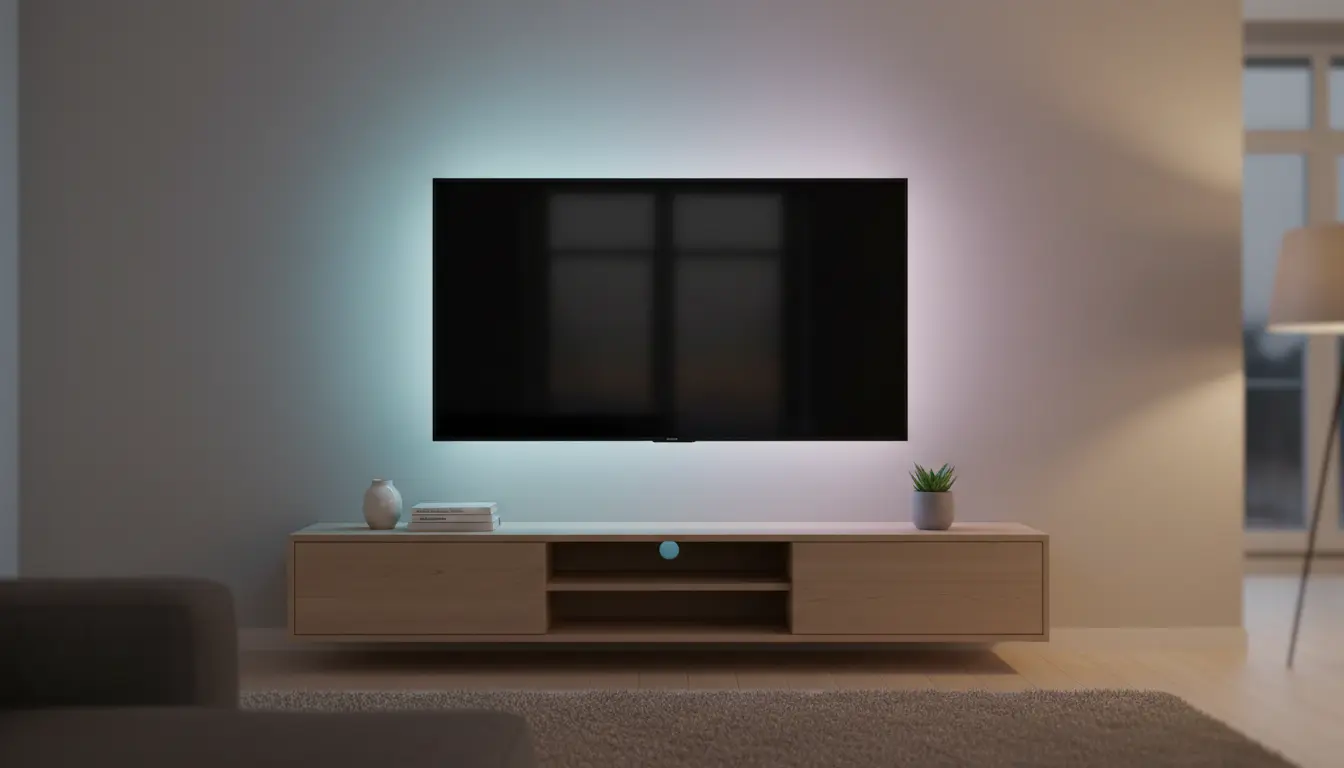
A TV is a bright focal point surrounded by a darker wall. That contrast is visually intense, especially at night. A soft halo of light behind the screen balances the scene and makes long viewing sessions feel more comfortable. You also get a “bigger screen” illusion because the wall glow expands the visual footprint of the display.
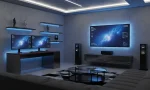
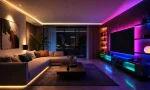
Smart strips take it further:
- You control brightness and color temperature from your phone or voice assistant.
- You automate schedules (movie time, gaming mode, sleep mode).
- You sync lighting with music or, in some setups, with what’s on the TV.
Types of Smart LED Strips for TV Backlighting
Not all “smart” options are the same. Choosing the right category first prevents disappointment later.
1) Static Bias Lighting (Warm White / Tunable White)
Bias lighting focuses on comfort and picture quality rather than flashy colors. A neutral white glow behind the TV can reduce perceived glare and help your eyes adjust. If you watch movies in a dim room, tunable white (warm-to-cool) can be a great balance.
Best for:
- Movie lovers who want subtle, premium ambience
- People sensitive to bright, saturated colors
- Minimalist home setups
2) RGB / RGBIC Decorative Backlighting
RGB strips give you full color control. RGBIC (individually addressable segments) looks noticeably better because the strip can show multiple colors at once. That matters behind a TV because it creates smoother gradients rather than a single flat color.
Best for:
- Gaming rooms
- Parties and mood lighting
- People who like animated effects
3) TV “Ambilight-Style” Sync Lighting (Advanced)
These systems attempt to match the colors on your screen to LEDs behind the TV, creating an immersive glow that reacts in real time. Some use cameras mounted on the TV, some use HDMI sync boxes, and some work only with certain content sources.
Best for:
- Enthusiasts who want maximum immersion
- Users who stream from external devices (console, streaming stick)
- People willing to spend more for sync accuracy
Key Features to Look For (What Actually Matters)
Here’s what separates a great TV backlight setup from a frustrating one.
Brightness and LED Density
Brightness is not only about “wow factor.” Too dim and the glow disappears. Too bright and it becomes distracting. Higher LED density (more LEDs per meter) produces smoother light with fewer “hot spots” on the wall.
What to do:
- If your TV sits close to the wall, you can use moderate brightness.
- If your TV is far from the wall or mounted high, you may need higher brightness to create a visible halo.
Color Accuracy and White Quality
Some cheaper RGB strips produce poor whites (they look bluish or greenish). If you plan to use white often—especially for bias lighting—prioritize models known for clean whites or choose tunable white strips.
Smart Home Compatibility
Before you buy, confirm which ecosystem you use most:
- Alexa
- Google Assistant
- Apple Home / HomeKit (often requires specific models)
- Matter support (helps with cross-platform compatibility)
If you already run routines like “Movie Night,” choose a strip that integrates smoothly so you don’t end up juggling apps.
Connectivity: Wi‑Fi vs Bluetooth
- Wi‑Fi gives remote control, automation, and voice assistant use across your network.
- Bluetooth is simple and reliable nearby, but limited for automations and remote control.
For most TV setups, Wi‑Fi is the better long-term choice.
Adhesive Quality and Heat Resistance
The back of a TV can get warm. Good strips include strong adhesive and sometimes extra mounting clips. A clean installation depends on the strip staying exactly where you place it.
Practical tip: Even a premium strip can fail if the surface is dusty or oily. Surface prep matters.
Length and Cut Marks
Measure your TV perimeter (usually 3 sides: left, top, right). Many people avoid the bottom because the stand and cables can block the glow, but wall-mounted TVs often look great with a full perimeter.
Make sure the strip:
- Matches the required length
- Can be cut safely at marked points
- Has corner-friendly design (or flexible connectors if needed)
How to Choose the Best Strip for Your TV
Use this quick decision framework:
If you want comfort-first viewing
Pick a tunable white or a strip known for accurate whites. Keep brightness moderate and set it slightly warmer at night.
If you want the most dramatic look
Choose RGBIC for multi-color gradients and animated scenes. You’ll get richer effects behind the TV, especially on a light-colored wall.
If you want real sync effects
Consider a screen-sync system. It costs more, but delivers the “ambient extension of the picture” experience many people want.
Installation Tips for a Clean, Professional Result
A great product can look bad if installed poorly. Do this instead:
1) Clean the Surface
Use a microfiber cloth lightly dampened with isopropyl alcohol (if safe for your TV surface) and let it dry fully. Dust and oils reduce adhesion.
2) Plan Cable Direction First
Decide where the power adapter will sit (often near the TV’s power cable). Route the controller box so it doesn’t hang visibly. If your TV is wall-mounted, plan the cable path before sticking anything down.
3) Avoid Tight Bends at Corners
Hard 90-degree bends can stress the strip and cause uneven lighting. Make gentle curves or use corner connectors if the strip design supports them.
4) Place the Strip Inset from the Edge
Mounting the strip about 3–6 cm inward from the TV edge often creates a smoother glow and hides individual LED points better.
5) Calibrate Brightness for Real Use
Set brightness for night viewing first. If it looks good at night, you can always boost it during daytime. Over-bright backlighting can fight the TV’s picture instead of supporting it.
Common Mistakes to Avoid
- Buying a strip with great effects but weak adhesion
- Choosing RGB when you mostly want clean white bias lighting
- Ignoring the wall color (dark walls absorb light; white walls amplify it)
- Installing without measuring, then struggling with awkward leftover segments
- Expecting perfect screen sync from basic “music mode” features
One Amazon Product Recommendation
If you want a dependable, high-quality smart strip that works well for TV backlighting and also scales to broader room lighting, consider:
Philips Hue Lightstrip Plus (Bluetooth) — widely used, strong ecosystem support, reliable app control, and consistent lighting quality.