
Best Tablets for Seniors in Michigan: A Practical Buying Guide
Choosing the best tablets for seniors in Michigan is less about chasing the newest specification and more about removing friction from everyday life. A well-chosen device can help an older adult read comfortably, join a family video call, check the weather before a snowy drive, manage appointments, enjoy music, or explore a favorite hobby. The right tablet should feel welcoming from the first tap. It must offer a clear screen, dependable performance, and settings that support changing vision, hearing, dexterity, and confidence.
What Makes a Tablet Senior Friendly?
A senior-friendly tablet starts with readability. Look for a display around ten or eleven inches when possible. A larger screen gives text, photos, video-call faces, and on-screen buttons more room. Brightness controls and readable contrast also matter, especially near a window or under indoor lighting. An anti-glare screen protector can make long reading sessions easier.
Simple tablet setup is equally important. The device should let users enlarge text, increase icon size, adjust display contrast, and use a straightforward home screen. Voice assistants can help seniors set reminders, search for information, place calls, or listen to content without typing. These accessibility features turn a general-purpose device into an easier tablet for older adults.



Prioritize Clear Displays and Comfortable Sound
A large screen tablet should not simply be big; it should remain sharp and easy to control. Test whether the user can open an app, return home, and change the volume without assistance. Tablets with responsive touchscreens reduce repeated tapping, which can frustrate beginners. Choose speakers that deliver spoken dialogue clearly, not merely loudly. Bluetooth hearing aids or headphones can add flexibility, but the connection process should be practiced together before it becomes necessary.
For readers, an adjustable font size is essential. E-books, local news, recipes, and family messages should never require a magnifying glass. Seniors who enjoy books may prefer an e-reader-like screen, while those who want video, photos, browsing, and games usually benefit from a full-color tablet. Before buying, identify the activities that will fill most of the week rather than paying for features that will remain unused.
Choose the Right Operating System
An Apple iPad offers a polished interface, a strong selection of apps, and useful accessibility settings. It can suit seniors already familiar with an iPhone or families that use Apple video calling and photo sharing. An iPad is often a sensible choice for someone who values simplicity and is comfortable with a higher initial cost.
Android tablets provide a broad range of sizes and prices. They can work well for shoppers who want budget-friendly tablets, expandable storage, or familiar Google services. Because Android interfaces vary by brand, it helps to choose a recognized manufacturer and complete the first setup with the owner present. Avoid selecting a device solely because its advertised memory number sounds impressive. Reliable software support, clear instructions, and a familiar seller matter more.
Amazon Fire tablets can appeal to users who mainly read, stream shows, make supported video calls, and use straightforward entertainment apps. They offer an affordable tablet option with a focused ecosystem. However, families should confirm that the exact communication, health, banking, or community apps their relative needs are available before purchasing. The best choice is always the one that supports the person’s actual routines.
Connectivity and Battery Life Matter in Michigan
Wi-Fi tablets work well at home, in senior living communities, and anywhere with a dependable connection. A cellular tablet can be valuable for an older adult who travels, attends appointments, or wants online access away from home. Compare ongoing data costs carefully before choosing cellular service. If Wi-Fi is the plan, place the tablet where the home signal is strongest and save the password somewhere secure.
Long battery life reduces one more daily concern. A device that lasts through reading, browsing, and calls helps users stay connected without constantly searching for a charger. Create one visible charging station near a favorite chair or bedside table. Magnetic charging accessories or a clearly labeled cable can make the routine simpler, but only use accessories compatible with the selected model.
Security Is Part of Ease of Use
A tablet should feel safe as well as simple. Enable automatic updates, use a memorable but private passcode, and activate device-location tools if the owner wants them. Set up a trusted contact for account recovery where available. Teach the user to pause before responding to unexpected pop-ups, text messages, or calls requesting money, passwords, or remote access.
How to Set Up a Tablet for an Older Adult
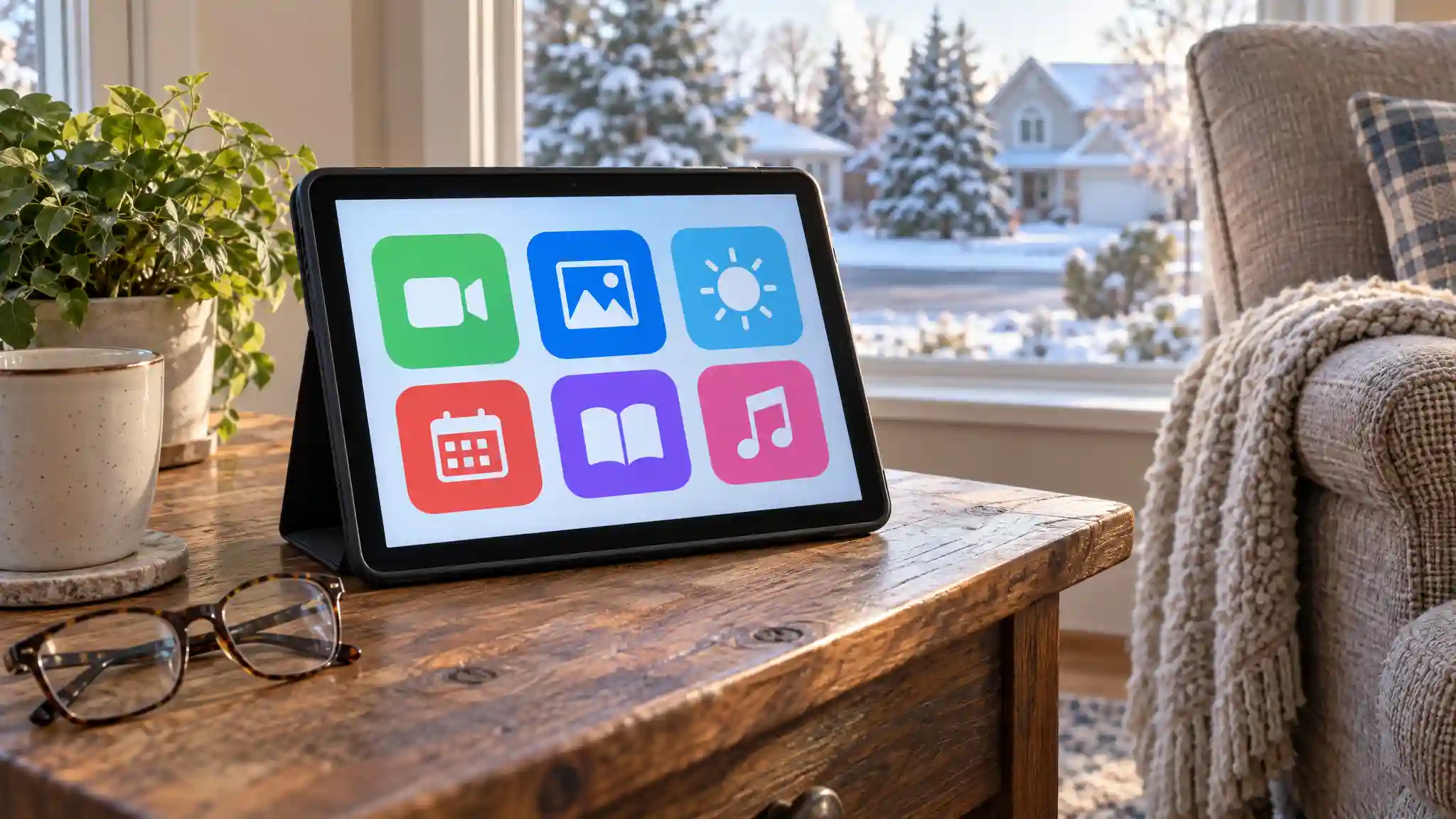
Start by removing distractions. Keep only the most useful apps on the first screen: video calling, photos, messages, weather, calendar, reading, music, and a browser. Use large icons and plain labels. Add important contacts with recognizable names and photos. Turn on large text, bold text if helpful, and spoken accessibility tools only when they genuinely improve the experience.
Next, practice real tasks. Make a video call, send a photograph, search for a local event, adjust volume, and reconnect to Wi-Fi. Repeat the sequence slowly. Active learning works better than a long technical explanation. Encourage the user to tap confidently; most common mistakes can be corrected. Schedule a check-in after the first week to answer questions and simplify anything that causes frustration.
Final Buying Advice
The best tablets for seniors in Michigan balance visibility, ease, reliability, and personal purpose. Focus on a readable display, simple navigation, solid battery life, accessible controls, and the apps that support meaningful connection. Compare return policies and try the device during the return window. A thoughtful setup, a protective stand case, and a little practice can matter more than premium hardware. When the technology respects the user’s habits, it becomes a practical companion rather than another confusing screen.
Amazon Product Recommendation
Consider the Amazon Fire HD 10 tablet, which Amazon lists with a 10.1-inch Full HD display, 32 GB storage, 4 GB RAM, an octa-core processor, a 5 MP front camera, and up to 13 hours of battery life. It is a practical option for reading, streaming, and supported video calls. Confirm app compatibility and current price before ordering every time. You can find it through Amazon Fire Tablets.